

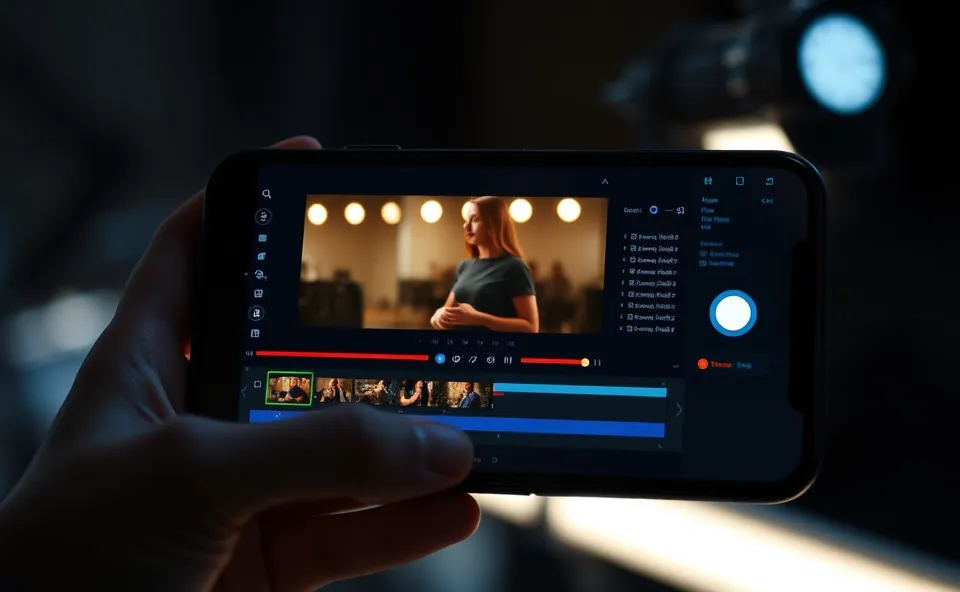
Your Memories Just Got a Hollywood Makeover with Google Photos AI Video Remix
So, Google Photos is at it again, dropping a seriously cool new feature that’s basically like having a mini film studio right in your pocket. They’re calling it the AI Video Remix tool, and trust me, it’s a game changer for anyone who loves to play with their photos and videos. Imagine taking those everyday clips and turning them into something truly spectacular without needing any fancy editing skills. That’s what this is all about.
Why Everyone’s Buzzing About This New AI Video Editing Magic
Why the sudden interest? Well, generative AI has been making waves everywhere, and now it’s reaching into our personal photo libraries. People are constantly looking for easier, more intuitive ways to create engaging content, whether it’s for sharing with friends and family or just for fun. Google Photos has always been a go-to for organizing memories, and this new AI Video Remix tool taps directly into that desire to express ourselves creatively. It’s trending now because it makes sophisticated video editing accessible to everyone, right from an app many of us already use daily. Think about it, you’re scrolling through your vacation pics, and suddenly you can turn a few clips into a mini movie with dramatic lighting and cool effects. That’s pretty exciting!
A Quick Look Back: How Google Photos Evolved
To really appreciate the AI Video Remix tool, it helps to remember where Google Photos came from. It started as a way to back up and organize your photos, a digital shoebox that never filled up. Over time, Google kept adding smart features – things like automatic albums, face recognition, and even basic photo editing tools. They’ve consistently focused on making your memories more accessible and enjoyable. Remember when it first offered to create automatic slideshows from your trips? That was a big deal then. Now, with AI Video Remix, they’re taking that a massive step further, moving from simple organization and basic edits to dynamic, creative video production. It’s a natural progression for a platform that’s all about your visual life.
What This Means for Your Personal Stories and Beyond
The impact of Google Photos’ AI Video Remix tool is pretty significant, especially for the average user. Suddenly, you have access to advanced media editing tools that were once the domain of professionals. Let’s break down some of the coolest things you can do:
- Cinematic Relighting: Ever taken a photo or video in less-than-ideal lighting? This feature lets you magically adjust the light to make your subjects pop, adding a professional, dramatic flair. It’s like having a virtual lighting crew for your videos. Imagine making that slightly dark birthday party clip suddenly look warm and vibrant, with your loved ones perfectly illuminated.
- Video Background Swap: This is where things get really fun. The AI can intelligently identify the background in your video and allow you to replace it. Want to appear as if you’re on a tropical beach while you’re actually in your living room? Now you can. This opens up a world of creative possibilities for storytelling or just creating some hilarious content.
- Artistic Video Styles: Beyond just lighting and backgrounds, you can apply unique artistic styles to your videos. This means you can transform your clips into something that looks like a sketch, a painting, or even has a retro film vibe. It’s a fantastic way to give your videos a distinct personality and stand out from the usual.
For individuals, this means turning ordinary moments into extraordinary visual narratives. For small businesses or creators, it offers a powerful yet simple way to produce engaging social media content without a big budget or steep learning curve. It democratizes video creation, making it a more accessible form of expression for everyone.
The Road Ahead: What’s Next for AI in Our Photo Apps
Looking forward, the AI Video Remix tool is likely just the beginning. We can expect Google Photos and other photo apps to continue integrating more advanced generative AI capabilities. Think about:
- More sophisticated AI video editing tools that can automatically suggest edits or even generate short video clips based on a theme.
- Enhanced personalization, where the AI learns your preferred styles and automatically applies them to your content.
- Deeper integration with other Google services, potentially allowing for seamless creation and sharing of video projects across different platforms.
The trend points towards a future where our photo apps are not just storage devices but powerful creative partners, helping us tell our stories in increasingly dynamic and compelling ways. The focus will likely remain on user-friendliness, ensuring that these powerful technologies remain accessible and enjoyable for everyone.
Frequently Asked Questions About Google Photos AI Video Remix
What is the AI Video Remix tool in Google Photos?
The AI Video Remix tool is a new feature in Google Photos that uses generative AI to help you create more engaging videos from your existing photos and clips. It allows for advanced editing like cinematic relighting, video background swap, and applying artistic video styles without requiring professional skills.
How can I use cinematic relighting with Google Photos AI Video Remix?
When creating a video remix, you can select the cinematic relighting option. The AI will analyze your video footage and allow you to adjust the lighting to create a more dramatic or flattering effect, making your subjects stand out.
Is it possible to do a video background swap with this new Google Photos feature?
Yes, the AI Video Remix tool includes a video background swap feature. This intelligent function allows you to change the background of your video clips, offering creative possibilities for your content.
What kind of artistic video styles can I apply using Google Photos?
Google Photos’ AI Video Remix tool lets you apply various artistic video styles to your creations. These styles can transform your videos to look like drawings, paintings, or give them a vintage film aesthetic, enhancing their visual appeal.
Will I need special skills for AI video editing in Google Photos?
No, the beauty of Google Photos’ AI Video Remix is its user-friendliness. It’s designed for everyone, so you don’t need any prior experience or special skills in AI video editing or media editing tools to create impressive videos.











