instapaper-upgrade
A Fresh Look and Feel for Your Favorite Read-It-Later App
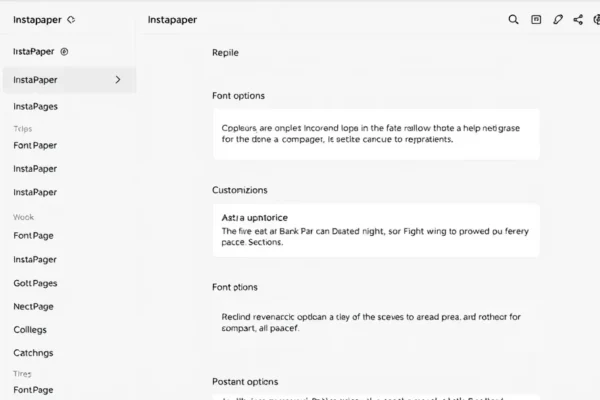
Remember Instapaper? That trusty old friend for saving articles you don’t have time to read right now? Well, it just got a pretty significant makeover. We’re talking about a big Instapaper upgrade that’s making it feel brand new again. They’ve rolled out some awesome new fonts, made customization much better, and even tweaked the layout to make revisiting your saved content a more enjoyable experience. If you’re someone who loves to bookmark articles and wants a clean, focused space to dive into them later, this update is definitely worth checking out.
Why Everyone’s Talking About This App Update Now
So, why the sudden buzz around this particular app update? It’s simple. Instapaper has been around for a long time, serving a specific need: helping us conquer our ever-growing lists of articles to read. In a world drowning in digital content, the ability to save and organize is more crucial than ever. This recent Instapaper upgrade hits right at the heart of what users love about the service while addressing areas that could use a refresh. People are searching for this now because it’s a timely improvement to a beloved productivity tool, offering a better way to manage and consume content. It’s not just another minor tweak; it’s a significant step forward for a platform many rely on for their digital reading habits.
A Little History on Your Digital Reading Companion
To really appreciate this Instapaper upgrade, it helps to know a bit about where it came from. Instapaper was one of the pioneers in the read-it-later app space. Back in the day, before the internet was quite as saturated with content, Instapaper offered a simple, elegant solution. You’d find an article you liked but couldn’t read immediately, and with a click, it was saved to your Instapaper account, stripped of ads and messy formatting, ready for you to read later in a clean, distraction-free environment. It became a go-to for many, a sanctuary for focused reading amidst the chaos of the web. Over the years, while other services came and went, Instapaper remained a solid choice for many who valued its uncluttered approach to content curation. This latest app update builds on that strong foundation, modernizing the experience for today’s digital reader.
What This Instapaper Upgrade Means for You
This Instapaper upgrade is more than just a visual refresh; it’s about enhancing your entire digital reading workflow. For starters, the new fonts are a big deal. They’ve introduced options that are not only easier on the eyes for longer reading sessions but also offer more personality. Think of it as choosing the perfect typeface for a favorite book; it makes a difference.
Then there’s the improved customization. This is where the power of this user interface update really shines. You can now fine-tune your reading experience more than ever before. Adjusting font sizes, line spacing, and margins is crucial for comfortable reading, and Instapaper has made these controls more accessible and versatile. This means less eye strain and more immersion in the articles you’ve saved.
The redesigned layout is another highlight. It feels cleaner, more intuitive, and frankly, more appealing to use. Navigating your saved articles, organizing them into folders, and finding that one piece you’ve been meaning to get back to is now smoother. This improved mobile app design ensures that whether you’re on your phone or tablet, your content library is a pleasure to interact with.
Ultimately, this Instapaper upgrade boosts your productivity tools. By making the act of saving and reading articles more efficient and enjoyable, it encourages you to actually consume the content you’ve collected. This is great for anyone looking to stay informed, learn new things, or simply unwind with a good long read. It’s about reclaiming your time and making sure your saved articles don’t just pile up, but actually get read. It reinforces Instapaper’s role as a premier article saving and bookmarking app.
Looking Ahead: What’s Next for Instapaper?
Where does Instapaper go from here after such a substantial Instapaper upgrade? It’s exciting to think about. With this renewed focus on user experience and robust customization, it’s clear they’re committed to staying relevant in the competitive landscape of content curation. We might see further refinements to their article saving features, perhaps more intelligent ways to organize or surface content based on your reading habits. Integration with other productivity tools could also be a logical next step, making Instapaper an even more central hub for your digital information consumption. The emphasis on a clean, focused digital reading experience is a strong selling point, and it’s likely they will continue to double down on this, ensuring that as the digital world gets noisier, Instapaper remains your quiet corner for focused thought and learning. The future looks bright for this classic read-it-later app.
Frequently Asked Questions About the Instapaper Upgrade
What is the main benefit of the recent Instapaper upgrade?
The main benefit of this Instapaper upgrade is a significantly improved user experience, featuring new fonts, enhanced customization options, and a redesigned layout that makes digital reading more comfortable and engaging.
How does the Instapaper upgrade improve content curation?
This app update enhances content curation by making it easier and more pleasant to manage your saved articles through a cleaner interface and better organization tools, encouraging you to actually read what you save.
Will the new Instapaper features help with my productivity tools?
Yes, the new Instapaper features are designed to boost your productivity. By offering a more enjoyable and efficient way to save and read articles, it helps you make better use of your time and stay on top of your reading list.
Is the Instapaper upgrade good for digital reading on mobile?
Absolutely. The redesigned layout and improved mobile app design of this Instapaper upgrade make your digital reading experience on smartphones and tablets much smoother and more visually appealing.
What kind of article saving and bookmarking app is Instapaper now?
Post-upgrade, Instapaper remains a leading read-it-later app and bookmarking app. The enhancements solidify its position as a sophisticated yet simple tool for saving articles and creating a personal library for focused reading.