

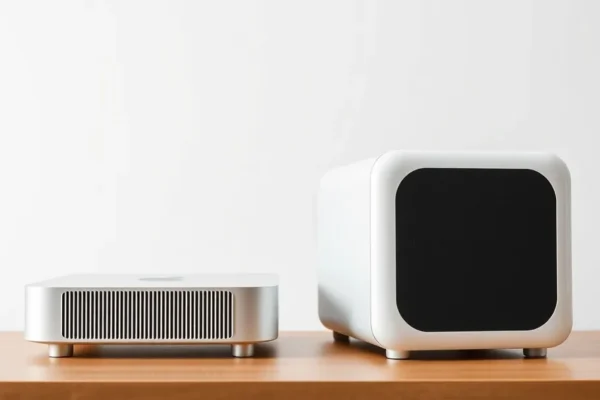
Meet the New Mac Mini M6 and Mac Studio M5 Ultra: Smarter, Faster Desktops for Your Home and Office
Ever feel like your computer is just…okay? Not bad, but not exactly a thrill either? Well, Apple’s just dropped some new desktop computers, the Mac Mini M6 and the Mac Studio M5 Ultra, and they’re aiming to give your daily digital life a serious upgrade. These aren’t just faster versions of what we had before; they’re built with brand new chips, the M6 for the Mini and the M5 Ultra for the Studio, that are designed to be extra smart, especially when it comes to handling tasks that involve artificial intelligence. Think of it like giving your computer a super-powered brain upgrade.
So, what does this mean for you? If you’re someone who relies on their computer for everything from sending emails and browsing the web to more demanding tasks like editing photos or even dabbling in video creation, these new Macs could make your experience smoother and quicker. They’re designed for folks who want a reliable, powerful desktop that can handle a lot without feeling sluggish. If you’re tired of waiting for apps to load or wishing your computer could just do things a bit more automatically, these new Apple silicon machines might be worth a look.
Putting the New Mac Mini and Mac Studio to Work in Your Day
Let’s get real here: what does a “smarter chip” actually do for you? For the Mac Mini M6, imagine your photo editing app automatically suggesting the best edits, or your video conferencing software making your background look sharper without you lifting a finger. These AI-optimized processors can crunch numbers and analyze information in the background, making common tasks feel almost instantaneous. For the more powerful Mac Studio M5 Ultra, picture this: you’re working on a huge design project with tons of layers, or editing 4K video footage. Instead of your computer chugging along, it feels fluid and responsive. It’s like going from a sputtering bicycle to a sleek sports car.
Here are a couple of scenarios to paint a clearer picture:
- For the Home Office Hero: If you’re juggling multiple spreadsheets, video calls, and research for work all day, the Mac Mini M6 can effortlessly switch between these tasks. AI features could help organize your files, summarize long documents, or even predict what app you’ll need next, saving you precious minutes throughout your busy day.
- For the Creative Pro (or Aspiring One): If you love editing photos or making short videos for social media, the Mac Studio M5 Ultra with its M5 Ultra chip is a powerhouse. AI can speed up complex rendering processes, help with object recognition in your footage, and generally make the creative workflow feel less like a chore and more like a joy. Imagine your video editing software automatically identifying and stabilizing shaky footage – that’s the kind of magic these new chips enable.
Who Should Be Excited About These New Macs?
Let’s break down who these machines are really built for.
- Best For: Professionals and power users who demand top-notch performance for demanding creative work, software development, or complex data analysis. The Mac Studio M5 Ultra is undeniably for those who push their computers to the limit and need maximum speed and processing power.
- Good For: Everyday users who want a significant performance boost for their existing workflows, students who need a reliable machine for research and projects, and anyone looking to future-proof their home or office setup with cutting-edge technology. The Mac Mini M6 is a fantastic option for general productivity and even light creative tasks.
- Skip If: You’re on a very tight budget and your current computer handles your everyday tasks (email, web browsing, word processing) without issue. These new Macs are premium products, and while they offer a lot, they come at a cost. Also, if you primarily need a portable device, these desktop computers obviously won’t fit the bill.
How Do They Stack Up Against the Competition?
When we talk about powerful desktop computers, especially in the Apple ecosystem, the main comparison points are usually within Apple’s own lineup or against high-end Windows PCs from manufacturers like Dell, HP, or custom-built machines.
The new Apple Mac Mini M6, with its M6 chip, directly competes with its predecessor, the M2 Mac Mini, offering a noticeable performance bump and enhanced AI capabilities. Compared to similarly priced Windows mini-PCs, Apple often holds an edge in software optimization and ease of use, especially for those already invested in the Apple ecosystem.
The Mac Studio M5 Ultra, on the other hand, is in a league of its own for sheer power within Apple’s current offerings, surpassing even the highest-end MacBook Pro models in raw desktop performance. Its closest competitors would be high-end Windows workstations or custom-built PCs, which can sometimes offer more modularity but often require more technical know-how to configure and maintain. The Mac Studio’s advantage lies in its seamless integration with macOS and its incredibly powerful, yet efficient, Apple silicon.
Price-wise, Apple typically commands a premium. The Mac Mini M6 is designed to be the more accessible entry point into a powerful Mac desktop experience, often offering better value than higher-end Windows options when you consider the integrated software and build quality. The Mac Studio M5 Ultra is a significant investment, but for those who need its power, the price can be justified by the time savings and ability to handle projects that would be impossible on lesser machines.
Getting Started: Setup and How Easy It Is to Use
One of Apple’s strengths has always been making technology feel approachable, and that continues with the Mac Mini M6 and Mac Studio M5 Ultra.
For the Mac Mini M6, setup is famously straightforward. You’ll likely need to purchase a display, keyboard, and mouse separately, but once you have those, it’s plug-and-play. You connect everything, power it on, and follow a simple on-screen guide to set up your user account, connect to Wi-Fi, and transfer any old data. It’s designed to be intuitive, even for those who aren’t super tech-savvy. The learning curve is minimal if you’re familiar with macOS; it’s more about getting used to the extra speed and capabilities.
The Mac Studio M5 Ultra also follows a similar, user-friendly setup process. The main difference is that it’s a more robust machine, so you’ll definitely want a high-quality display and peripherals to match its power. Again, Apple’s setup assistant guides you through everything. The learning curve here is primarily related to mastering the advanced features of the software it can run, not the hardware itself. If you’re upgrading from an older Mac, you’ll feel right at home. If you’re new to macOS, expect a short adjustment period, but most users find it very logical and easy to navigate.
The Real-World Perks You’ll Actually Experience
Let’s talk about the good stuff you’ll notice in your daily grind.
- Blazing-Fast Performance: This is the headline. Apps launch almost instantly, multitasking feels seamless, and demanding tasks that used to make your old computer sweat now fly by. This means less waiting and more doing.
- m> AI-Powered Efficiency: The new AI-optimized processors aren’t just marketing buzzwords. They genuinely help with tasks like image and video processing, intelligent search, and even improving system responsiveness. You might not always see how* it’s happening, but you’ll feel the result: a smoother, smarter computer.
- Quiet and Cool Operation: Apple’s silicon is known for being incredibly power-efficient. This translates to desktops that run remarkably quietly, even under load. The Mac Mini M6 and Mac Studio M5 Ultra are designed to keep cool without loud fans, creating a more peaceful workspace.
- Compact and Clean Design: Both of these are desktop computers, meaning they’re designed to sit on your desk and power your setup. The Mac Mini M6 is famously tiny, taking up minimal space. The Mac Studio M5 Ultra is more substantial but still elegantly designed, fitting into professional or home environments without being an eyesore.
- Long-Term Value and Support: Apple products are generally known for their build quality and longevity. With powerful chips like the M6 and M5 Ultra, these machines are built to handle demanding software for years to come, offering good long-term value.
The Real Drawbacks You Need to Know
No product is perfect, and it’s important to be aware of the potential downsides.
- Initial Cost is Significant: While the Mac Mini M6 is Apple’s most affordable desktop, it’s still an investment. The Mac Studio M5 Ultra is a premium product with a premium price tag, placing it out of reach for many casual users.
- Limited Upgradeability: Like most modern Apple devices, these Macs are not designed for user upgrades. You can’t easily swap out RAM or storage down the line. You need to choose the configuration you want at purchase, which can be a concern for those who like to tinker or expand their hardware over time.
- Peripheral Costs Add Up: Remember, the Mac Mini M6 and Mac Studio M5 Ultra are just the computers. You’ll need to factor in the cost of a display, keyboard, mouse, and potentially speakers or other accessories, which can add a significant amount to the total setup cost.
- Connectivity for the Mac Studio: While the Mac Studio M5 Ultra offers a generous array of ports, some professional users might still find themselves needing more specific connectivity options or adapters, depending on their existing gear.
Price, Value, and Is It Worth the Money?
Let’s talk brass tacks. As of late 2024, the Apple Mac Mini M6 starts at a competitive price point, often around $599-$699 for a base configuration. This makes it a compelling option for those looking for a powerful Mac desktop without breaking the bank. The value here is excellent for general productivity, everyday use, and even light creative work.
The Mac Studio M5 Ultra, on the other hand, represents a significant leap in price, typically starting in the $1999-$2999 range depending on the specific configuration and chip options. This is a professional-grade machine, and its price reflects that. For creative professionals, developers, and researchers who can leverage its immense power, the cost is justifiable by the time saved and the ability to complete projects that would be unfeasible elsewhere.
Hidden Costs: As mentioned, don’t forget to budget for a monitor, keyboard, and mouse. If you’re looking to maximize the M5 Ultra’s capabilities, you might also consider high-end displays or external storage, which can add hundreds or even thousands of dollars to the overall investment.
Budget Alternatives: If the Mac Mini M6 is still a stretch, consider looking at refurbished models of previous Mac Minis (M2 or M1) or exploring other compact desktop PCs from brands like HP or Dell. For the Mac Studio M5 Ultra, a high-end Windows workstation might offer similar raw power, though with a different user experience and software ecosystem.
Long-Term Value: The strong build quality and powerful Apple silicon chips mean these Macs are built to last. They should remain capable machines for many years, making the initial investment a solid bet for those who plan to keep their computers for the long haul.
The Final Word: Who Should Buy These New Macs?
So, should you rush out and buy the new Apple Mac Mini M6 or Mac Studio M5 Ultra?
My honest take is that these are fantastic machines, but they’re not for everyone.
You should absolutely consider the Mac Mini M6 if: You’re looking for a powerful, compact, and affordable desktop Mac for general productivity, web browsing, office tasks, and even some light photo or video editing. It’s a brilliant all-rounder for home offices and students.
You should seriously consider the Mac Studio M5 Ultra if: You are a creative professional, a developer, a scientist, or anyone who regularly tackles extremely demanding computing tasks. If your work involves heavy video editing, 3D rendering, complex simulations, or large-scale data analysis, the M5 Ultra’s performance boost and AI capabilities will directly translate into saved time and increased output.
Who might want to wait or look elsewhere? If your current computer handles your needs perfectly well and you’re not feeling the need for a significant performance upgrade, or if your budget is extremely limited and you don’t need the advanced capabilities these offer. Also, if you prefer the flexibility of upgrading components yourself, these Macs are not the best fit.
Ultimately, both the Mac Mini M6 and Mac Studio M5 Ultra represent significant advancements in desktop computing, powered by smart, AI-optimized chips that make everyday tasks feel effortless and professional workflows incredibly efficient. Choose the one that best fits your needs and your budget.
Common Questions About the New Mac Mini and Mac Studio
Is the Mac Mini M6 worth the upgrade from an older model?
For most users upgrading from an M1 or M2 Mac Mini, the M6 offers a noticeable performance boost, especially in AI-related tasks, and future-proofs your system. If you’re experiencing slowdowns, it’s a worthy consideration.
How does the M5 Ultra chip compare to the M6 in the Mac Mini M6?
The M5 Ultra is a significantly more powerful chip designed for professional workloads. While the M6 in the Mac Mini M6 offers excellent performance for everyday tasks and lighter creative work, the M5 Ultra in the Mac Studio M5 Ultra is built for the most demanding professional applications and can handle much larger datasets and more complex rendering.
Do I need to buy a separate display for the Mac Mini M6 and Mac Studio M5 Ultra?
Yes, both the Mac Mini M6 and Mac Studio M5 Ultra are desktop computers that do not come with a built-in display. You will need to purchase a monitor, keyboard, and mouse separately.
Can I run Windows applications on these new Macs?
You can run Windows applications on Macs with Apple silicon through virtualization software like Parallels Desktop or by using Boot Camp if you have an Intel-based Mac (which these new models are not). However, native Windows application support is not guaranteed, and performance may vary.
What is the return policy if I’m not satisfied?
Apple typically offers a 14-day return policy for products purchased directly from them, provided the item is in good condition. It’s always best to check Apple’s official website for their most current return and exchange policy details.
Are there any essential accessories I should consider buying with these new Macs?
Beyond a display, keyboard, and mouse, consider an external hard drive or SSD for backups and extra storage, especially if you’re not opting for a higher storage configuration. For the Mac Studio M5 Ultra, a high-quality monitor is crucial to appreciate its graphical capabilities.
Product prices and availability vary by region. Verify current pricing before purchase.











