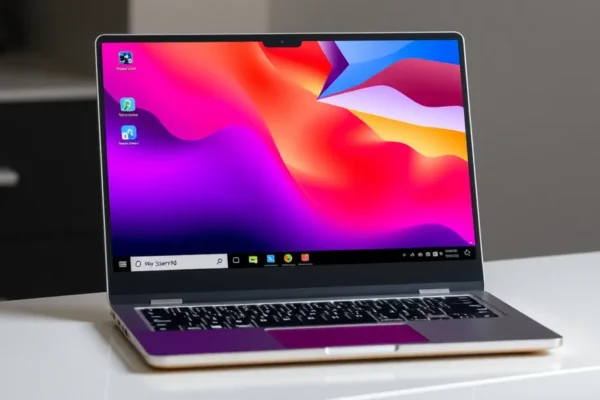
What Exactly is the System76 Pangolin Pro
In the world of computers, most people default to whatever they see at the local big-box store. The System76 Pangolin Pro is a different beast entirely. It is a 16-inch laptop built from the ground up to run Linux, an alternative to Windows or macOS that prioritizes privacy, customization, and user control. Think of this as a purpose-built tool for people who want a computer that works exactly the way they want it to without the constant updates or hidden tracking often found in mainstream machines.
This laptop solves the “Linux headache”—the struggle of trying to force a standard laptop to play nice with open-source software. With this machine, the hardware and software are tuned to work together perfectly right out of the box. If you have been looking for a powerhouse laptop that respects your digital boundaries, this is a product you should care about in 2026.
Real World Use and How It Fits Your Life
Using the Pangolin Pro feels like driving a car where you have the keys to the engine and the license to modify it however you like. Because it runs Pop OS, a great operating system based on Linux, it is surprisingly easy to navigate.
If you manage a busy household, you can set up separate, secure accounts for family members that don’t share data with big tech companies. If you are a student or a writer, the snappy keyboard and large screen make long sessions of typing feel like a breeze. Because the machine is built for efficiency, you will find that a speedy processor handles heavy web browsing with dozens of tabs open without breaking a sweat. Whether you are managing personal finances, organizing a photo library, or just trying to get some quiet work done, the Pangolin Pro stays cool and quiet, acting as a reliable workhorse rather than a flashy, temperamental gadget.
Who Should Get This Laptop
This laptop is best for people who value privacy and want a machine that won’t nag them with unwanted ads or forced system updates. It is a fantastic choice for programmers, writers, and students who have heard about Linux but are intimidated by the setup process. However, you should skip this if you rely on specialized software that only exists for Windows, such as the full Adobe Creative Cloud suite or specific high-end gaming titles that require rigid anti-cheat software. If your workflow relies on proprietary office tools that don’t have web-based versions, you might find the transition frustrating.
How It Compares to Alternatives
When you look for a Linux laptop in a 2026 review, you will likely see names like Framework or Dell’s developer editions. The Pangolin Pro stands out because it offers a large 16-inch screen, which is becoming a rarity in the portable laptop space. Compared to a standard high-end Windows laptop, the Pangolin Pro is often priced more competitively because you are not paying for expensive Windows licensing fees. However, it lacks the “polished” consumer software ecosystem of a MacBook. You are trading Apple’s polished app store experience for the freedom and transparency of a system that belongs entirely to you.
Setup and Ease of Use
Forget the days of needing to be a computer scientist to use Linux. Setting up the System76 Pangolin Pro is remarkably straightforward. When you pull it out of the box, the operating system is pre-installed. You walk through a simple setup wizard—much like you would on a phone—connect to your Wi-Fi, and you are ready to go. There is a slight learning curve if you are coming from Windows, as you will have to learn where the “App Center” is to install new software. But for 90% of your daily tasks, it is just as intuitive as any other computer.
Real World Pros You Will Actually Notice
- Privacy by Design: No tracking, no data mining, and no ads baked into your desktop.
- Superior Hardware Integration: Because the company makes both the machine and the software, updates almost never break your Wi-Fi or Bluetooth connectivity.
- Screen Real Estate: The 16-inch display offers a massive amount of room, perfect for splitting windows and multitasking without squinting.
- Repairability Mindset: System76 is known for making their laptops easier to open and maintain than most mainstream brands.
Real World Cons and Limitations
- Battery Life Reality: While many modern laptops claim 15 hours, real-world testing shows the Pangolin Pro sits closer to 7 or 8 hours of heavy, unplugged use.
- Software Compatibility: If you absolutely must use Microsoft Excel macros or specific Windows-only video editors, you will hit a wall.
- Brand Awareness: You won’t find a “Genius Bar” for this laptop; if something breaks, you are relying on mail-in support or your own troubleshooting skills.
Price and Value Proposition
As of early 2026, the Pangolin Pro starts at a price point that makes it a mid-to-high-range offering. It is not a budget machine, but it isn’t “luxury tax” expensive either. You are paying for a high-quality chassis, a great keyboard, and a company that supports its users. If you keep your machines for 4 to 5 years, the value here is excellent because you won’t feel the need to replace it just because an operating system update slows it down.
Verdict and Who Should Buy
The System76 Pangolin Pro is the best choice for the “power user” who is tired of being treated like a product by their operating system. It is a sturdy, professional, and refreshingly honest piece of hardware. If you are comfortable spending a few hours learning the ropes of a new operating system to gain true ownership of your computer, this laptop is worth every penny. If you prefer the comfort of knowing exactly how Windows works or you require very specific commercial software, look elsewhere.
Common Questions About the System76 Pangolin Pro
Is the System76 Pangolin Pro review performance really that good?
Yes, for everyday tasks like multitasking, heavy web browsing, and document editing, the speedy processor makes the machine feel snappy and responsive. It is a powerhouse laptop that handles daily workloads with ease.
Can I install Windows on this 16-inch laptop?
While you technically could try to force Windows onto it, the machine is optimized specifically for Linux. You would likely lose the benefits of the custom software tuning, and it is highly recommended to stick with the provided great operating system.
Is this a good Linux laptop for beginners?
Absolutely. Because the hardware and software are integrated by System76, it removes the most difficult part of the Linux experience, which is getting hardware components to talk to each other correctly.
How long does the battery last in a real 2026 review?
Users report getting about 7 to 8 hours of consistent use. It is enough for a workday, but if you are traveling, you will want to keep your charger handy.
Do I need tech skills to start using it?
Not really. If you can navigate a web browser and follow basic on-screen instructions, you have all the skills needed to get up and running on day one.
Product prices and availability vary by region. Verify current pricing before purchase.