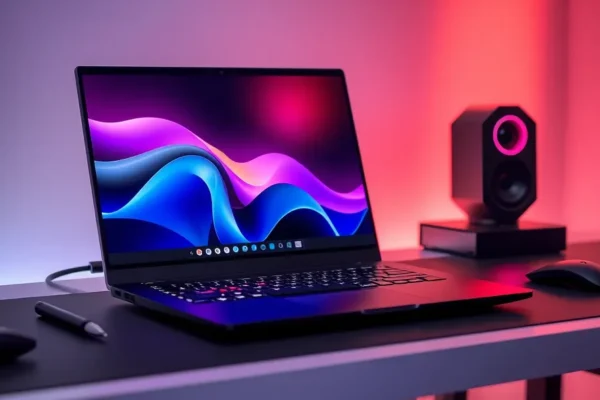
Meet the System76 Pangolin Pro: A Linux Powerhouse for Your Everyday
Ever feel like your laptop is holding you back? Or maybe you’re curious about diving into the world of Linux but find it intimidating? The System76 Pangolin Pro (2026) is a pretty interesting option designed to bridge that gap. It’s a 16-inch laptop built by a company that’s all about open-source software and giving users more control. Think of it as a high-performance machine that runs a fantastic Linux operating system out of the box, making it a great choice for people who want speed, lots of connection options, and a sleek look without the usual headaches. It’s aimed at folks who want a computer that just works, and works well, for both daily tasks and more demanding projects.
What This Linux Laptop Can Do for You in Real Life
Forget dry specs; let’s talk about what the Pangolin Pro does. Imagine this: you’re juggling work emails, a video conference, and a half-dozen browser tabs with research articles open. This laptop, with its speedy processor, won’t even break a sweat. It feels like having a super-organized assistant who can handle multiple tasks simultaneously without getting flustered.
Here are a few scenarios:
- For the Creative Pro on the Go: If you’re a graphic designer, video editor, or programmer who needs serious power but also likes to move around, the Pangolin Pro is a dream. You can edit photos or code complex applications on your couch, at a coffee shop, or in a park, and experience snappy performance. The ample laptop ports mean you can easily plug in external monitors, hard drives, or other peripherals without needing a bunch of adapters.
- For the Busy Household Manager: Think of managing family schedules, online shopping, streaming movies, and helping kids with homework, all at the same time. The Pangolin Pro handles these diverse tasks with ease. Its generous screen size makes multitasking comfortable, and the reliable Linux operating system means fewer unexpected crashes or pop-ups interrupting your flow.
- For the Privacy-Conscious User: If you’re concerned about how your data is handled and prefer open-source software, the Pangolin Pro is a great fit. It runs Pop!_OS, a Linux distribution developed by System76 itself, which prioritizes user privacy and control. You get a smooth, secure experience without feeling like you’re being tracked.
Who Should Really Consider the System76 Pangolin Pro
This laptop is best for individuals who are either already committed to or very interested in the Linux ecosystem and want a premium, hassle-free experience.
- Best For: Developers, system administrators, tech enthusiasts, and users who value open-source principles, privacy, and robust performance. If you want a laptop that offers deep customization and a powerful, stable operating system from the moment you turn it on, this is a top contender.
- Good For: Students in STEM fields, digital nomads, and professionals who need a reliable machine for demanding tasks and appreciate a large, high-quality display and plenty of connectivity options. You don’t need to be a Linux guru to appreciate its strengths, but a willingness to explore can enhance the experience.
- Skip If: You are deeply embedded in the Windows or macOS ecosystems and have no desire to switch or learn a new operating system. If your primary need is gaming (while Linux gaming is improving, native support for all titles can still be a hurdle), or if you require specific proprietary software that only runs on other platforms and has no viable Linux alternative, this might not be the best fit for you.
How the Pangolin Pro Stacks Up Against Other Laptops
When you look at other high-performance laptops, especially those running Windows, the Pangolin Pro aims to offer a similar power level but with a different philosophy. Competitors like Dell’s XPS line or Apple’s MacBook Pro are often considered benchmarks for build quality and performance.
The Pangolin Pro often competes on raw processing power and memory, offering similarly speedy processors that make multitasking a breeze. Where it truly shines is its operating system and approach. Unlike many Windows laptops where you might get bloatware or a less streamlined experience, the Pangolin Pro comes with Pop!_OS, a clean, efficient Linux operating system. This means you’re not paying for pre-installed software you don’t want.
The 16-inch laptop design is common among premium laptops, offering a good balance of screen real estate and portability. System76 is known for its robust laptop ports selection, often featuring more USB-A ports and other useful connectors than some ultra-slim competitors, which is a big win for everyday usability.
Price-wise, System76 laptops often sit in a similar range to high-end offerings from major manufacturers. The value proposition here is the open-source nature, enhanced control, and often superior build quality for the price point, especially when you consider the included operating system and lack of licensing fees associated with proprietary OSes.
Getting Started: Easy Peasy or a Steep Climb?
This is where the Pangolin Pro really tries to make Linux accessible. System76 pre-installs Pop!_OS, their own Linux distribution, which is designed to be user-friendly. For many everyday tasks – browsing the web, checking email, watching videos, writing documents – it’s incredibly intuitive. It feels very much like any modern operating system you’ve used before.
If you’re coming from Windows or macOS, there will be a slight learning curve, mostly around understanding where applications are installed or how to access certain settings. However, Pop!_OS has a slick desktop environment that makes finding things straightforward. System76 also offers excellent documentation and support, so if you get stuck, help is usually available. Most users find they can be productive within a few hours, though mastering the deeper customization options of Linux can take longer. It’s a system that respects your knowledge and gives you the tools to learn if you want to.
The Real-World Wins You’ll Actually Experience
- Blazing Fast Performance: The speedy processor under the hood means apps launch quickly, multitasking is seamless, and demanding tasks like video editing or compiling code feel fluid, not sluggish. This translates to less waiting and more doing.
- Fantastic Operating System: Pop!_OS is a gem. It’s stable, secure, and has a beautiful, user-friendly interface. It gets out of your way and lets you focus on your work. Updates are handled smoothly, and the emphasis on privacy is a huge plus for many.
- Connect Everything with Ease: The generous array of laptop ports is a lifesaver. You can connect multiple external monitors, external hard drives, wired internet, and all your favorite peripherals without scrambling for dongles. This makes it a versatile machine for any workspace.
- Sleek and Solid Design: The 16-inch laptop chassis is not only stylish but also feels incredibly well-built. It’s designed to be durable enough for travel yet elegant enough for any office. The display is bright and clear, making everything from spreadsheets to movies look great.
- Open Source Freedom: This isn’t just about software; it’s about ownership and control. You’re not beholden to one company’s ecosystem. The open-source nature means transparency and the ability to customize your system to your heart’s content.
The Hiccups and Limitations to Be Aware Of
- Software Compatibility for Niche Needs: While Linux software availability has exploded, some highly specialized professional software (like certain CAD programs or specific Adobe Creative Suite applications) may not have direct Linux equivalents or may require workarounds. Always check if your essential, mission-critical software has a Linux version or a suitable alternative.
- Gaming Isn’t Always Plug-and-Play: While Steam and other platforms have made significant strides in Linux gaming, not every game will run perfectly out of the box. Some may require tweaking, or you might encounter compatibility issues with anti-cheat software in certain online multiplayer games.
- The “Linux Way” Can Be Different: While Pop!_OS is user-friendly, there will be moments where you encounter a process or setting that differs from what you’re used to on Windows or macOS. This isn’t necessarily a bad thing, but it can sometimes require a quick search for a solution.
- Not Designed for Ultra-Portability: While the 16-inch design is sleek, it’s not the lightest or smallest laptop on the market. If your absolute top priority is an ultralight device that fits into the smallest bag, you might look at smaller screen sizes.
What to Expect for Your Money: Price, Value, and Affordability
System76 Pangolin Pro models typically start in the mid-to-high range, often comparable to premium Windows laptops or Apple MacBooks. For instance, a configuration might range from around $1,500 to $2,500 or more, depending on the processor, RAM, and storage you choose.
Is it worth the price? For the right user, absolutely. You’re paying for robust hardware, excellent build quality, and a fantastic, pre-installed open-source operating system. There are no hidden costs for the OS itself. When you compare it to a similarly specced Windows laptop, where you might also be paying for the Windows license, the value proposition becomes clearer for Linux users.
There are no significant hidden costs beyond standard accessories like a mouse or a carrying case, which you’d need for any laptop. If this price point is too high, System76 also offers more budget-friendly Linux laptops, and other Linux-focused brands or even standard laptops with Linux pre-installed (though often less integrated than System76’s approach) can be found at lower price points, but usually with some compromises on performance or build.
The Final Word: Is This Linux Laptop for You?
The System76 Pangolin Pro (2026) is a powerful, beautifully designed 16-inch laptop that offers a compelling alternative for those looking for a high-performance machine running a top-tier Linux operating system. Its speedy processor, ample connectivity, and the excellent Pop!_OS make it a joy for development, creative work, and everyday multitasking.
You should buy this if: You are a developer, a tech enthusiast, or anyone who prioritizes open-source software, privacy, and a seamless Linux experience. You need a reliable, powerful machine for demanding tasks and appreciate quality hardware and a clean OS.
You should wait or look elsewhere if: Your primary focus is gaming on PC, or if you absolutely rely on specific Windows or macOS-only software without viable Linux alternatives. If you prefer the simplicity of plug-and-play for every single application or are not interested in learning a new operating system, a traditional Windows or macOS laptop might be a better fit.
Ultimately, the Pangolin Pro is a testament to how far Linux laptops have come, offering a premium experience that’s both powerful and practical for everyday users who want more control over their technology.
Common Questions About the System76 Pangolin Pro
What makes the Pangolin Pro a good Linux laptop review?
This Linux Laptop Review focuses on real-world usability, performance, and how it integrates into your daily life, rather than just listing technical specifications. We highlight its speedy processor, laptop ports, and excellent Linux operating system.
How does the Pangolin Pro performance compare to other laptops?
The Pangolin Pro offers high-end performance thanks to its speedy processor, making it capable of handling demanding tasks like video editing and software development smoothly, often rivaling or exceeding the performance of comparable Windows laptops.
Is the 16-inch laptop design practical for everyday use?
Yes, the 16-inch display provides ample screen real estate for multitasking and immersive viewing, while the svelte design keeps it reasonably portable for a laptop of its size. It strikes a good balance between a large workspace and manageable dimensions.
Are there any compatibility issues with the Linux operating system on this laptop?
While Pop!_OS, the Linux operating system pre-installed on the Pangolin Pro, has excellent compatibility for most common applications, some very specialized professional software or certain games might require additional setup or may not have direct Linux support. It’s always best to verify compatibility for your specific needs.
What are the main alternatives to the System76 Pangolin Pro?
Key alternatives include other Linux-focused brands like Tuxedo Computers or Dell’s XPS line (which can be configured with Ubuntu), as well as high-end Windows laptops like the Lenovo ThinkPad series or HP Spectre. Apple’s MacBook Pro is another premium alternative, though it runs macOS.
Can I easily install other Linux distributions on the Pangolin Pro if I don’t like Pop!_OS?
Yes, the beauty of an open-source laptop like the Pangolin Pro is its flexibility. You can absolutely install other Linux operating systems, such as Ubuntu, Fedora, or Arch Linux, if you prefer a different experience than the pre-installed Pop!_OS.
Product prices and availability vary by region. Verify current pricing before purchase.