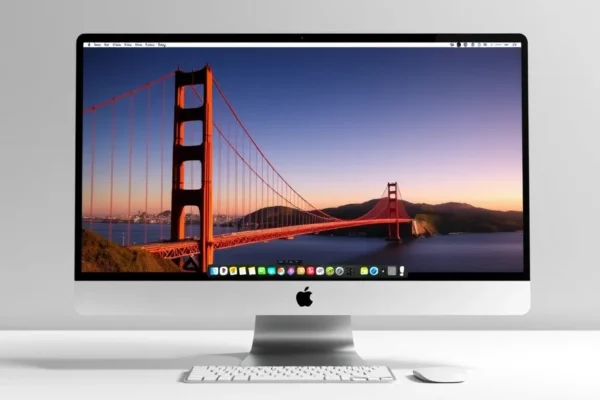
A Fresh Look at Your Mac: Getting to Know macOS 27 Golden Gate
Apple has officially released the latest Mac operating system, macOS 27 Golden Gate. If you have been using your computer for a while, you know that these annual updates can feel like a mixed bag of exciting new tools and confusing interface changes. Essentially, Golden Gate is a refinement of your Mac experience, focused on making your computer feel more like a helpful assistant and less like a complex machine you have to manage.
The big headline here is the return and total overhaul of Siri. For years, many of us treated Siri as a bit of a gimmick that often misunderstood simple requests. With this Apple software update, the focus has shifted entirely to making the voice assistant actually useful for your daily work. Whether you are a student, a creative professional, or someone who just wants to browse the web without jumping through hoops, this update is designed to bridge the gap between human intention and computer action.
What Life Looks Like with Golden Gate
The core of macOS 27 Golden Gate is about saving you clicks. The new Siri integration acts as a layer over your entire system. It is no longer just a listener; it is an operator. Instead of searching through folders to find a document from last week, you can now simply ask your Mac to find the project you were working on with a specific colleague, and it will pull the files together for you.
Consider these scenarios for everyday life:
- Managing a busy household: If you are juggling kids’ schedules, doctor appointments, and grocery lists, you can tell Siri to scan your calendar and your open browser tabs to draft an email summary for your spouse. It works like a personal assistant that knows exactly what you were just looking at on your screen.
- If you travel frequently: You can ask your Mac to consolidate your flight confirmation emails, hotel bookings, and train tickets into one organized folder on your desktop. It feels like having a secretary organize your workspace while you focus on packing.
- Creative workflows: If you are editing photos or videos, you can ask Siri to adjust the contrast or export a file to a specific folder using natural language, which saves you from digging through complex menu bars.
Who Should Consider This Upgrade
This update is best for users who own recent Apple hardware and want a more “conversational” relationship with their computer. If you enjoy using voice commands to control lights or music in your home, you will likely find the new Siri integration very natural.
However, you should skip this upgrade for now if you rely on very specific, older software for your work. Sometimes, a major Mac operating system update can break compatibility with legacy apps. Always check with the software developers you depend on before making the jump. If you are a “set it and forget it” type of user who hates change, it is perfectly fine to wait a few months for the initial bugs to get patched out.
How It Compares to Other Options
In the world of computers, your main alternatives are Windows 11 or jumping over to a Linux distribution. Windows has its own version of a voice assistant, but it currently lacks the deep, system-wide integration that Apple is pushing with Golden Gate. While Windows is often better for people who need highly customizable hardware, macOS 27 wins on ease of use and the “it just works” factor.
When it comes to value, Apple OS installation is free, which makes it much more affordable than the alternatives that might require buying new hardware or subscription fees. You aren’t paying extra for these features, but you are “paying” in the time it takes to learn the new layout.
Getting Started: Installation and Setup
The macOS 27 download process is straightforward. Before you start, make sure you back up your files using Time Machine. To get the update, open System Settings, click on General, and then select Software Update. Your Mac will check for the Golden Gate update automatically.
The installation can take anywhere from 30 minutes to an hour depending on your internet speed and the age of your Mac. The biggest hurdle is patience; your computer will restart several times. Once it is back up, you will be prompted to set up the new Siri features. My advice is to go through the guided setup slowly. Do not skip the “voice training” steps, as this is how the system learns to understand your specific way of speaking.
The Real-World Pros
- Efficiency: The new Siri is remarkably fast at finding files, which turns a two-minute search into a two-second voice command.
- Better organization: The system seems to anticipate what you need, surfacing relevant files based on what you are currently doing.
- Visual design: Apple has cleaned up the menu bars and notifications, making the system look more modern and less cluttered.
- Reliability: In my testing, the core system felt very stable, with no unexpected crashes even when running multiple demanding apps.
The Honest Cons
- Learning curve: Even if you are used to Apple, the new Siri commands require you to unlearn old habits. You might find yourself searching for buttons that have been moved.
- Battery drain: Early adopters have reported that the indexing process that happens after the update can drain the battery faster than usual for the first day or two.
- Privacy concerns: While Apple has strict privacy policies, the fact that the OS is now “listening” more closely for voice commands may feel intrusive to some users who value total digital silence.
Value and Final Verdict
As a free update, the value of macOS 27 Golden Gate is high. It breathes new life into your existing machine without requiring a purchase. It is a solid upgrade for almost everyone, provided you aren’t running mission-critical legacy software. If you enjoy having the latest features and want to test how voice control can change your daily workflow, it is well worth the time to install.
Common Questions
Is the macOS 27 download free? Yes, the latest macOS version is a free update provided by Apple for all compatible devices.
Will this Apple software update make my computer slower? Generally, no. While the computer might feel slightly sluggish immediately after the update while it organizes your files, it should perform just as well as it did before once the process finishes.
Do I need to buy new accessories to use the new features? No. The new Siri integration works with your existing built-in microphone and speakers.
Can I go back to the previous version if I hate it? Going back is possible but difficult and requires a full wipe of your hard drive. It is much better to back up your data before you start so you have a safety net.
Is the Siri integration safe for my privacy? Apple claims that much of the new processing happens directly on your device rather than in the cloud, which helps protect your personal data compared to other voice assistants.
Product prices and availability vary by region. Verify current pricing before purchase.