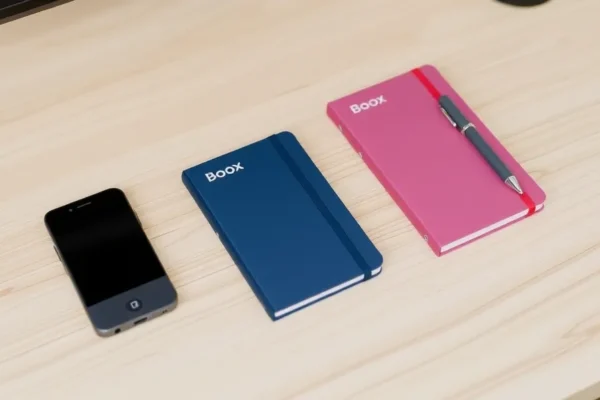
A New Wave of Boox Devices: Meet the Palma 3, Note Air6 C, and Mini C
Boox, a brand known for its e-ink tablets and e-readers, has just rolled out a trio of new devices: the Boox Palma 3, the Boox Note Air6 C, and the Boox Mini C. If you’re someone who loves the eye-friendly nature of e-ink but wants more versatility than a traditional e-reader, or if you’re looking for a digital notebook that won’t strain your eyes, these new Boox devices aim to hit that sweet spot. They’re designed for folks who want to read, take notes, and maybe even do a little bit of light work or app usage without the glare and distraction of a typical tablet screen. 📱Reading, taking notes, and staying organized are the main goals here, and these new Boox devices offer different approaches to achieving them on an e-paper display.
What Can These Boox Devices Actually Do?
Think of these Boox devices as smart e-readers that can do a lot more. The Palma 3 is positioned as a pocket-sized powerhouse for reading and quick notes, almost like a super-powered Kindle that can run a few apps. The Note Air6 C is more of a productivity tool, a larger digital notebook with a color e-paper screen, perfect for marking up documents, sketching ideas, and reading in full color. The Mini C, as the name suggests, is a compact color e-paper tablet, offering a colorful, glare-free experience for reading magazines, comics, and for casual note-taking.
Let’s imagine a few scenarios:
- The Avid Reader on the Go: If you’re someone who devours books and articles and wants a device that can handle your entire library plus news feeds without causing eye fatigue, the Palma 3 could be your new best friend. It’s small enough to slip into a coat pocket or a small purse, and its e-ink screen is incredibly comfortable for long reading sessions.
- The Student or Professional Drowning in Paper: For those who deal with a lot of PDFs, articles, or research papers and would love a digital way to annotate them without the harsh screen glare, the Note Air6 C shines. You can highlight, scribble notes, and even draw diagrams directly on the page, just like you would with a real pen on paper, and the color display means charts and diagrams pop.
- The Creative Dabbler or Magazine Lover: If you enjoy browsing colorful magazines, comics, or even planning your next project visually, the Boox Mini C could be ideal. It brings a splash of color to the e-paper experience, making content more engaging than a black-and-white display, while still being easier on the eyes than a traditional tablet for extended viewing.
Who Should Consider Adding a Boox Device to Their Life?
These devices aren’t for everyone, but they have specific users in mind.
Best For:
- Serious E-Reader Enthusiasts: Anyone who spends hours reading digitally and suffers from eye strain with LCD or OLED screens will find the core e-ink experience a revelation. The Boox Palma 3, with its focus on reading, is particularly suited here.
- Digital Note-Takers and Annotators: If your work or studies involve marking up documents, PDFs, or taking handwritten notes regularly, the Note Air6 C and Mini C, especially with their color capabilities, offer a compelling paper-like alternative.
- Tech-Savvy Individuals Seeking Alternatives: People who are comfortable with Android devices and want a specialized tool for reading, note-taking, and app usage that minimizes distractions and eye fatigue.
Good For:
- Frequent Travelers: The long battery life and glare-free screens make these devices excellent companions for long journeys.
- Students: Taking notes in lectures, reading textbooks, and managing study materials becomes more comfortable and organized.
- Anyone Looking to Reduce Screen Time on Other Devices: If you want to check news, emails, or browse the web without getting sucked into social media rabbit holes or experiencing eye strain.
Skip If:
- You Need a Primary Tablet for Heavy App Usage: While these devices run Android, they are not designed for demanding apps like video streaming, intense gaming, or complex photo editing. The refresh rate of e-paper is simply too slow for these tasks.
- You Prefer a Bright, Vivid, and Fast Display: If you enjoy the punchy colors and instant responsiveness of an iPad or Samsung Galaxy Tab, e-ink will feel sluggish and muted by comparison.
- You’re Not Comfortable with a Slight Learning Curve: While setup is generally straightforward, getting the most out of Boox devices often involves tweaking settings and exploring their unique software features, which might be overwhelming for very basic users.
How Do These Boox Devices Stack Up?
Boox devices often compete with themselves as much as with external brands. Within the e-reader and e-ink tablet space, their main competitors are often Amazon’s Kindle line (though typically less versatile), Kobo e-readers (strong in library integration), and other e-ink tablet makers like reMarkable (focused purely on note-taking) and Onyx Boox’s own older models.
The Boox Palma 3 is an interesting entry, aiming to compete with premium smartphones for portability but with an e-ink screen. Its closest comparison might be a highly capable, Android-powered e-reader like the Kobo Sage or an older Boox device like the Poke series, but with a more modern design and focus on app versatility.
The Note Air6 C enters the color e-ink tablet market, where it faces competition from other Boox models like the Tab Ultra C Pro and some offerings from rivals like Hisense or PocketBook, though Boox often leads in software features and app support. Its color screen is a key differentiator over monochrome digital notebooks.
The Boox Mini C is a compact color e-paper device. While there aren’t many direct competitors in this exact size and color e-paper niche, it competes with larger color e-readers and smaller Android tablets in terms of price and general functionality.
In terms of approach, Boox devices are generally more open and versatile than Kindle devices, allowing for third-party app installation. They also tend to offer more advanced note-taking and stylus features than most standard e-readers. Price-wise, Boox devices, especially the color models and larger Note Air series, often sit at a premium compared to basic e-readers, reflecting their enhanced capabilities and Android OS.
Getting Started: Setup and Ease of Use
Setting up a new Boox device is usually a fairly smooth process. You’ll power it on, connect to Wi-Fi, and go through a standard Android setup. For the Boox Palma 3, it’s very much like setting up a new smartphone, but with an e-ink twist. For the Note Air6 C and Mini C, it’s similar, guiding you through Wi-Fi and account logins.
The real learning curve comes in understanding the e-ink display itself and how it handles different types of content and apps. Boox devices have various “refresh modes” (like “Normal,” “Fast,” “Balanced”) that you can switch between to optimize for reading clarity or app responsiveness. Figuring out which mode works best for reading an ebook versus browsing a webpage or using a specific app is key.
Installing apps from the Google Play Store is straightforward, just like on any Android device. However, not all apps are optimized for e-ink, so you might encounter some that look stretched, have ghosting (faint remnants of previous images), or simply don’t perform well. Boox offers specific app optimization settings within their system to help mitigate these issues, but it does require some tinkering.
Overall, if you’re comfortable with Android and understand that e-ink has its own unique behavior, you’ll likely get up and running within 15-30 minutes. If you’re only familiar with basic tablets, it might take a bit longer to feel completely at home with the refresh modes and app compatibility.
The Good Stuff: What Users Will Love
- Eye Comfort is King: This is the primary reason to go with any e-ink device. Reading for hours on the Boox Palma 3 or the color screens of the Note Air6 C and Mini C feels like reading on paper, with no backlight glare. This is a significant advantage for anyone who struggles with screen fatigue.
- Versatile Android Ecosystem: Unlike locked-down e-readers, Boox devices run a version of Android, giving you access to the Google Play Store. This means you can install a vast array of reading apps (Kindle, Kobo, Libby, etc.), note-taking apps, and even some productivity tools.
- Paper-Like Writing Experience: The Note Air6 C and Mini C, when paired with their styluses, offer a remarkably close feel to writing on paper. Users often praise the low latency and textured screen surface that provides just enough friction. The color aspect makes this even more engaging for visual notes and diagrams.
- Long Battery Life: E-ink displays sip power. For typical reading and note-taking, you can expect days, if not weeks, of use on a single charge, a stark contrast to traditional tablets that often need daily charging. This is a huge win for portability and convenience.
- Openness and Customization: Boox devices are for users who like to tweak. You have control over refresh rates, app optimization, and a wide range of settings to tailor the experience to your specific needs.
The Not-So-Good: Where These Devices Fall Short
- E-Ink Refresh Rate Limitations: While improved, e-ink is still significantly slower to refresh than LCD or OLED screens. This means scrolling through webpages can be a bit jerky, videos are a no-go, and even fast-paced games will be frustrating. The color e-paper, while beautiful, can sometimes be even slower to refresh than monochrome.
- App Compatibility Isn’t Perfect: While the Play Store is a big plus, not all apps are designed to work well with the characteristics of e-ink. Some apps might look odd, be difficult to navigate, or simply not perform as smoothly as they would on a traditional tablet. Ghosting can also be an issue in some apps if not managed with refresh settings.
- Color E-Paper is Muted: Compared to the vibrant, saturated colors of your smartphone or tablet, the color on the Note Air6 C and Mini C’s e-paper displays is more subtle and pastel-like. It’s fantastic for making documents or comics more engaging than black and white, but don’t expect the punch of a Retina display.
- Price Point: Boox devices, especially the color models and the larger Note Air series, are a significant investment. They are priced much higher than basic e-readers and often compete with entry-level to mid-range traditional tablets.
Price, Value, and Your Wallet
The Boox Palma 3 is generally expected to launch in the $300-$350 range. The Boox Note Air6 C is anticipated to be around the $500-$600 mark, with the Boox Mini C falling somewhere between $300 and $400, depending on configuration. These prices reflect the specialized nature of e-paper technology and the inclusion of Android functionality.
Is it worth it? For the right user, absolutely. If eye comfort, long battery life, and a paper-like writing experience are high priorities and you’re willing to navigate the nuances of e-ink, the value proposition is strong. For the Boox Palma 3, if you want a dedicated, pocketable reading and quick-note device that runs Android apps, it offers a unique proposition. The Note Air6 C, with its color screen and larger size, is a productivity tool that can justify its cost for those who annotate heavily or need a portable, eye-friendly canvas for visual information.
However, if your primary need is watching videos, playing demanding games, or a vibrant, fast display for general app use, a traditional tablet in the same price range (or even cheaper) will offer far more. There aren’t many direct budget alternatives for color e-paper devices in the tablet form factor, but if color isn’t a must, monochrome e-ink tablets or even a high-end e-reader like a Kindle Oasis or Kobo Libra 2 offer a more affordable entry into the e-ink world for reading.
The Final Word: Should You Buy One?
Boox continues to refine its e-ink devices, and the new Palma 3, Note Air6 C, and Mini C offer compelling options for specific users.
You should definitely consider the Boox Palma 3 if: You’re a serious reader who wants a pocketable device that can also run Android apps for news and light browsing, and you prioritize eye comfort above all else.
The Boox Note Air6 C is for you if: You’re a student, professional, or creative who needs a digital notebook for extensive note-taking, PDF annotation, and sketching, and you want the added benefit of a color display to make your work more dynamic.
The Boox Mini C is a great choice if: You’re looking for a compact, portable device for reading magazines, comics, or for casual note-taking where a splash of color enhances the experience, all on a glare-free screen.
You should probably look elsewhere if: You expect a device that can replace your iPad or Android tablet for video, gaming, or heavy app multitasking, or if you require the vibrant, instant-response screens of traditional displays.
Ultimately, these Boox devices are specialized tools. They excel at what e-ink is good for: reading and writing without eye strain, with exceptional battery life. If those are your top priorities, and you’re willing to embrace the unique characteristics of e-paper, then any of these new Boox devices could be a fantastic addition to your tech life.
Your Boox Questions Answered
Is the Boox Palma 3 worth the price for just reading?
If you are a very serious reader and find traditional tablets uncomfortable for extended periods, the Palma 3’s dedicated e-ink screen, comfortable form factor, and Android app access for various reading platforms can justify its cost. It’s more than just an e-reader; it’s a versatile pocket computer for text.
How long does the battery life really last on these Boox devices?
For reading and note-taking, you can expect the battery to last anywhere from several days to a couple of weeks on a single charge, depending on usage intensity, Wi-Fi use, and screen refresh settings. This is a major advantage over traditional tablets.
Can I return a Boox device if I don’t like it?
Return policies vary by retailer. It’s crucial to check the specific return policy of the store where you purchase your Boox device before buying, especially since e-ink devices have unique usability characteristics that might not suit everyone.
Do I need to buy a stylus for the Note Air6 C and Mini C?
Yes, for the full note-taking and annotation experience on the Note Air6 C and Mini C, a compatible stylus is essential. Many bundles include the stylus, but always check the product listing to confirm if it’s included or if it needs to be purchased separately.
Are Boox devices easy to set up for someone not tech-savvy?
The initial setup for Wi-Fi and account login is similar to any smartphone or tablet. However, optimizing apps for e-ink and understanding the different refresh modes might require a bit of learning and experimentation. Most users find it manageable, but it’s not as plug-and-play as a basic e-reader.
How does the color e-paper on the Note Air6 C and Mini C compare to a regular tablet?
Color e-paper is more muted and pastel-like than the vibrant, saturated colors on a standard LCD or OLED tablet. It’s excellent for making content like magazines, comics, and charts more engaging than black and white e-ink, but it’s not designed for the same visual pop as a video or photo on a typical tablet.
Product prices and availability vary by region. Verify current pricing before purchase.