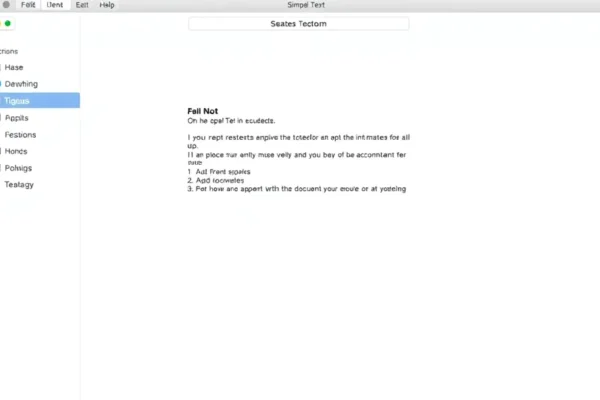
Tired of Clutter? Meet Tasks.txt, the Elegant Productivity App Hiding in Plain Sight
Let’s be honest, our digital lives can get messy. We juggle to-do lists in sticky notes, calendar alerts, separate project apps, and maybe even a notebook stashed in a drawer. It’s a common problem for anyone trying to stay on top of things, and it’s why we’re always on the lookout for a productivity app that actually makes life simpler. Today, we’re diving into Tasks.txt, a free macOS app that’s catching our eye because it uses something wonderfully old-school: a simple text document app format. If you’re looking for a minimalist app that brings order without the overwhelm, Tasks.txt might be your new best friend. It’s designed for Mac users who crave a more streamlined approach to managing their daily tasks.
Your Digital Life, Organized in a Text File
So, what exactly is Tasks.txt? Think of it like this: instead of a fancy app with buttons and menus everywhere, Tasks.txt lets you manage your to-do lists and projects using just a plain text file. You write down your tasks, organize them with simple formatting, and Tasks.txt helps you keep track. It’s a simple productivity solution that feels incredibly refreshing.
Imagine this: you’re planning a weekend trip. Instead of jumping between booking sites and a separate travel app, you could create a “Trip to Seattle” text file. Inside, you jot down “Book flights – find deals by Friday,” “Reserve hotel – check reviews for XYZ,” and “Pack essentials list.” Tasks.txt helps you visualize these as actionable items. Or, if you’re managing a busy household, you could have a “Family Chores” file where you list “Mom: grocery shopping today,” “Dad: fix leaky faucet,” and “Kids: homework by 7 PM.” It’s about turning your thoughts into organized actions within a familiar format.
Who is This Elegant Design For?
Tasks.txt is best for Mac users who appreciate an elegant design and a straightforward approach to task management. If you’re someone who gets easily overwhelmed by feature-rich apps or prefers a clutter-free digital workspace, this is definitely for you.
It’s also a great fit for those who love the simplicity of plain text and want to extend that into their task management. Think writers, students, or anyone who spends a lot of time typing and wants their tools to feel natural.
You should probably skip Tasks.txt if you’re someone who needs lots of bells and whistles, like advanced project management features, integrations with dozens of other apps, or visual progress trackers. If you’re looking for a full-blown project management suite, this isn’t it.
How Tasks.txt Stacks Up Against the Crowd
Compared to giants like Things 3 or Todoist, Tasks.txt is on a different planet. Those apps offer a vast array of features, integrations, and sophisticated interfaces, but they also come with a learning curve and, often, a price tag. Tasks.txt offers none of that complexity. Its main competitor is, in essence, any other productivity app out there, but its unique selling point is its reliance on the humble text file.
Where Tasks.txt shines is its extreme simplicity and its adherence to a pure text-based workflow. You won’t find drag-and-drop interfaces or cloud syncing with every service imaginable. Its elegance lies in its lack of features. This is where its value proposition is strongest: if you find other apps too complicated, Tasks.txt is a breath of fresh air. Price-wise, this is a no-contest – Tasks.txt is a free app, making it incredibly accessible.
Getting Started: Simple as Opening a Text Editor
Getting started with Tasks.txt is incredibly easy. Since it’s a macOS app that works with text files, the setup is as simple as downloading and opening the application. You don’t need to create accounts or sync with cloud services (unless you choose to manage your text file via iCloud Drive or similar).
The learning curve is practically non-existent if you know how to type. Tasks.txt uses simple markdown-like syntax for organization. For example, using hyphens `-` or asterisks `*` for list items, and maybe a simple convention like `[x]` for completed tasks. It’s intuitive and feels natural within moments. You can literally start using it within minutes of downloading. There are no common frustrations because there are so few moving parts.
The Real-World Advantages of Simplicity
Lightning Fast Performance ⚡️
Because it’s built around plain text, Tasks.txt is incredibly zippy. It opens instantly, and navigating your lists feels immediate. There’s no lag, no waiting for things to load.
Elegant and Uncluttered Design ✨
This is its main selling point. The interface is clean, minimal, and lets you focus on your tasks without distractions. It feels like a digital notebook that’s exceptionally well-organized.
Free and Accessible 💸
Being a completely free app means there’s no barrier to entry. Anyone with a Mac can try it out and see if this minimalist approach works for them.
Your Data, Your Control 🔒
Since your tasks are stored in a plain text file, you have complete control over your data. You can back it up anywhere, move it between devices (as a text file), and it’s not locked into a proprietary system.
Focus on What Matters 🎯
Users often report that the very limitations of Tasks.txt force them to be more deliberate about what they track, leading to a more focused workflow.
The Honest Downsides: Where Simplicity Falls Short
Limited Collaboration Features 🤝
If you need to share tasks or collaborate on projects with others, Tasks.txt is not your tool. It’s a solo act.
No Advanced Project Management Tools 🛠️
Forget about Gantt charts, dependencies, or sophisticated reporting. This is pure task listing. If you manage complex projects, you’ll need something else.
Syncing Can Be Manual ☁️
While you can use iCloud Drive or Dropbox to sync your text file, it’s not an automatic, real-time sync like you’d find in dedicated cloud-based apps. You might need to be mindful of saving and opening the latest version.
Lack of Visual Cues 👀
For some users, the absence of visual elements like color-coding, progress bars, or interactive calendars can make it harder to grasp an overview of their workload at a glance.
Price, Value, and Affordability
Tasks.txt is absolutely free. This is its strongest value proposition. You get an elegant design and a simple productivity tool without spending a dime. The value is immense for the right user, as it provides a structured way to manage tasks without any cost. There are no hidden costs or subscription fees. Compared to other productivity apps that can run into tens of dollars per year, Tasks.txt offers exceptional value for its niche.
The Final Word: Is Tasks.txt Worth Your Time?
Tasks.txt is a brilliant productivity app for a specific kind of user. If you’re a Mac owner who is tired of complex apps and wants a clean, simple, and free way to manage your daily tasks using a text document app format, you should absolutely give it a try. It excels at providing an organized workflow through its sheer simplicity.
However, if you require advanced features, team collaboration, or extensive integrations, you’ll need to look elsewhere. For those who value minimalism and want a digital space that feels more like a well-organized notebook than a feature-packed dashboard, Tasks.txt is a winner.
Common Questions About Tasks.txt
Is Tasks.txt really free?
Yes, Tasks.txt is a completely free app for macOS. You can download and use it without any cost.
Can I use Tasks.txt on my iPhone or iPad?
Tasks.txt is a macOS application. While you can access the text file it uses on other devices through cloud storage like iCloud Drive, the Tasks.txt application itself is only for Mac.
How do I sync my Tasks.txt file across devices?
You can manage your Tasks.txt file using cloud services like iCloud Drive, Dropbox, or Google Drive. Simply save your text file in one of these folders, and it will sync across your devices where you have that service enabled.
What kind of formatting does Tasks.txt support?
Tasks.txt works with plain text files, so it supports basic markdown-like formatting such as bullet points, headings, and checkboxes. The app’s documentation provides specific examples.
Is Tasks.txt a good task management solution for teams?
No, Tasks.txt is designed primarily for individual use. It lacks features for collaboration, task sharing, or team project management.
How does Tasks.txt compare to a simple notes app?
While both use text files, Tasks.txt is specifically designed for task management with features that help you organize and track your to-dos more effectively than a generic notes app might. It offers a more structured approach to task tracking.
Product prices and availability vary by region. Verify current pricing before purchase