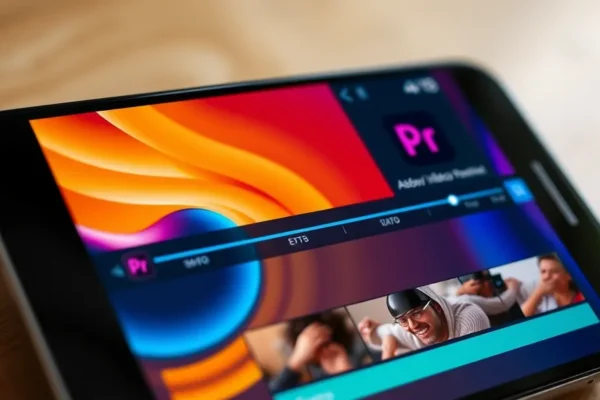
Adobe Premiere Has Landed on Android: Your iPhone Editor is Now on Your Galaxy
For a long time, iPhone users have had a secret weapon for slick video editing on the go: Adobe Premiere Rush. Now, that same powerful, yet surprisingly simple, video editing app is available for Android phones. This is big news for anyone who’s ever wanted to make their vacation videos, TikToks, or quick social media updates look more polished without needing a full computer. Adobe Premiere Pro’s mobile cousin, Premiere Rush, is here to democratize better mobile video editing for a wider audience.
Adobe Premiere Android brings a professional-grade editing experience to your pocket, aiming to bridge the gap between casual smartphone recording and impressive visual storytelling. It’s designed to solve the problem of clunky, confusing mobile video editors by offering a streamlined interface and powerful tools that are still easy to grasp. The best part? It’s free to get started, making it incredibly accessible for anyone with an Android device.
Your Videos, Elevated: How to Actually Use Adobe Premiere Android
So, what does this actually mean for your daily life? Imagine you’re on a weekend getaway and snap some amazing footage of a sunset. Instead of just leaving it on your phone or struggling with a basic app, you can quickly hop into Premiere Rush on your Android device. You can easily trim clips, add some cool background music from its built-in library, adjust colors to make that sunset pop, and even add text overlays for captions. In minutes, you’ve got a shareable mini-movie that looks like you spent hours on it.
Let’s look at a couple of scenarios:
- If you travel frequently: You can edit together highlight reels of your trips right on your phone, ready to share with friends and family before you even get home. No more waiting until you’re back at your desk.
- If you manage a busy household: Picture this: your kid just aced their school play or sports game. You can whip up a quick, heartwarming video montage with some upbeat music and share it with grandparents that same evening. It’s about capturing those everyday moments and making them special.
- If you’re a small business owner or content creator: Need to get a product demo or a social media ad out fast? Premiere Rush on your Android phone lets you edit and export quickly, keeping your content fresh and engaging without needing a dedicated editing suite.
Who’s This Video Editor For?
This app is a game-changer for a few specific groups:
- Best for: Social media creators, vloggers, and everyday users who want to create polished videos quickly and easily on their phones. If you’ve ever looked at your iPhone-using friends’ videos and wished you could do that on your Android, this is for you. It’s also fantastic for anyone who wants to try out video editing without a steep learning curve or upfront cost.
- Good for: Small business owners who need to produce quick promotional videos, travelers who want to document their journeys, and parents who want to create keepsakes from family events. Anyone who values convenience and a professional-looking output will find a lot to love.
- Skip if: You’re a professional video editor working on complex, feature-length films or highly technical projects. While powerful for a mobile app, it’s not a replacement for the full Adobe Premiere Pro desktop software. Also, if you find even simple apps overwhelming, the learning curve might be a bit much.
How Does Adobe Premiere Android Stack Up?
The big competitor here is often the built-in editor on iPhones or other general-purpose video editing apps like CapCut or InShot. Premiere Rush shines with its integration into the Adobe Creative Cloud ecosystem (though it works perfectly standalone too). Its interface is designed to be more intuitive than some of the more feature-packed, but also more complex, desktop-class mobile editors.
Compared to its iOS sibling, the Android version offers a very similar experience. The key difference for Android users is the specific UI adaptations for different screen types. For traditional “candy bar” phones, it’s a familiar layout. But on foldable phones, it intelligently uses the larger screen real estate. Think of it like this: on a foldable, the timeline might be displayed more prominently, or you might have dedicated panels for effects, making editing feel more like you’re using a mini-desktop. This is a significant advantage over apps that might just stretch their old UI onto a bigger screen.
In terms of price, Premiere Rush has always had a free tier with basic features, and that’s exactly what you get on Android. More advanced features and cloud storage require a subscription, but the core editing power is accessible without paying a dime. This makes it a very attractive alternative to paid-only apps.
Getting Started: Setup, Ease of Use, and Learning Curve
Setting up Adobe Premiere Android is straightforward. You download it from the Google Play Store. If you already have an Adobe account (perhaps from using Photoshop or Lightroom), you can log in with those credentials. If not, creating one is a quick process.
For most users, the app is quite intuitive. It uses a drag-and-drop timeline, a familiar concept for anyone who’s ever used a basic photo editor or even a simple video player. You can easily add clips, cut them, move them around, and add audio. The visual cues are clear, and most common functions are readily available.
However, there is a learning curve. While it’s easier than full desktop Premiere Pro, it’s more powerful than the most basic video cutters. Mastering things like color correction, audio mixing, or using motion graphics templates will take a bit of practice. Adobe offers built-in tutorials that are incredibly helpful for beginners. Don’t expect to be a pro editor in 10 minutes, but you can likely make a decent-looking video within an hour of downloading it. The app feels designed to onboard new users effectively, especially with its guided edits.
What We Love: Real-World Pros of Adobe Premiere Android
Here are the genuine advantages you’ll experience with this app:
- Seamless Cross-Platform Experience: If you’ve ever used Premiere Rush on an iPhone or even the desktop version, your workflow will feel instantly familiar on Android. This continuity is invaluable.
- Intelligent Foldable Phone UI: As mentioned, the way it adapts to foldable devices is a standout feature. It makes editing on these larger screens feel natural and efficient, not just stretched.
- Powerful Tools Made Simple: You get access to advanced features like multi-track timelines, color correction tools, and custom motion graphics templates without the overwhelming complexity of professional desktop software.
- Generous Free Tier: The ability to edit, export, and share videos with a good range of features without paying is a huge win. It’s a fully functional video editing app for free.
- Built-in Content Library: Access to royalty-free music and sound effects, plus high-quality video templates, significantly speeds up the editing process and adds a professional sheen.
The Not-So-Great: Real-World Cons and Limitations
No app is perfect, and Premiere Rush on Android has its downsides:
- Performance Can Lag on Older Devices: While Adobe has optimized it, demanding edits or working with very high-resolution footage on mid-range or older Android phones can sometimes lead to slower rendering times or occasional choppiness.
- Subscription for Full Power: While the free tier is great, unlocking the full library of effects, templates, and significant cloud storage requires an Adobe Creative Cloud subscription, which can be a recurring cost to consider.
- Not a Replacement for Desktop Pro: If you need extremely granular control over every aspect of your edit, advanced color grading, or complex audio engineering, you’ll still need to move to a desktop. This is a mobile tool, and its limitations reflect that.
- Limited Customization for Some Elements: While templates are useful, deep customization of certain graphical elements might feel restricted compared to more advanced desktop applications.
Price, Value, and What You Get
The base Adobe Premiere Rush app is free to download and use on Android, offering a robust set of editing features. This is its biggest value proposition. You can make and export a good number of videos without spending a dime.
If you want access to the full library of Adobe Stock audio tracks, premium templates, and 100GB of cloud storage, you’ll need a subscription. This typically falls under Adobe’s Creative Cloud Express plan or their Premiere Rush plan, which can range from a few dollars to around $10-$20 per month depending on the bundle and promotions.
Is it worth the price? For the free tier, absolutely. If you’re a casual user or just starting out, you get tremendous value. For those who need the premium features, the price is competitive with other subscription-based creative tools and offers excellent value if you’re already in the Adobe ecosystem. Budget alternatives would be apps like CapCut (which is also free and powerful but with fewer Adobe integrations) or KineMaster.
The Verdict: Should You Download Adobe Premiere Android?
Yes, you absolutely should consider downloading Adobe Premiere Android.
- Who should buy this: Anyone with an Android phone who wants to make their videos look better without a huge learning curve or upfront cost. This includes aspiring social media stars, diligent documenters of family life, and small business owners needing quick, engaging video content. The unique UI on foldable phones makes it a particularly compelling option for those users.
- Who should wait or look elsewhere: Professional video editors who need desktop-level control will find this app limiting. If you’re someone who gets frustrated easily with technology and prefers the absolute simplest tools, you might find even this has more than you need.
Ultimately, Adobe Premiere Android is a fantastic addition to the Android app ecosystem. It brings a polished, powerful, and surprisingly accessible video editing experience to your pocket, especially if you own a foldable phone. It’s a tool that empowers everyday users to tell better stories with their videos.
Common Questions and Answers About Adobe Premiere Android
Is Adobe Premiere Android really free?
Yes, the core Adobe Premiere Rush app is free to download and use on Android, offering a solid set of editing tools. You can create and export videos without paying anything.
What’s the difference between Adobe Premiere Pro and Premiere Rush on Android?
Premiere Pro is the professional-grade desktop software for complex video editing. Premiere Rush on Android is a mobile app designed for faster, simpler video creation and editing on the go, with a more streamlined interface.
Can I transfer projects from iPhone Premiere Rush to Android?
Yes, through Adobe Creative Cloud, you can save your projects to the cloud and access them across different devices and platforms, including from an iPhone to an Android device.
How good is the video editing app for foldable phones?
The UI on foldable phones is a standout feature. It intelligently uses the larger screen space to provide a more intuitive and efficient editing experience, often showing more of your timeline or dedicated control panels.
What are some good free alternatives to Adobe Premiere Android?
Popular free alternatives include CapCut and InShot, which offer many similar features for basic to intermediate video editing on mobile.
Is it worth paying for the Adobe Premiere Rush subscription?
If you need access to a wider range of royalty-free music, advanced templates, and increased cloud storage, the subscription can be very valuable. For basic editing, the free version is often sufficient.
Product prices and availability vary by region. Verify current pricing before purchase.