Bringing Order to Chaos With SmartLabels
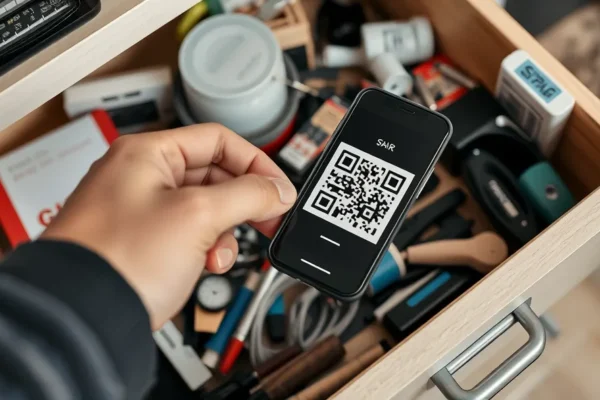
If you have ever spent an hour hunting through your attic for holiday decorations, or if your garage looks like a graveyard of mystery cardboard boxes, you know the struggle of home organization. The SmartLabels QR code organizing system aims to turn that chaos into a searchable, digital catalog. In simple terms, it is a set of adhesive stickers with unique QR codes that link to a home management app on your phone. By scanning the label, you can instantly see a list of what is inside a bin without ever opening it. It is designed for anyone who feels overwhelmed by stuff but lacks the time to maintain a traditional paper inventory. With the rise of AI inventory features, this system is more relevant than ever for reclaiming closet space and reducing the anxiety that comes with clutter.
How It Changes Your Daily Routine
Using this system feels like giving your storage bins a brain. Instead of relying on a Sharpie and a prayer, you affix a QR code to the outside of a container. You then use the app to photograph the items inside and add descriptions. When you need that one specific winter sweater, you simply scan the code with your phone camera, and the app displays the contents of that box.
If you manage a busy household, this is a game changer for seasonal transitions. Imagine being able to scan your “Winter Gear” bin to see if you actually packed the gloves, saving you from hauling everything out of the rafters. Or, if you travel frequently, you can keep a digital inventory of camping or sports equipment stored in the garage. It transforms your storage from a black hole into an organized library.
Who Should Use This System
This is best for homeowners, renters, or small business owners who struggle with “out of sight, out of mind” storage issues. If you have a dedicated storage room or garage, this is a must-have tool. It is also excellent for people who are planning a move and want to label boxes with more detail than a single scribbled word allows.
However, you should skip this if you are a minimalist who rarely uses boxes, or if you find the idea of maintaining a digital app tedious. If you prefer a simple label maker, the extra step of inputting data into an app might feel like more work than it is worth.
How It Compares to Other Organization Tools
The market for smart storage solutions is growing. Competitors like Sortly or simple DIY systems using Excel spreadsheets offer alternatives. Compared to basic label makers, the SmartLabels QR code organizing system offers a higher level of detail; you get a searchable database rather than just a name on a sticker. While spreadsheets are free, they lack the “scan to see” functionality that makes this system fast. In terms of price, SmartLabels hits a middle ground: it is cheaper than professional organizing software but requires you to purchase the physical labels, whereas DIY digital solutions require no upfront cost but demand more manual setup.
Getting Started Without a Tech Degree
You do not need to be a software engineer to get this up and running. The setup involves three main steps: applying the label, scanning it with the app, and entering your items. The app is intuitive and guided, meaning you can be organized in minutes. The biggest hurdle is the initial time investment—you have to catalog what is already in your boxes. Many users report that this is a great rainy-day project. Once you get over that initial hump, maintaining the system is quick. Just remember to update the app if you take an item out or put a new one in; the system is only as good as the data you put into it.
Real-World Pros of Using SmartLabels
- Efficiency: Saves time by eliminating the need to rummage through multiple containers.
- AI Integration: Some versions of the app allow you to snap a photo and let AI identify the items, which speeds up the data entry process.
- Professional Organization: It creates a sense of accomplishment and visual clarity, which helps reduce stress.
- Durability: The labels are generally rugged enough to withstand temperature fluctuations in garages or basements.
Real-World Cons and Limitations
- Data Entry Fatigue: Cataloging every single item in a house is a significant chore that requires patience.
- App Dependency: If the company behind the app ever stops updating or shuts down, your “smart” labels might become simple QR codes with no database to pull from.
- No Offline Search: If you are in a basement with poor Wi-Fi or cellular service, the app might struggle to load your inventory data.
- Adhesive Quality: Some users have noted that the labels can lose their stickiness on certain textured plastic surfaces over several years.
Price, Value, and Affordability
As of late 2023, you can typically pick up a starter pack of these labels for between $15 and $30. This is a relatively low-cost entry point for home organization hacks. The value proposition is high if you consider the time you save not buying duplicates of items you already own. There are no hidden subscription costs for basic use, though some advanced AI features may eventually shift toward a premium model. Compared to buying new storage furniture to organize your clutter, this is a much more affordable path to sanity.
The Final Verdict
The SmartLabels QR code organizing system is a highly practical gadget for anyone who has lost track of their belongings in storage. It is not a magic wand—you still have to do the work of sorting and scanning—but it is an effective tool for turning a messy storage area into a managed system. If you are tired of losing things in your own house, this is a worthy investment. If you prefer a “grab and go” approach without digital tracking, stick to standard labels.
Common Questions About SmartLabels
Is the SmartLabels system really worth the price? For anyone with more than five storage bins, the time you save by not rummaging through boxes makes the small investment well worth it.
Do I need to pay a subscription to use the app? Most versions of these systems offer a free tier that is sufficient for personal household management, though check the specific app store listing before downloading.
What happens if I lose my phone? Because the data is typically tied to your account, you can simply log into a new device and all your inventory information will be there waiting for you.
Can I use these labels on cardboard boxes? Yes, the labels are designed to adhere well to cardboard, plastic, and metal surfaces, making them versatile for various storage containers.
Is there a steep learning curve for the AI inventory features? No, the AI features are designed to be “point and shoot.” If you can take a picture on your smartphone, you can use the inventory scanning tool effectively.
Product prices and availability vary by region. Verify current pricing before purchase.