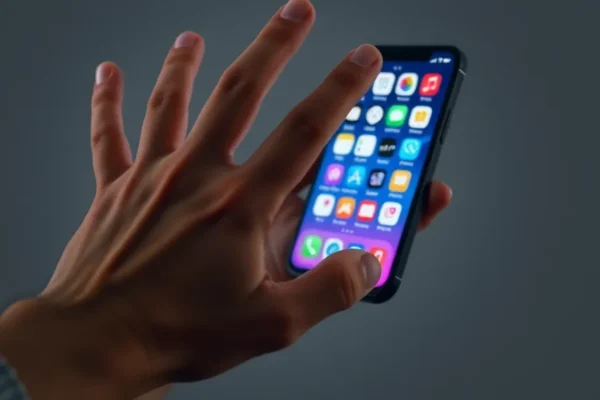
Feeling like your phone is more of a distraction than a tool? You’re not alone. In our always-on world, it’s easy to get sucked into endless scrolling and notifications. But what if there were simple, free tools on your iPhone or Android that could help you reclaim your focus? That’s where distraction-blocking software comes in, and we’re diving into how these apps can create what we call “physical friction” to help you use your phone more mindfully.
Reclaiming Your Focus with Free Apps
Think about how much time you spend on your phone each day. For many of us, it’s a significant chunk of our waking hours. This can impact our productivity, our relationships, and even our mental wellbeing. Distraction-blocking software, often referred to as app blockers or focus tools, aims to tackle this by making it harder to access the apps that tend to steal our attention. They solve the problem of unintentional phone overuse by introducing a barrier, making you pause and think before you dive back into social media or games. These free apps are designed for anyone who feels their phone is a constant source of distraction, from students trying to study to professionals looking to boost their productivity.
How These Apps Actually Work in Your Life
These free apps don’t just magically disappear your distractions; they create “physical friction.” This means they make it a little bit harder, a little bit more deliberate, to open that app you can’t seem to put down. Imagine this:
- The “Deep Work” Scenario: You’ve got a big project deadline. You set up your distraction-blocking software to lock down social media apps and games for the next two hours. When you instinctively reach for Instagram, instead of a direct jump, you get a prompt asking if you’re sure, or maybe even a short countdown timer. This small pause is enough to make you reconsider and get back to your work.
- The “Family Time” Scenario: It’s dinner time, and you want to be present with your family. You can use an app blocker to temporarily disable entertainment apps on your phone during specific hours, like 6 PM to 8 PM. This helps ensure your phone doesn’t become a barrier to connection.
- The “Wind Down” Scenario: You’re trying to get a good night’s sleep, but the lure of endless scrolling is strong. You can set up your focus tools to block certain apps after a set time, say 9 PM, making it much easier to put your phone away and relax.
It’s about creating small, intentional hurdles that interrupt the mindless scrolling habit. The beauty of the free versions is that they offer the core functionality without the financial commitment.
Who Should Really Give This a Try?
Best for: Individuals who recognize they have a problem with phone addiction or struggle with excessive screen time, and are ready to take an active step to change their habits. If you find yourself constantly checking notifications or getting lost in apps when you should be doing something else, these tools are for you.
Good for: Anyone looking to improve their productivity, students needing to focus on studies, parents wanting to be more present with their children, or individuals who want to cultivate more mindful phone use. If you’re curious about digital wellbeing and want to experiment with reducing your screen time, free distraction-blocking software is an excellent starting point.
Skip if: You’re already very disciplined with your phone usage and don’t feel it’s a significant distraction. Also, if you rely heavily on certain apps for work or communication that you don’t want to block, you’ll need to be careful with your setup to avoid accidentally locking yourself out of essential tools. Those who find even minimal friction too annoying might also find these apps frustrating.
Comparing Your Focus Options
When it comes to distraction-blocking software, there are a few main avenues. Native OS features are built right into your iPhone (Screen Time) and Android (Digital Wellbeing). These are often the first and easiest step, offering basic app limiting and downtime scheduling. They are essentially the most fundamental alternatives. Then you have dedicated third-party apps, both free and paid. Free apps like Forest (which gamifies focus), StayFocusd (for Android, though its iOS version might be limited), or Freedom (which has a free trial but is primarily paid) offer more robust features. Paid apps often provide more advanced customization, cross-device syncing, and powerful blocking capabilities. Free apps like those we’re discussing often sit between these, offering core blocking features without the advanced bells and whistles of premium subscriptions.
The main difference in approach is how much “friction” they introduce. Native tools are convenient but can sometimes be easily bypassed. Free third-party apps often add a bit more effort to access blocked apps, making them more effective for those who need a stronger nudge. Paid apps usually offer the most seamless yet powerful experience.
Getting Started: Simple Setup, Little Learning
One of the biggest advantages of free distraction-blocking software is their ease of setup. For most apps, it’s pretty straightforward:
- Download and Install: Find a well-rated app in your device’s app store.
- Grant Permissions: The app will likely ask for permission to access your usage data or to control app access. This is necessary for it to function.
- Set Your Rules: This is the core part. You’ll choose which apps to block and when. You might set specific “focus sessions” (e.g., “Work Mode” from 9 AM to 5 PM) or schedule “screen time reduction” for certain apps daily.
There’s generally a minimal learning curve. The interfaces are usually intuitive, focusing on simple toggles and scheduling. It takes just a few minutes to get the basic settings in place. Some advanced features might require a bit of exploration, but the core function is usually readily accessible for everyday users.
The Real-World Perks You’ll Love
- Increased Productivity: By reducing access to time-wasting apps, you’ll naturally have more time and mental energy for tasks that matter. Many users report feeling more accomplished at the end of the day.
- Improved Digital Wellbeing: These apps help you break free from the cycle of constant notifications and social media checking, leading to less stress and anxiety. It feels liberating to not be tethered to your phone.
- Better Focus: Whether you’re working, studying, or just trying to have a conversation, the ability to limit distractions means you can be more present and engaged.
- Cost-Effective Solution: The fact that these powerful tools are available for free makes them incredibly accessible for anyone looking to manage their phone habits without spending money.
- Customizable to Your Needs: You can tailor the blocking schedules and app selections precisely to your lifestyle and goals, making it a personal productivity assistant.
Honest Downsides and What to Watch Out For
- Potential for Over-Blocking: If you’re not careful, you might accidentally block an app you actually need for work or communication, leading to frustration. Double-checking your settings is key.
- Bypass Temptation: While they create friction, determined users can sometimes find ways around them, especially if the app’s blocking mechanism isn’t extremely robust. This is where the “physical friction” aspect comes in – it’s a deterrent, not an impenetrable fortress.
- Battery Drain (Minor): Like any app running in the background, some of these might have a small impact on your battery life, though this is usually negligible for most free options.
- Limited Advanced Features: Free versions often lack advanced features like cross-device syncing, detailed analytics, or sophisticated blocking methods found in paid alternatives.
Price, Value, and Getting Your Money’s Worth
The primary value proposition here is that these distraction-blocking software tools are free. This means there’s no upfront cost or subscription fee to try them out. The value is immense for anyone struggling with phone distractions, as the potential gains in productivity and mental clarity far outweigh the “cost” of downloading an app. For those who find the free versions sufficient, the value is essentially infinite – you get a significant improvement in your digital life without spending a dime. If you find yourself needing more advanced features, you can always consider paid alternatives, but the free options provide a fantastic entry point.
The Final Word: Is It Worth Your Time?
If you’re feeling overwhelmed by your phone’s pull and want to regain control over your time and attention, then yes, diving into free distraction-blocking software is absolutely worth your time and effort. These apps, by creating that crucial “physical friction,” offer a practical and accessible way to combat phone addiction and boost your productivity. They are particularly well-suited for individuals who need a gentle nudge rather than an absolute lockdown, and who are willing to put in a little effort to set up their focus environment.
Who should buy this (or rather, download it): Anyone looking for an easy, free way to reduce screen time, improve focus, and feel more in control of their digital life.
Who should skip it: If you’re already a digital minimalist with ironclad self-control, or if you require extremely advanced, enterprise-level control over app usage.
Your Questions Answered
What is “physical friction” in the context of phone apps?
Physical friction means making it a bit harder or more deliberate to access distracting apps. Instead of a single tap, you might encounter a prompt, a timer, or a small hurdle, causing you to pause and think before proceeding.
Are these distraction-blocking software apps really free?
Yes, many excellent distraction-blocking software options are completely free to download and use for their core features. Some may offer optional paid upgrades for advanced functionality.
How do free apps compare to built-in phone features like Screen Time or Digital Wellbeing?
Built-in features are convenient and integrated, but free third-party apps often offer more customizable blocking options, creative focus modes (like gamification), and sometimes more aggressive deterrents to help break habits.
Will these apps drain my phone’s battery significantly?
Most well-designed free apps have a minimal impact on battery life. It’s generally not a significant concern for most users, but it’s always good to monitor your battery performance after installing any new background app.
Can I accidentally block important apps with these productivity apps?
Yes, it’s possible if you’re not careful. It’s crucial to review your blocked app lists regularly and make sure you haven’t excluded essential communication or work-related tools from your focus sessions.
Are there any privacy concerns with using these focus tools?
You should always download apps from reputable sources and review their privacy policies. Most reputable apps require access to your app usage data to function, but they should clearly state how this data is used and protected.
Product prices and availability vary by region. Verify current pricing before purchase.