

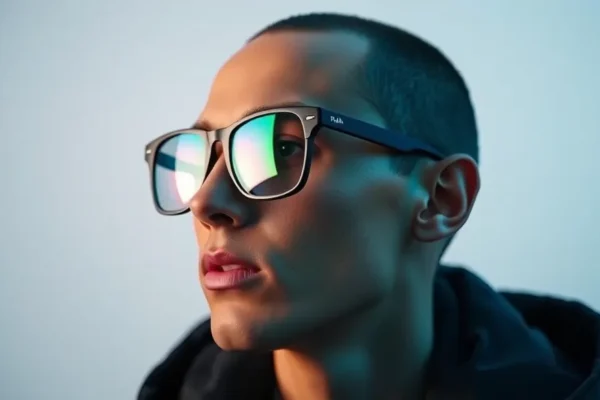
What Exactly are the Meta Ray-Ban Smart Glasses?
At first glance, the Meta Ray-Ban smart glasses look just like a standard pair of Wayfarers. But inside those frames is a bundle of wearable technology that lets you take photos, record videos, listen to music, and talk to an AI assistant without ever pulling your phone out of your pocket. 🕶️
Essentially, these glasses solve the problem of “missing the moment.” We have all been there: you see something amazing, spend ten seconds digging for your phone, opening the camera app, and by the time you are ready, the moment is gone. These glasses let you capture life from your own point of view instantly.
They are designed for people who love capturing memories, creators who want hands-free footage, and tech fans who want to try out smart eyewear. In a world where we are glued to screens, these glasses try to put the tech in the background so you can stay present in the real world.
How These Glasses Fit Into Your Daily Routine
Using the Meta Ray-Ban smart glasses doesn’t feel like using a computer; it feels like having a helpful invisible assistant. Instead of looking at a screen, you interact with the world through sound and a small camera lens.
If you are a busy parent or pet owner… imagine your toddler taking their first steps or your dog doing something hilarious. Instead of fumbling with a phone and viewing the moment through a 6-inch screen, you just tap the frame or use a voice command. You get a first-person video that feels much more intimate and real.
If you enjoy cooking or DIY projects… you can use the Meta AI features to get help. You could be looking at a strange ingredient in your pantry and ask, “Hey Meta, what can I cook with this?” or take a photo of a confusing IKEA instruction manual to get a tip on how to assemble a piece. It is like having a Google search built into your vision.
If you commute or walk the dog… the built-in speakers allow you to listen to podcasts or take phone calls while keeping your ears open to traffic and surroundings. It feels like a private soundtrack for your life that only you can hear. 🎧
Is This Gadget Right for You?
Because these are an investment, they aren’t for everyone. Here is a breakdown of who will love them and who should pass.
Best for: Content creators and “memory collectors.” If you find yourself constantly filming your life for social media or family archives, these are a game-changer. They are also great for people who hate wearing earbuds all day but still want music and notifications.
Good for: Tech enthusiasts who want to experiment with the latest AI. If you enjoy talking to AI and want to see how it can interact with the physical world, these are the most polished version of that experience available right now.
Skip if: You are very concerned about privacy or make others feel uncomfortable with cameras. While there is a recording light, some people still find camera glasses “creepy.” Also, if you already own the Gen 2 version, the improvements in the Meta Gen 3 glasses are likely too small to justify the cost of a full upgrade.
How They Stack Up Against the Competition
The market for smart eyewear is split into two camps: audio glasses and Augmented Reality (AR) glasses.
Compared to something like the Amazon Echo Frames, the Meta Ray-Bans are far superior because they include a high-quality camera. The Echo Frames are mostly for voice commands and music, whereas the Meta Ray-Ban smart glasses are a full-blown capture tool.
On the other end, you have AR glasses like Xreal or Viture. Those devices project a giant virtual screen in front of your eyes for watching movies or gaming. The Meta glasses do not do this. There is no screen in the lens. Meta focused on making them look like real glasses and keeping them lightweight, while AR glasses often look like bulky sci-fi gear.
In terms of price, they sit in a premium spot. You are paying for the Ray-Ban brand name and the Meta software integration. While cheaper “camera glasses” exist on sites like Amazon, they usually have terrible image quality and no AI features.
Getting Started and the Learning Curve
Setting up these glasses is surprisingly simple. You don’t need to be a “tech person” to get them working. You download the Meta View app on your smartphone, pair the glasses via Bluetooth, and follow a few on-screen prompts. The whole process takes about five to ten minutes.
The learning curve is very shallow because the controls are intuitive. There is a touch-sensitive area on the temple for volume and playback, and a physical button to take photos or videos. Most of the heavy lifting is done via voice commands, which feel natural after a day or two of use.
One common frustration for new users is the voice command “wake word.” Sometimes the glasses might trigger when you say something that sounds like “Hey Meta,” or they might not hear you in a very loud crowd. It takes a little bit of practice to find the right tone and volume for the microphones to pick you up consistently.
The Real Wins in Daily Use
- Stunningly Normal Look: Unlike previous attempts at smart glasses, these just look like classic Ray-Bans. You don’t feel like a cyborg wearing them.
- POV Captures: The ability to record exactly what you are seeing is incredibly useful for tutorials, travel vlogs, or just saving a memory.
- Improved Audio: Based on user feedback and published reviews, the microphones in the Gen 3 model are noticeably better at filtering out wind noise, making your phone calls clearer.
- Handy AI Integration: The “Look and Ask” feature is genuinely helpful for translating signs in foreign languages or identifying plants during a walk.
- Convenience: Being able to send a quick text or check a notification without looking at a screen helps reduce overall phone screen time.
Where the Experience Falls Short
- Battery Life: While Meta claims improvements, the battery life is still the biggest pain point. If you are taking lots of videos and using AI, you will likely find they last about 4 to 6 hours of active use. You will be popping them back into the charging case frequently. 🔋
- Privacy Friction: Even with the LED light that turns on when recording, you will occasionally face questions or hesitation from people around you who aren’t comfortable being filmed.
- Marginal Upgrades: For those moving from Gen 2, the “new” features feel like software updates rather than a revolution. The slight bump in mic quality and battery isn’t a reason to spend another $300.
- Storage Limits: You can only store a certain amount of footage on the glasses before you have to sync them to the app to clear space.
Breaking Down the Cost and Value
As of mid-2024, the Meta Ray-Ban smart glasses typically start around $299, though the price increases if you opt for prescription lenses or specialized transitions. There are no monthly subscription fees to use the basic features, which is a big plus.
Is it worth the price? For a casual user, $300 is a lot for a gadget that will likely be outdated in three years. However, if you view them as a combination of high-end sunglasses and a content creation tool, the value is easier to justify.
If this is too expensive, your best alternative is simply using your phone. While less convenient, your phone has a better camera and a battery that lasts much longer. There are no “budget” versions of these glasses that offer the same AI and ecosystem integration.
The Final Verdict: Should You Buy Them?
The Meta Gen 3 glasses are a polished, stylish piece of technology, but they are an evolutionary step, not a revolutionary one. The marginal improvements to the battery and microphones make them the best version of this product yet, but they don’t fundamentally change the experience.
Buy them if: You have never owned a pair of smart glasses, you love the Ray-Ban style, and you want a seamless way to capture your life and interact with AI on the go.
Wait or skip if: You already own the previous generation, you have a strict budget, or you are uncomfortable with the privacy implications of wearable cameras.
Ultimately, these are best used as a lifestyle accessory. They won’t replace your phone, but they make the transition between the digital and physical world feel a lot more natural.
Common Questions About Meta Gen 3 Glasses
Is the battery life actually better?
Yes, there is a slight improvement, but it is marginal. You can expect a few more minutes of recording time, but you still cannot rely on them for a full 24-hour day of heavy use without charging.
How do the Meta AI features work?
The AI uses the built-in camera to “see” what you see. By saying “Hey Meta, look and tell me…”, the glasses take a photo, analyze it, and give you a spoken answer through the speakers.
Are the Meta Ray-Ban smart glasses waterproof?
They are generally water-resistant, meaning they can handle a bit of rain or sweat, but you should not take them swimming or submerge them in water.
Do I need a Meta account to use them?
Yes, you need to set up a Meta account via the Meta View app to sync your photos, update the software, and use the AI features.
Can I get these with my own prescription?
Yes, Ray-Ban offers prescription lens options for these frames, though this will increase the total cost of the glasses.
Do they record audio and video at the same time?
Yes, the camera glasses capture high-definition video with synchronized audio from the improved microphone array.
Product prices and availability vary by region. Verify current pricing before purchase











