The Strategic Evolution of the AI Assistant
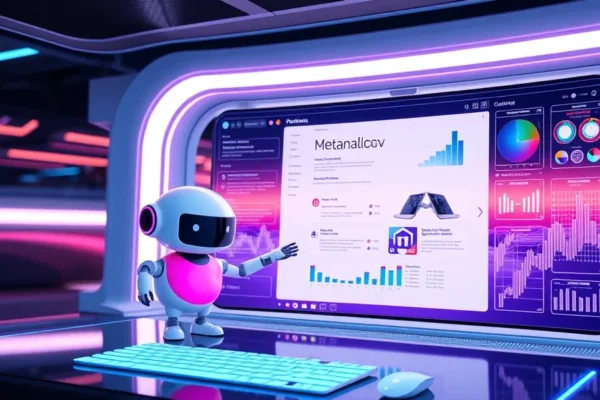
For the past few decades, the way we work with computers has been defined by the application. We open a word processor to write, a spreadsheet to calculate, and an email client to communicate. Microsoft is now orchestrating a fundamental shift in this relationship. Under the leadership of CEO Satya Nadella, the company is positioning Microsoft Copilot not merely as a chatbot, but as an OS for Work—a layer of intelligence that sits across the entire digital environment rather than residing in a single app.
This development is significant because it marks the end of the siloed software era. Microsoft’s strategy, detailed in their 2024 enterprise roadmaps, aims to turn the AI assistant into an active participant in business workflows. Instead of just helping you draft a paragraph, the goal is for the system to understand your calendar, your previous emails, your shared documents, and your company’s proprietary data to complete complex tasks autonomously. This shift from an information retrieval tool to an agent capable of executing business processes is the current frontier of enterprise AI strategy.
How Microsoft Copilot Orchestrates Your Digital Tasks
To understand the mechanics of this OS for Work vision, think of a traditional office assistant. If you ask a human assistant to prepare for a meeting, they do not just read one document. They check your calendar to see who is attending, find the relevant meeting notes from last week, synthesize the data from a shared spreadsheet, and draft a summary email. Microsoft is teaching Copilot to do exactly this.
At its core, the system uses a combination of Large Language Models—massive neural networks trained on vast datasets—and something called the Microsoft Graph. The Graph is the underlying index of all your organization’s data, including files, emails, chats, and meetings. When a user interacts with the AI, the system uses “grounding” to connect the AI’s general language capabilities with the specific, private context of the user’s organization. By pulling data from the Graph, the AI avoids the generic responses common to public chatbots, instead providing answers that are specific to the user’s actual workflow.
Beyond this context, the new agent capabilities represent a leap forward in agency. An agent is a software component that can perform a sequence of actions on behalf of a user. For example, rather than just suggesting text, an agent can be tasked to monitor an inbox for customer queries, extract data from them, update a CRM database, and notify a sales representative when a high-priority ticket arrives. This moves the technology from passive assistance to active operational support.
Real World Applications for Enterprise Customers
The integration of Copilot into the Office suite is already changing daily operations for many enterprise customers. Tools like Word, Excel, and Outlook now feature a Copilot sidebar that can summarize lengthy threads, transform text into professional presentations, or identify trends within complex spreadsheets.
In the domain of software development, GitHub Copilot represents the most mature side of this strategy. By providing real-time code suggestions and automated testing, it has become a staple for engineering teams. Recent reports from GitHub suggest that developers using these coding capabilities are completing tasks significantly faster than those without them. In the broader corporate landscape, firms in finance and law are using these tools to synthesize vast quantities of regulatory documents, saving hundreds of billable hours that were previously spent on manual data collation.
As of mid-2024, these features are largely available to enterprise customers through subscription models. The maturity level varies; while document summarization and email drafting are highly reliable, the more advanced “agentic” workflows—those involving cross-app automation—are still in various stages of preview or early rollout. Companies should view these as collaborative tools rather than autonomous replacements for human oversight.
The Competitive Landscape of AI Assistants
Microsoft is not alone in its pursuit of the future of work. Google is aggressively integrating Gemini into its Workspace suite, leveraging its strengths in search and cloud-based collaboration. Meanwhile, companies like Salesforce are embedding AI agents specifically into customer relationship management, and startups like Anthropic are focusing on the safety and nuanced reasoning capabilities of their Claude models to compete for enterprise loyalty.
Microsoft’s primary advantage lies in its ubiquity. Because it already owns the “plumbing” of the modern office—the email servers, the documents, the identity management systems, and the operating systems—it can integrate its AI assistant deeper into the user’s daily life than a third-party tool could. While competitors may offer superior language models for specific creative tasks, Microsoft’s value proposition is the seamless connection to the data that already lives within a company’s secure environment.
Implications for the Modern Workplace
The transition toward an OS for Work model will likely force a re-evaluation of how businesses measure productivity. If a task that once took four hours can now be finished in minutes through AI assistance, the value of the human worker shifts from execution to oversight. We are moving toward a model where employees become editors and architects of AI-generated work, rather than laborers who build everything from scratch.
Economically, this could boost efficiency, but it also creates challenges for training junior employees. If the “grunt work” that teaches a new analyst or coder the fundamentals of their craft is automated, companies will need to develop new ways to mentor staff and ensure they gain the necessary foundational skills. In the long term, we expect to see a market shift where software vendors charge based on the value generated by AI agents rather than just the number of seats occupied by users.
Limitations and Current Challenges
Despite the excitement, significant hurdles remain. The most prominent is the “hallucination” problem, where an AI presents false information with total confidence. In an enterprise environment, this is not just an inconvenience; it is a liability. Furthermore, there is the issue of data privacy and residency. Enterprise customers are rightly concerned about how their proprietary information is used to train these models. While Microsoft has committed to not training its foundation models on customer data, the complexity of managing permissions within large organizations is a significant bottleneck.
There are also technical bottlenecks. Advanced agent capabilities, where an AI is expected to reliably navigate through five different applications to complete a task, are prone to failure if any single application updates its interface or changes its security policy. For now, human-in-the-loop validation remains a mandatory requirement for any mission-critical task.
Future Trajectory
Looking ahead, the next milestone for Microsoft Copilot is the development of “agentic swarms”—groups of specialized AI agents that can communicate with each other to solve multi-step problems without constant user intervention. We are likely to see these tools move from the “suggestion” phase into the “execution” phase over the next 18 to 24 months. Organizations should watch for developments in API standardization, which will allow these agents to interact with third-party software more reliably than they do today.
Frequently Asked Questions
Is the Microsoft Copilot OS for Work vision fully available today?
Many components, such as Office integration and basic coding capabilities, are available now for enterprise customers. However, the vision of a fully autonomous AI that handles complex, multi-app workflows is still in active development and phased deployment.
What is the primary difference between a chatbot and the Microsoft agent strategy?
A chatbot is typically reactive, waiting for a prompt to provide information. An agent is proactive and designed to perform sequences of actions across different software tools to complete a business goal.
Are there significant risks to using these AI tools for enterprise tasks?
Yes, the primary risks include the potential for AI hallucinations and the complexity of maintaining data security when granting AI access to internal corporate information. Human oversight remains a critical component of any current deployment.
How does this technology affect the future of work for employees?
The future of work will likely focus on oversight and strategic decision-making rather than manual execution. Employees will increasingly manage AI agents to handle repetitive tasks, requiring a shift in skill sets toward critical thinking and AI orchestration.
Who benefits most from the current Microsoft AI strategy?
Enterprise customers who already rely heavily on the Microsoft 365 ecosystem benefit the most, as the tight integration allows Copilot to access the context of their specific business data, which is essential for accurate and relevant AI performance.
Note: This article is based on publicly available information from Microsoft’s enterprise announcements, technical documentation, and market observations as of late 2024. As with all emerging AI technologies, specific capabilities, performance benchmarks, and deployment timelines are subject to rapid change as the underlying models evolve.