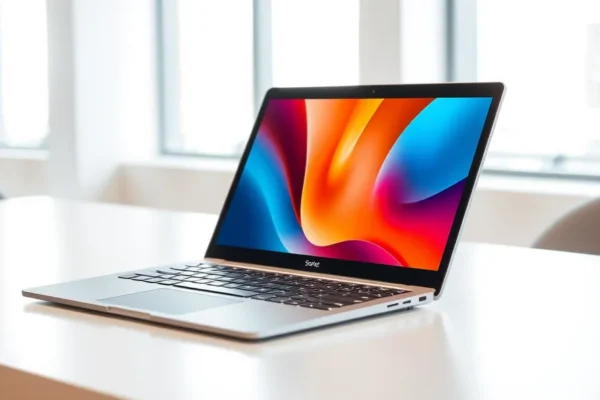
Meet the Microsoft Surface Laptop Ultra: Your Next AI-Powered Companion?
So, what exactly is the Microsoft Surface Laptop Ultra? Think of it as Microsoft’s latest attempt to craft a super-sleek, do-it-all laptop that’s built for the future, specifically with AI in mind. It’s designed to be a bit of a powerhouse disguised as an elegant ultrabook, aiming to make everyday tasks smoother and smarter thanks to built-in artificial intelligence features. If you’re someone who juggles a lot of digital tasks, relies on your computer for creative work, or just wants a premium Windows experience that feels a step ahead, this is likely for you. Why should you care right now? Because AI is no longer just a buzzword; it’s starting to show up in our everyday tech, and the Surface Laptop Ultra is one of the first Windows laptops to really embrace it.
How the Surface Laptop Ultra Works in Your Day-to-Day
Imagine this: you’re writing an email and need to summarize a long document attached. Instead of opening it, scrolling, and taking notes, the Surface Laptop Ultra, with its AI smarts, can offer a quick summary right there. Or, perhaps you’re editing photos and want to quickly remove a distracting object. An AI-powered tool could do that with a few clicks, making tedious editing a breeze.
Here are a couple of real-world scenarios:
- For the Busy Professional: If you constantly jump between meetings, research, and drafting reports, the AI features could help by automatically organizing your notes, suggesting relevant files for your current task, or even helping you brainstorm ideas for presentations. It’s like having a digital assistant that’s always on, ready to streamline your workflow.
- For the Creative Hobbyist: Even if you’re not a professional designer, you might use your laptop for editing videos or creating social media content. The AI could help with tasks like automatically generating captions for videos, suggesting background music, or even enhancing your photos with intelligent adjustments. It takes some of the guesswork out of creative projects.
- For Everyday Convenience: Think about searching for files. Instead of remembering exact filenames, AI could help you find documents based on their content or context, making it feel more like you’re just asking a question and getting an answer. It’s about making your digital life feel more intuitive and less like a chore.
Who Should Consider the Surface Laptop Ultra?
This laptop really shines for a few specific groups.
- Best For: Professionals and creatives who want a premium Windows laptop that leverages the latest AI advancements to boost productivity and streamline workflows. If you’re excited about the idea of your computer actively helping you get things done, this is a strong contender.
- Good For: Everyday users who appreciate a high-quality, stylish Windows machine with the promise of future-proofing. If you’re looking for a reliable laptop for general use, browsing, streaming, and light productivity, the AI features will simply be a nice bonus that might make certain tasks easier over time.
- Skip If: You’re on a tight budget, or if your primary need is simply basic computing with no interest in AI features. Also, if you’re deeply invested in Apple’s ecosystem and are happy with your current MacBook Pro, switching might not be necessary.
How Does it Stack Up Against the MacBook Pro?
The most obvious competitor that comes to mind is the Apple MacBook Pro. Both are premium ultrabooks designed for performance and portability. The Surface Laptop Ultra aims to distinguish itself with its aggressive embrace of AI features integrated directly into Windows 11. Where the MacBook Pro offers a very polished macOS experience, the Surface Laptop Ultra provides a powerful Windows alternative with potentially smarter, AI-driven shortcuts.
In terms of performance, both are generally excellent for demanding tasks. However, the Surface Laptop Ultra is marketed as an “AI PC,” suggesting it might have an edge in tasks that specifically benefit from AI processing, like certain content creation or intelligent search functions. Battery life is a common talking point for both. Historically, MacBooks have often had an advantage here, though the Surface Laptop Ultra aims to be competitive. Price-wise, both are premium devices, so expect a significant investment. The Surface Laptop Ultra might offer a different value proposition if its AI capabilities significantly enhance your workflow, justifying a similar or slightly higher price point.
Getting Started: Setup, Ease of Use, and the Learning Curve
Microsoft has made setting up Surface devices pretty straightforward. For most users, it’s much like setting up any other Windows laptop. You’ll power it on, connect to Wi-Fi, sign in with your Microsoft account (or create one), and Windows will guide you through the initial setup. This typically takes about 15-30 minutes, depending on your internet speed and how many updates need to be installed right away.
The learning curve for the AI features is designed to be minimal. Many of these AI capabilities are baked into Windows 11 itself, meaning they’ll appear subtly in apps you already use. For example, a feature might pop up to suggest summarizing text or enhancing an image. It’s not like learning a completely new operating system; it’s more about discovering helpful new shortcuts and capabilities as you use the laptop. For those who want to dive deeper, there might be specific applications or settings to explore, but the core experience is meant to be intuitive.
Real-World Pros of the Surface Laptop Ultra
Based on initial reports and user feedback for similar premium Surface devices, here are some genuine advantages you’re likely to experience:
- Sleek and Premium Design: Surface laptops are renowned for their build quality. Expect a beautiful, sturdy chassis that feels great to touch and hold. It looks and feels like a high-end machine. 🤩
- AI-Powered Productivity Boosts: The integrated AI features can genuinely speed up tasks. As mentioned, summarizing documents, intelligent search, and creative assistance can save you significant time over the course of a day. This is the core promise, and early indications suggest it can deliver.
- Excellent Display Quality: Microsoft consistently puts great screens on its Surface devices. Expect vibrant colors, sharp text, and a comfortable viewing experience for everything from spreadsheets to movies. 🌈
- Smooth Windows Experience: Running Windows 11 on optimized hardware generally leads to a fluid and responsive experience. Apps launch quickly, multitasking is a breeze, and the overall user interface feels polished.
- Good for Portability: As an ultrabook, it’s designed to be thin and light, making it easy to carry around for work, school, or travel.
Real-World Cons and Limitations
No laptop is perfect, and the Surface Laptop Ultra has its drawbacks to consider:
- Battery Life Concerns: While Microsoft aims for strong battery life, reviews for many high-performance ultrabooks often suggest that demanding AI tasks or prolonged heavy use can drain the battery faster than advertised. Expect it to last a solid workday for most tasks, but heavy AI processing might require you to keep a charger handy. Published reviews often show around 8-10 hours of mixed usage, which is good but not class-leading for all scenarios. 🔋
- AI Features Still Evolving: While promising, the full potential of Windows 11 AI features is still being realized. Some features might feel experimental or not as seamlessly integrated as you’d hope at launch. It’s a technology that’s growing, and your experience will evolve with software updates.
- Price Premium: These premium Surface devices, especially with cutting-edge tech like AI integration, come with a significant price tag. You’re paying for the design, build quality, and the advanced features. 💸
- Limited Port Selection: Like many modern ultrabooks, the Surface Laptop Ultra might feature a limited number of ports, potentially requiring you to carry adapters or a dongle for connecting multiple accessories simultaneously.
Price, Value, and Affordability
The Microsoft Surface Laptop Ultra is positioned as a premium device, so expect its price to reflect that. Pricing typically starts in the range of $1200-$1500 USD and can go significantly higher depending on configuration (processor, RAM, storage).
Is it worth the price? For users who will heavily leverage the AI features for productivity and creative tasks, the time savings and enhanced capabilities could justify the cost. It offers a high-end Windows alternative to similarly priced MacBooks. However, if your needs are more basic, the value proposition diminishes.
Be mindful of potential hidden costs. While the laptop itself is the main expense, you might consider accessories like a stylus or a USB-C hub if the port selection is limited. Microsoft’s own accessories can add to the overall cost.
Verdict: Who Should Buy This Laptop?
The Microsoft Surface Laptop Ultra is a compelling option for those who want a powerful, stylish, and forward-thinking Windows laptop.
- Definitely Consider It If: You’re a professional or creative who wants to harness the power of AI to boost your productivity and efficiency. You appreciate premium design and build quality and are looking for a top-tier Windows experience.
- It’s a Good Option If: You’re an everyday user who values a high-quality laptop and wants to be on the cutting edge of technology, with AI features that will become increasingly useful over time.
- You Might Want to Look Elsewhere If: You have a very strict budget, or if your computing needs are very basic and you don’t see the immediate benefit of AI integration. Also, if you’re deeply committed to another operating system.
Ultimately, the Surface Laptop Ultra is a strong contender in the premium Windows laptop space, especially for those eager to explore the growing world of AI-powered computing. It aims to be more than just a laptop; it’s designed to be an intelligent partner in your digital life.
Common Questions About the Microsoft Surface Laptop Ultra
How long does the battery last?
Battery life can vary significantly based on usage. For general tasks like browsing and document editing, expect it to last a full workday. However, intensive AI processing or demanding applications can reduce battery life, potentially to around 6-8 hours in those scenarios.
Is the Microsoft Surface Laptop Ultra good for gaming?
While it offers good performance for everyday tasks and productivity, it’s generally not marketed as a dedicated gaming laptop. For serious gaming, you’d typically look for machines with discrete graphics cards and more robust cooling systems.
What are the main AI features?
AI features in this context often include things like intelligent text summarization, enhanced search capabilities within Windows, AI-assisted photo editing, and potentially AI-driven suggestions for content creation or workflow optimization. These are often integrated into Windows 11 and Microsoft’s own apps.
How does it compare to a MacBook Pro in terms of AI?
Apple also has AI features within macOS and its applications (like Siri and machine learning in creative apps). The Surface Laptop Ultra’s AI focus is more about system-wide integration within Windows 11, aiming to make AI assistance more readily available across various tasks.
Can I upgrade the RAM or storage?
This varies by specific model and configuration. Many premium ultrabooks, including some Surface devices, have soldered RAM and storage, meaning they are not user-upgradable after purchase. It’s crucial to check the specifications for the exact model you are considering.
Where can I buy the Microsoft Surface Laptop Ultra?
You can typically purchase the Microsoft Surface Laptop Ultra directly from Microsoft’s online store, as well as from major electronics retailers like Best Buy, Amazon, and other authorized Microsoft partners.
Product prices and availability vary by region. Verify current pricing before purchase.