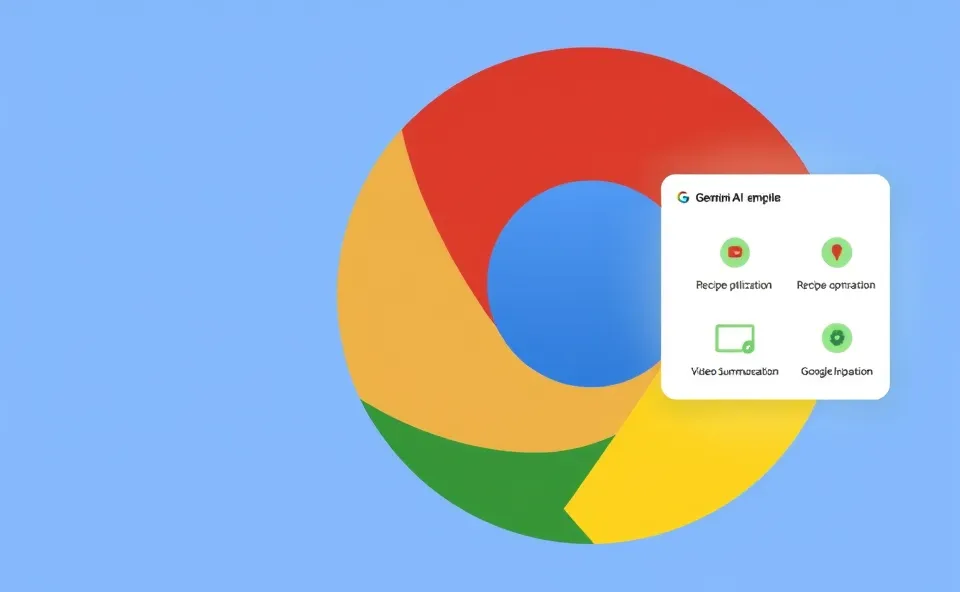
Meet Your New Kitchen and Learning Sidekick in Chrome
You know how sometimes you’re browsing the web and stumble upon a recipe, or a lengthy YouTube video that looks super interesting, but you’re not sure how it fits your dietary goals or if you have the time to watch the whole thing? Well, Google Chrome has just rolled out some pretty neat AI-powered features, called ‘Skills,’ that live right in your Gemini sidebar. Think of it as having a smart assistant built right into your browser, ready to lend a hand with everyday tasks without you having to jump between different apps or sites.
These new Google Chrome AI Skills are designed to make your web browsing experience more helpful and efficient. For instance, if you’re trying to eat healthier and want to boost the protein in your favorite pasta dish, Chrome can now help. Or, if a YouTube video is an hour long and you only have ten minutes, it can quickly give you the highlights. It’s all about making the information you find online more actionable and digestible.
Why All the Buzz Around These New Chrome Features?
It’s no surprise that artificial intelligence is everywhere, and people are constantly looking for ways it can simplify their lives. The reason you’re seeing so much chatter about these Google Chrome AI Skills right now is that they represent a significant step in bringing practical AI integration directly into the tools we use daily. For many, the Chrome browser is the gateway to the internet, and adding genuinely useful AI capabilities here feels like a natural and exciting evolution.
People are actively searching because they want to see how these AI-powered features can genuinely save them time and effort. The promise of recipe optimization and instant video summaries taps into common frustrations. We’re all juggling busy schedules and information overload, so any tool that can offer a shortcut or a smarter way to engage with online content is bound to grab attention. It’s the allure of making our digital lives smoother and more productive.
A Little Background on Smarter Browsing
For years, Google Chrome has been a powerhouse for web browsing, constantly adding features to make it faster, safer, and more user-friendly. We’ve seen everything from password managers and built-in translation to extensions that can customize our experience. But the core of it has always been about accessing and navigating information.
Now, with the integration of artificial intelligence, particularly through the Gemini sidebar, Chrome is stepping into a new era of ‘smart’ browsing. This isn’t just about displaying web pages; it’s about actively understanding and interacting with the content on those pages. The Gemini sidebar acts as a central hub for these AI-powered features, making them readily accessible without disrupting your workflow. It’s a natural progression from simply showing you websites to helping you make the most of what you find there.
What This Means for Your Daily Digital Life
So, what’s the real impact of these Google Chrome AI Skills? For starters, let’s talk about that recipe optimization. Imagine you find a delicious lasagna recipe online. You’re making it for friends, and one of them is really focused on getting more protein in their diet. Instead of you having to manually search for high-protein ingredient swaps or calculate nutritional changes, the Gemini sidebar can analyze the recipe and suggest ways to increase its protein content. It could suggest adding lean ground turkey instead of beef, incorporating extra cheese, or even adding a side of chickpeas. This is huge for anyone managing their diet or simply looking to make their meals healthier without sacrificing taste.
Then there’s the YouTube summarization. We’ve all been there, staring at a video that’s way longer than we anticipated. These new AI-powered features can chew through that long video and give you a concise summary, highlighting the key points and important information. This is a game-changer for students, researchers, or anyone who needs to quickly grasp the essence of a video without dedicating hours to watching it. It turns hours of content into minutes of understanding, boosting your productivity significantly.
Beyond these specific use cases, the broader impact is on how we interact with the web. These AI integration efforts in Chrome signal a shift towards more intelligent and proactive web browsing. Instead of you being the one to seek out information and tools, the browser starts to anticipate your needs and offer assistance. It’s about transforming web browsing from a passive activity into an active partnership with artificial intelligence.
For businesses, this means users are becoming more adept at extracting value from online content. Websites and content creators might need to think about how their information can be easily parsed and summarized by these AI tools. For the broader tech landscape, it reinforces the trend of AI becoming deeply embedded in everyday applications, making sophisticated technology feel more accessible and less intimidating.
What’s Next on the Horizon?
The introduction of these Google Chrome AI Skills is just the beginning. As AI technology continues to advance, we can expect even more sophisticated capabilities to be integrated into our browsers and other everyday software. Think about possibilities like:
- More advanced recipe adjustments, like suggesting substitutions based on available ingredients in your pantry (if you were to input that information).
- The ability to generate meeting notes automatically from video calls or audio recordings directly within your browser.
- Content personalization that goes beyond just showing you ads, but actively helping you understand complex articles or reports by offering simplified explanations or key takeaways.
- Tools that can help you draft emails or other written content more efficiently, pulling context from your browsing history or open tabs.
The trend is clearly towards making our digital tools not just platforms for accessing information, but intelligent assistants that help us process, create, and utilize that information more effectively. This evolution of AI integration in the Chrome browser suggests a future where technology seamlessly supports our cognitive tasks, making us all more efficient and informed.
Frequently Asked Questions About Google Chrome AI Skills
What exactly are Google Chrome AI Skills and where do I find them?
Google Chrome AI Skills are new, AI-powered features accessible through the Gemini sidebar within the Chrome browser. They are designed to help you perform specific tasks, like optimizing recipes for more protein or summarizing YouTube videos, directly from your browsing window.
How do these AI-powered features improve my web browsing experience?
These new Chrome features, powered by artificial intelligence, enhance your web browsing by making content more actionable. For example, they can save you time by summarizing lengthy videos or help you achieve dietary goals by suggesting recipe modifications, essentially making your online research more efficient.
Can Google Chrome AI Skills really help me make recipes healthier?
Yes, one of the key AI-powered features allows for recipe optimization. If you find a recipe, the Gemini sidebar can analyze it and suggest ingredient swaps or additions to increase its protein content, making it easier to align your meals with your health goals.
Is AI summarization in Chrome only for YouTube videos?
While YouTube video summarization is a prominent example of the AI summarization capabilities, the underlying technology suggests potential for summarizing other forms of web content in the future. Currently, it’s a powerful tool for quickly understanding long videos.
What is the significance of AI integration in the Chrome browser?
The AI integration in the Chrome browser signifies a major step towards making artificial intelligence a practical, everyday tool. It transforms the browser from a simple information access point into an intelligent assistant, offering new productivity tools that simplify complex online tasks and improve user efficiency.