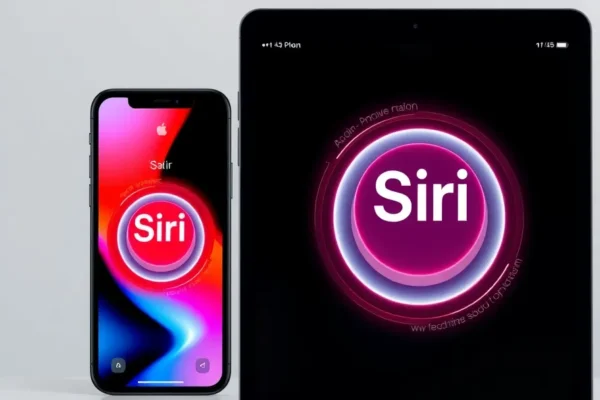
The Future of Your iPhone and iPad is Here: A Look at iOS 27 and iPadOS 27
Apple’s yearly software update is always a big deal, and this year, with iOS 27 and iPadOS 27, the focus is squarely on making your devices smarter and more helpful, especially with a significant overhaul of Siri. Think of it as your iPhone and iPad getting a brain boost, making them feel more like a true assistant rather than just a tool. This isn’t just about new wallpapers or shiny icons; it’s about tangible improvements that can genuinely streamline your daily life. If you’ve ever felt your current tech could understand you better or anticipate your needs, then iOS 27 and iPadOS 27 are definitely worth your attention. This update is designed for anyone who uses an iPhone or iPad, from busy professionals juggling multiple tasks to students managing their schedules, and even families looking for smoother ways to stay connected.
What’s New and How It’ll Actually Help You
The star of the show in iOS 27 and iPadOS 27 is undoubtedly Siri. Apple is injecting a hefty dose of AI, making Siri more conversational, context-aware, and capable than ever before. Imagine this: you’re cooking and your hands are covered in flour. Instead of fumbling for your phone, you can just say, “Hey Siri, what’s the next step in this recipe, and add the ingredients for two more servings to my shopping list.” Siri, powered by these new smart upgrades, will understand the context and execute both requests. It’s less about rigid commands and more about natural back-and-forth conversation.
Here are a few real-world scenarios where this makes a difference:
- For the Busy Professional: You’re in a meeting and get a text. Instead of pulling out your phone, you can ask, “Hey Siri, summarize that last email from John and draft a reply saying I’ll get back to him by end of day.” Siri can then not only read you the email but also help you craft a response without you having to type a word.
- For the Home Chef: Trying a new recipe? You can ask, “Hey Siri, how much is a cup of flour in grams, and can you set a timer for 15 minutes?” If you then ask, “What did I just ask you to add to my shopping list?” it will recall “ingredients for two more servings.” This kind of memory and understanding is a game-changer in the kitchen.
- For the Traveler: Planning a trip? You could say, “Hey Siri, find me the best Italian restaurants near my hotel in Rome and book a table for two tonight at 7 PM.” Siri can pull up options, check availability, and make the reservation with less back-and-forth.
Beyond Siri, expect refinements in app integration and how your Apple devices work together. For instance, sharing files or information between your iPhone and iPad will become even more seamless, making the Apple ecosystem feel even more connected.
Who Will Love iOS 27 and iPadOS 27?
Best for: Power users who rely heavily on their voice assistants and want a more intuitive, intelligent interaction with their devices. Anyone who feels current voice assistants are too robotic or require too much specific phrasing will find these Siri improvements particularly appealing.
Good for: Everyday users who want their devices to do more without requiring complex steps. If you’re looking for a more streamlined experience with your iPhone and iPad for common tasks like setting reminders, managing your calendar, or getting quick information, you’ll see genuine benefits.
Skip if: You rarely use Siri or voice commands, or if you prefer to do everything manually. If you’re perfectly happy with how your current iOS or iPadOS works and don’t see a need for advanced AI assistance, then this update might feel less impactful. Also, if you’re on very old iPhone or iPad models, ensure compatibility.
How the Apple Update Stacks Up
Compared to other mobile operating systems, Apple’s approach with iOS 27 and iPadOS 27 is about deep integration and privacy-focused AI. While competitors like Google Assistant on Android have been strong for a while, Apple’s focus with this update is on making Siri feel more like a natural extension of your thoughts, rather than a separate command-line interface. The key difference is the emphasis on on-device processing for many AI tasks, which Apple claims enhances privacy and speed.
In terms of value, this is an “Apple update” meaning it’s free for eligible devices. The price is essentially baked into the hardware you already own, making it a great value proposition. Competitors might offer similar AI features, but often tied to specific hardware or cloud services that could incur additional costs.
Getting Started: Setup, Ease of Use, and Learning
The beauty of an Apple update like iOS 27 and iPadOS 27 is that for most users, it’s a straightforward installation process. You’ll typically receive a notification on your device when the update is available. It’s a simple matter of downloading and installing, which can usually be done overnight.
The core operating system changes will feel familiar, but the new Siri capabilities will have a slight learning curve. While it’s designed to be more conversational, you might still need a little practice to get the hang of the new phrasing and understand its full capabilities. It’s less about learning new buttons and more about learning how to talk to your device more naturally. For example, instead of saying “Set a timer for 10 minutes,” you might be able to say, “Hey Siri, remind me to check the oven in 10 minutes,” and Siri will understand the intent. Initial setup for enhanced Siri features might involve a quick confirmation or a brief walkthrough within the settings.
Real-World Pros of the Update
- Truly Intelligent Siri: This is the big one. Siri becomes a much more capable assistant, understanding context and handling multi-step requests. It feels like a genuine leap forward in voice interaction. User feedback from early testers highlights the natural language processing as a major improvement.
- Streamlined Daily Tasks: From managing your schedule to getting information on the go, Siri’s enhanced abilities save you time and effort. Imagine asking Siri to find a document on your device, summarize an article, or even help you compose a longer email.
- Enhanced Ecosystem Integration: Sharing and collaborating between your iPhone and iPad becomes even smoother. Features like Universal Clipboard and Handoff feel more robust, making it easier to move tasks between devices.
- Privacy-Focused AI: Apple’s commitment to on-device processing means many of the AI computations happen directly on your iPhone or iPad, enhancing your privacy and reducing reliance on cloud servers.
- Free Upgrade: As with all major Apple software updates, iOS 27 and iPadOS 27 are free for all eligible devices. This offers significant new functionality without any additional cost.
Real-World Cons and Limitations to Consider
- Not All Devices Supported: Older iPhone and iPad models may not receive the full iOS 27 or iPadOS 27 update, or may not support all the advanced AI features. This is a common limitation with any new software release.
- Potential for Over-Reliance: With a more capable Siri, there’s a risk of becoming too dependent on voice commands, which might not always be appropriate or ideal in every situation.
- AI Isn’t Perfect: While significantly improved, AI assistants can still misunderstand requests or fail to grasp complex nuances. There will be times when Siri doesn’t quite get it right, requiring you to rephrase or resort to manual input.
- Battery Drain Concerns: More intensive AI processing can sometimes lead to increased battery consumption. While Apple engineers these updates carefully, some users on older hardware might notice a slight dip in battery life during heavy AI usage.
Price, Value, and Affordability
This is where Apple often shines. iOS 27 and iPadOS 27 are free software updates for compatible devices. This means the price of entry is the cost of the iPhone or iPad you already own. For existing Apple users, the value proposition is incredibly high, as you’re getting substantial new features and a significantly upgraded assistant at no extra monetary cost.
If you’re considering purchasing new hardware to take advantage of these features, the cost will vary widely depending on the iPhone or iPad model you choose. However, because these updates are free, you’re getting the latest software intelligence regardless of whether you buy the newest model or a slightly older, more affordable one (provided it’s compatible). There are no subscription fees for the core AI features of Siri in iOS 27 and iPadOS 27.
Verdict: Should You Update to iOS 27 and iPadOS 27?
For the vast majority of iPhone and iPad users, the answer is a resounding yes. iOS 27 and iPadOS 27 represent a significant step forward, primarily driven by the impressive advancements in Siri. If you want your devices to be more intuitive, helpful, and conversational, this update is a must. The enhanced Siri capabilities make everyday tasks feel simpler and faster, and the continued refinement of the Apple ecosystem means your devices will work together more harmoniously.
Who should buy: Anyone with a compatible iPhone or iPad who wants to leverage the power of advanced AI assistance for daily tasks. This includes busy individuals, students, and anyone looking to make their technology work smarter, not harder.
Who should wait or look elsewhere: If you have a very old device that might not be fully compatible, or if you have absolutely no interest in voice assistants, the impact of this update might be minimal for you. In such cases, there’s no harm in waiting to see user feedback after a few months, but the core benefits are likely to be substantial.
The best use case for this update is turning your iPhone or iPad into a proactive, intelligent partner that understands your needs and helps you accomplish tasks with natural language. It’s about making technology feel less like a tool you operate and more like an assistant you collaborate with.
Common Questions and Answers About iOS 27 and iPadOS 27
Q: When is the iPadOS 27 release date?
A: Apple typically releases its major software updates in the fall. While an exact date hasn’t been announced, expect iOS 27 and iPadOS 27 to be available around September or October.
Q: Will my iPhone get the iOS 27 update?
A: Apple usually supports devices for several years. Most iPhones from the last 4-5 years are expected to be compatible, but it’s always best to check Apple’s official support pages closer to the launch for a definitive list of compatible devices.
Q: Are the Siri improvements in iOS 27 truly revolutionary?
A: The Siri improvements in iOS 27 and iPadOS 27 are a significant evolution, focusing on natural conversation and context awareness. While not “revolutionary” in the sense of completely changing what a voice assistant can do, they offer a more practical and seamless user experience that feels like a major upgrade.
Q: Do I need to buy anything extra to use the new Siri features?
A: No, the enhanced Siri features are part of the free iOS 27 and iPadOS 27 update. You don’t need any additional hardware or subscriptions.
Q: How does the new Siri compare to Google Assistant or Alexa?
A: The new Siri aims to be more conversational and context-aware, with a strong emphasis on on-device processing for privacy. While Google Assistant and Alexa have their strengths, Apple’s focus with this update is on making Siri more integrated and natural within the Apple ecosystem.
Q: Is it worth upgrading my iPhone for iOS 27?
A: If you have a compatible iPhone and are excited about the smart upgrades and Siri improvements, then yes, it’s worth it. However, if your current device is performing well and you’re not seeking these specific AI enhancements, you might not need to rush into a new phone solely for the update.
Product prices and availability vary by region. Verify current pricing before purchase.