

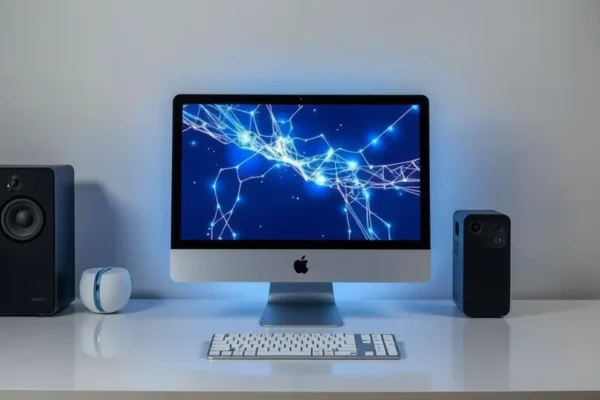
Meet the Apple Mac Studio M5 Ultra: Your Desktop Powerhouse for Tomorrow’s Tech
Let’s talk about the Apple Mac Studio with the M5 Ultra chip. Imagine your trusty computer, but on super-steroids, specifically built to handle the incredibly smart, almost magical, new AI tools that are popping up everywhere. This isn’t just another computer; it’s a peek into the future of what your computer can do for you, especially when it comes to running those brainy AI programs right on your desk, without needing a super-fast internet connection or relying on distant servers. Think of it as having a brilliant assistant, always ready to help with complex tasks, powered by the latest Apple Silicon.
This powerhouse is designed for folks who push their computers to the limit. We’re talking about creative professionals, developers, and anyone who wants to get their hands on cutting-edge technology, particularly those curious about or actively using generative AI models. If you’re someone who wants to stay ahead of the curve and have a machine that’s built to handle demanding tasks not just today, but well into the future, then the Mac Studio M5 Ultra is worth a closer look. It tackles problems like speeding up complex calculations for AI, making it easier to work with large datasets, and running advanced generative AI models faster than ever before.
Putting the Mac Studio M5 Ultra to Work in Your Day
So, what does all this power actually mean for you and me? Forget the abstract specs; let’s get real. The M5 Ultra’s special sauce is its ability to run sophisticated AI models locally. This means things you might have only dreamed of doing on your own machine become possible.
Imagine you’re a writer or a content creator. Instead of sending prompts to an online AI service and waiting for a response, you could be running a powerful AI language model directly on your Mac Studio. Need to brainstorm a complex story plot, generate creative marketing copy, or even draft code snippets? With the M5 Ultra, these tasks can be lightning fast and completely private. You’re not dependent on your internet speed or an external service’s availability. It feels like having a tireless brainstorming partner right there with you.
For designers and artists, this opens up a new world. Running advanced image generation AI models locally means you can iterate on designs, experiment with different styles, and create stunning visuals much faster. Think of generating unique textures for a 3D model or exploring countless variations of a logo concept in minutes, not hours. It’s like having a super-powered art studio in a box.
Even if you’re not a hardcore techie, consider this: if you manage a busy household or run a small business from home, imagine a system that can help organize your vast photo library using intelligent tagging, or even draft detailed reports from raw data in a fraction of the time it would take manually. The M5 Ultra’s local AI capabilities can streamline these background tasks, freeing up your time and mental energy.
Who Will Truly Shine with This Machine?
This machine is best for the bleeding edge.
Best For: Professionals and power users who are actively working with or experimenting with frontier-level local AI models. This includes AI researchers, machine learning engineers, serious content creators, and developers who need the absolute fastest performance for generative AI tasks. If you’re pushing the boundaries of what’s possible with AI on your desktop, the M5 Ultra is your tool.
Good For: Creatives and businesses who want to future-proof their workflow. If you anticipate needing to leverage advanced AI for tasks like video editing with AI enhancements, complex data analysis, or generating rich media, the Mac Studio M5 Ultra offers significant headroom. It’s for those who value raw power and longevity in their workstation.
Skip If: Your needs are more mainstream. If you primarily use your computer for web browsing, email, document editing, casual gaming, or even standard video editing and photo retouching, this level of power is likely overkill. You won’t fully utilize its capabilities, and a less powerful, more affordable Mac or PC would likely serve you just fine. Also, if you’re on a tight budget, this is definitely not the entry point.
How It Stacks Up Against the Pack
When we talk about alternatives, the landscape gets interesting. For sheer local AI processing power, the Mac Studio M5 Ultra stands tall, especially within the Apple ecosystem. Its strength lies in the tight integration of its Apple Silicon chip with macOS, offering a streamlined experience for running these demanding local AI models.
Competitors in the workstation space, often running Windows, might offer more user choice in terms of hardware configurations or upgradeability. However, they often require more technical know-how to get similar AI performance out of the box, and the optimization for specific local AI models might not be as seamless as what Apple Silicon aims to provide. Think of it like this: other high-end PCs are like a toolbox with many different tools you have to assemble yourself, whereas the Mac Studio M5 Ultra is a high-performance, pre-assembled machine specifically tuned for certain tasks.
In terms of price, the Mac Studio M5 Ultra sits at the premium end. While you can build Windows PCs that might match or exceed its raw theoretical processing power on paper, the overall package—including the silent, efficient operation, build quality, and user-friendly macOS environment—comes at a cost. For those committed to the Apple ecosystem and seeking top-tier local AI performance, the Mac Studio M5 Ultra often represents a compelling, albeit expensive, value proposition.
Getting Started and Finding Your Way Around
One of Apple’s consistent strengths is ease of use, and the Mac Studio M5 Ultra is no exception. Setup is generally straightforward. You’ll likely plug it in, connect your display and peripherals, and follow on-screen prompts to get it running. For most everyday tasks and even many professional workflows, you won’t need to be a tech wizard.
However, when you dive into running frontier-level local AI models, there can be a learning curve. While the hardware is incredibly capable, getting the specific AI software and models set up and optimized can require some technical knowledge. You might need to use command-line tools or understand how to configure software for maximum performance. It’s less about the computer being difficult and more about the complexity of the AI software itself. Think of it like learning to drive a sports car; the car is easy to start, but mastering its full performance takes practice and understanding. For most users, however, simply plugging in and enjoying the speed boost for everyday AI-assisted tasks will be intuitive.
The Upsides You’ll Actually Feel
- Blazing Fast Local AI Performance: This is the headline. Running AI language models and generative AI hardware tasks directly on your Mac Studio M5 Ultra is noticeably faster than cloud-based solutions for many applications. This translates to quicker results and a more responsive creative process. 🚀
- Silence and Cool Operation: Despite its immense power, the Mac Studio is renowned for its quiet operation. You can crunch through demanding AI workloads without the distracting roar of fans, which is a massive plus for concentration and working in shared spaces.
- Future-Proofing Power: Investing in the M5 Ultra means you’re getting a machine built for the next wave of AI advancements. As local AI models become more sophisticated and commonplace, your Mac Studio will be ready to handle them, extending its useful life significantly. 🕰️
- Apple Silicon Efficiency: The M5 Ultra chip isn’t just powerful; it’s incredibly efficient. This means you get maximum performance without excessive power consumption, contributing to its quiet operation and lower heat output.
The Downsides and What Might Annoy You
- Cost of Entry: Let’s be blunt, this is not a budget machine. The Mac Studio M5 Ultra is a significant investment, and the price tag can be a major hurdle for many. 💸
- Limited Upgradeability: Unlike some traditional workstations, the Mac Studio’s components are integrated. You can’t easily swap out RAM or the CPU later on. You need to choose your configuration carefully at the time of purchase.
- AI Software Still Developing: While the hardware is ready, the ecosystem of easy-to-use, consumer-friendly local AI applications is still maturing. You might find yourself needing to navigate more technical setups for certain advanced AI models.
- Not for Everyone: As mentioned, if your daily computing doesn’t involve pushing the absolute limits of AI, the power of the M5 Ultra will likely go largely unused.
Price, Value, and Making Your Wallet Happy
The Apple Mac Studio with the M5 Ultra chip is positioned as a premium professional desktop computer. Pricing can vary, but expect to start in the several thousand-dollar range, with configurations easily exceeding that for maximum RAM and storage.
Is it worth it? For its target audience – those who need and will actively use its frontier-level local AI capabilities – the value proposition is strong. You’re paying for cutting-edge processing, efficiency, and a highly integrated, reliable system. For general consumers, the value is much harder to justify.
There are no significant hidden costs for the core functionality, assuming you already have peripherals like a monitor, keyboard, and mouse. However, accessories can add up.
Budget alternatives include lower-tier Mac Studio models, high-end MacBooks, or powerful Windows workstations. These might offer similar performance for less money but often won’t match the M5 Ultra’s dedicated AI horsepower for local model execution. For those who need some AI acceleration but not the absolute bleeding edge, a Mac Studio with a lesser chip or a well-configured Windows PC offers a more affordable route.
The Final Word: Should You Buy It?
The Apple Mac Studio M5 Ultra is an extraordinary piece of technology for a very specific set of users.
You should buy this if: You are a professional or an enthusiast who is deeply involved with running advanced local AI models, generative AI, or machine learning hardware on your desktop. If your work or passion project directly benefits from being able to process these complex AI tasks at maximum speed and privacy right on your machine, then the Mac Studio M5 Ultra is likely a worthwhile investment that will keep you at the forefront for years to come.
You should probably skip this if: You are an average user, a student, or even a professional whose AI needs are met by cloud services or less demanding AI features. If you are on a budget or don’t have a clear, immediate need for this level of raw local AI processing power, there are many other excellent computing options that will serve you better and cost significantly less.
This machine is best used for pushing the boundaries of what’s possible with AI on your desktop, offering unparalleled speed and efficiency for those who can leverage its full potential. It’s a glimpse into the future of personal computing, made available today.
Common Questions About the Mac Studio M5 Ultra
Is the Apple Mac Studio M5 Ultra worth the price for generative AI?
For users who rely heavily on running advanced generative AI models locally, the M5 Ultra offers significant speed and efficiency gains that can justify the premium price by boosting productivity and enabling new workflows.
How does the M5 Ultra handle AI language models compared to cloud services?
When running compatible AI language models locally, the M5 Ultra can offer faster response times and greater privacy than cloud-based services, especially for complex or lengthy queries, as it bypasses internet latency and reliance on external servers.
Do I need to be an AI expert to use the Mac Studio M5 Ultra for AI tasks?
While the hardware is powerful, effectively utilizing frontier-level local AI models might require some technical knowledge for setup and optimization. However, many AI-assisted features in applications are becoming more user-friendly.
What kind of performance can I expect from M5 Ultra benchmark results for machine learning hardware?
Published M5 Ultra benchmark results for machine learning hardware consistently show it among the top performers for its class, delivering exceptional speed for training and inference tasks with AI language models and other machine learning workloads.
Can I run Windows AI applications on the Mac Studio M5 Ultra?
While macOS is its native operating system, you can explore options like virtual machines or dual-booting to run some Windows applications, though native performance for AI tasks will typically be best within macOS.
How does the Apple Mac Studio M5 Ultra compare to other professional desktop computer options for AI?
The Mac Studio M5 Ultra stands out for its integrated Apple Silicon efficiency and performance, especially for local AI model execution. Other professional desktops might offer more customization or raw power in certain areas but often lack the same level of unified hardware-software optimization for AI.
Product prices and availability vary by region. Verify current pricing before purchase.











