

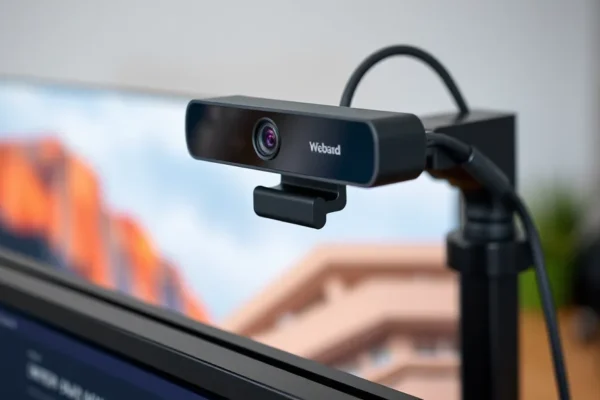
The New Standard for Your Home Office
If you have spent any time on video calls lately, you have probably noticed a massive shift in quality. Just a few years ago, we were all squinting at grainy, pixelated boxes, hoping our colleagues could at least make out our expressions. Today, the landscape of video conferencing gear has completely changed. Manufacturers have finally stopped treating webcams as an afterthought and started treating them like actual cameras. We have spent the last few months testing the latest hardware to find the best webcams of 2026, and the results are honestly impressive. From professional setups for creators to simple plugs for daily meetings, the gap between a laptop camera and a dedicated peripheral has never been wider.
Why Everyone Is Searching for Better Video Quality Right Now
You might wonder why there is such a sudden rush to upgrade. The answer is simple: we are living our professional and social lives through screens. Whether you are leading a high-stakes client meeting or just catching up with friends, your digital presence is your first impression. People are realizing that better camera sensor quality is not just about vanity. It is about communication. When your image is sharp and your lighting is balanced, you feel more confident, and your audience stays more engaged. We have reached a point where the grainy, dimly lit home office look is becoming a thing of the past because the technology is finally affordable and easy to use.
From Grainy Webcams to Crystal Clear Streaming
It is wild to look back at where we started. Remember the early days of USB webcams? They were often little plastic orbs that struggled to show anything other than a blue-tinted blur. For a long time, the only way to get a professional look was to rig up a complex mirrorless camera with external capture cards and complicated software. It was expensive, temperamental, and way too much work for the average person. But as remote work became a permanent fixture of our culture, companies stepped up. We moved from 720p resolution to 1080p, and now, 4K webcams are the gold standard. We have seen a steady evolution where autofocus became faster, color accuracy became natural, and software integration became seamless.
What Better Gear Means for Your Daily Workflow
Upgrading your setup has a ripple effect on your entire day. When you use one of the best webcams on the market, you no longer have to worry about looking like a shadow in your own office. Many of these newer devices feature advanced low-light performance, which is a total game changer for those of us who work in rooms without studio lighting. Beyond just looking better, high-quality hardware reduces the strain on your computer. When the camera handles its own processing, your laptop runs cooler and your video feed stays smooth during long calls. For businesses, this means less time troubleshooting technical issues and more time actually getting work done. It turns a boring video call into something that feels almost like being in the room.
The Road Ahead for Visual Communication
So, where are we heading from here? Looking toward the future, we expect to see even deeper integration between artificial intelligence and our hardware. We are already seeing webcams that can track movement, adjust backgrounds, and even correct your eye contact so it looks like you are looking at the camera lens instead of your screen. As 4K becomes the baseline expectation, the focus will likely shift toward smarter lenses and better sensor technology that can handle dynamic range even better than today’s models. We do not need wild holograms to improve the experience. Instead, we are looking at a future where your webcam is so good that you stop noticing it is there at all. It will just be a natural extension of how we interact with the world.
Frequently Asked Questions About Webcam Upgrades
What are the best webcams to buy if I want professional quality without the hassle?
If you want a professional look without the headache, look for devices that offer large sensor sizes and native 4K resolution. The top-rated models this year use software-based image processing that automatically fixes exposure and color balance. These cameras act as true plug-and-play devices, meaning you just plug the USB cable in, and you are ready to go with high-end visuals.
Is it worth spending extra for 4K webcams for standard video meetings?
Even if your meeting app caps the resolution, 4K webcams are worth the investment for their superior sensors. A 4K camera downsampling to 1080p will almost always look sharper and handle low light better than a native 1080p camera. It gives you room to crop your image if you want to frame yourself tighter without losing quality.
What should I look for when checking for low-light performance in a webcam review?
When you read a webcam review, look specifically at how the camera handles shadows and noise. A good webcam will maintain clear textures on your face even when the room is dim. If the image looks grainy or like a watercolor painting, the camera is likely struggling to compensate for the lack of light.
Can a budget option really serve as a reliable streaming camera?
Yes, the best budget webcam options have come a long way. You do not need to spend hundreds of dollars to look clear on a stream. If you have decent lighting in your room, many entry-level models provide crisp 1080p video that is perfectly fine for platforms like Twitch or YouTube, provided you focus on lighting techniques like using a ring light or softbox.
How does modern video conferencing gear change my remote work setup?
Modern gear changes your remote work setup by removing the stress of technical limitations. When you have a reliable camera, you spend less time worrying about how you look or if your feed will cut out. It allows you to focus entirely on the conversation, which helps you come across as more confident and professional during important meetings.
Choosing the Right Fit for Your Needs
At the end of the day, there is no single best webcam for everyone. It all comes down to your specific environment and what you are trying to achieve. If you are a streamer, you might want that extra edge of a high-end lens. If you are a remote professional, you probably want something reliable that works in any lighting condition. Take a moment to assess your desk space and your typical meeting setup. Whether you choose a high-end 4K powerhouse or a reliable budget-friendly workhorse, the jump in quality will be noticeable from the moment you turn it on.











