

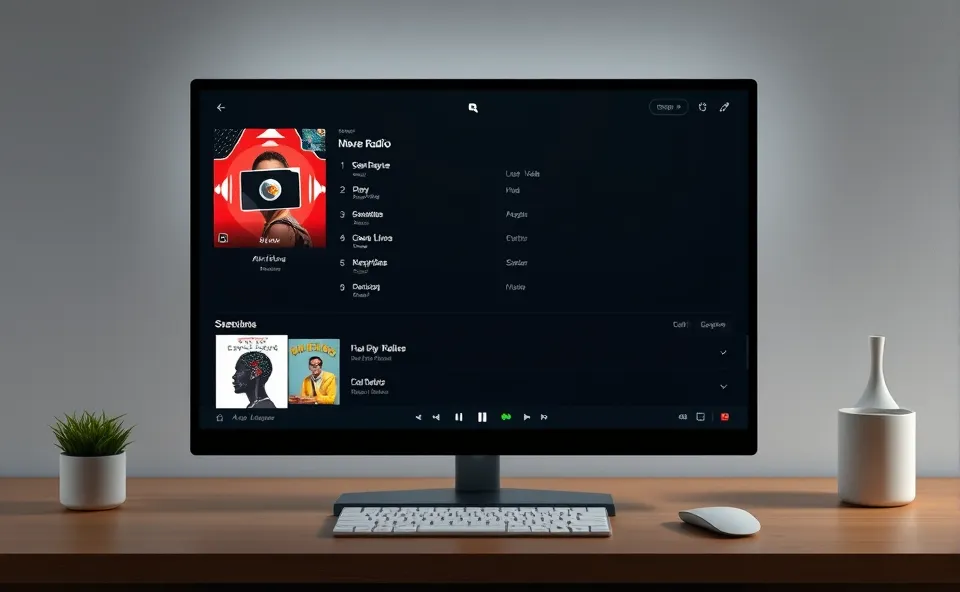
Tuning In Without the Clutter: Meet Trdo, Your New Desktop Radio Companion
Imagine this: you’re working away on your Windows computer, maybe deep in thought or just trying to get through some tasks, and you wish you had some background music or a captivating talk show playing. You don’t want to pull up a separate device, fiddle with your phone, or deal with a noisy browser tab. Well, a new free and open-source radio app called Trdo is here to make that a reality. It’s designed to bring live radio broadcasts right to your desktop. Think of it as a streamlined way to access thousands of radio stations, all from within a simple Windows application. No signups, no subscriptions, just pure, unadulterated radio streaming.
Why All the Buzz About Trdo Now?
You might be wondering why we’re talking about a new radio app today. The surge in interest for Trdo comes down to a few key things. First, there’s a growing desire for distraction-free digital experiences. In a world filled with notifications and endless streams of content, a straightforward, dedicated app for something as classic as radio is quite appealing. People are looking for tools that do one thing well and get out of the way. Second, the appeal of free radio app solutions that are also open-source is significant. Open-source software often brings transparency and a sense of community contribution, which resonates with many tech-savvy users. Finally, the convenience of having live radio directly on your desktop without needing to open a web browser is a compelling feature, especially for those who spend a lot of time on their computers. Trdo taps into this need for accessible, user-friendly, and cost-effective entertainment and information.
A Nod to the Past: The Enduring Charm of Radio
Before we get too deep into Trdo, it’s worth remembering why radio has stuck around for so long. Radio broadcasting has been a cornerstone of media for over a century. It evolved from a novelty to an essential tool for news, entertainment, and connection. Even with the rise of podcasts, streaming music services, and video platforms, radio retains a unique place. It offers immediacy, local flavor, and a sense of shared experience that other mediums sometimes struggle to replicate. Think about tuning into a local station for traffic updates, discovering new music you wouldn’t find elsewhere, or simply enjoying the curated flow of a DJ’s choices. Trdo essentially bridges the gap between this timeless medium and modern desktop computing, offering a way to access those familiar broadcasts through a contemporary Windows app.
What Trdo Means for Your Daily Grind
So, what’s the actual impact of a tool like Trdo? For starters, it’s a fantastic addition to the ecosystem of Windows software for anyone who enjoys radio. It offers a clean, uncluttered interface that’s a breath of fresh air compared to navigating multiple browser tabs or complex media players. Users can easily search for stations, save favorites, and enjoy uninterrupted desktop streaming of their preferred broadcasts. This is particularly valuable for people who use their computers for work or study; it provides a non-intrusive audio backdrop that can enhance focus or simply make the time pass more pleasantly. As a music app and news source, it brings a diversity of content directly to your fingertips, from global news channels to niche genre stations.
The open-source nature of Trdo also has implications. It means the code is publicly available, allowing for community contributions, bug fixes, and potential future enhancements. This collaborative approach often leads to more robust and secure software over time. For developers and tech enthusiasts, it’s an opportunity to learn from and contribute to a project they find useful. For the average user, it means getting a high-quality radio software solution without any financial commitment, supported by a community that’s invested in its improvement.
Consider the accessibility aspect. Trdo can be a great tool for individuals who may find other streaming platforms overly complicated. Its straightforward design makes it easy for a wide range of users to start listening to live radio broadcasts immediately. This democratizes access to a vast world of audio content, making it available to anyone with a Windows PC and an internet connection.
Looking Ahead: The Evolution of Desktop Radio
What might the future hold for Trdo and similar applications? Given its current trajectory, we could see further refinements in user experience. Perhaps more advanced search filters, integration with system-wide volume controls, or even personalized station recommendations based on listening habits. As an open-source project, its growth is largely dependent on community engagement, so we might see new features emerge from user contributions and developer initiatives. The focus will likely remain on providing a simple, reliable, and free way to access live radio on the desktop.
There’s also potential for Trdo to become an even more integral part of the desktop experience. Imagine seamless integration with notifications for specific broadcasts or the ability to quickly share what you’re listening to. The core appeal of a dedicated, lightweight Windows app for radio is strong, and as users continue to seek out focused digital tools, applications like Trdo are well-positioned to thrive. It represents a return to simplicity in an increasingly complex digital landscape, proving that sometimes the most effective solutions are the most straightforward ones.
Your Burning Questions About This Free Radio App, Answered
What exactly is Trdo and why is it trending?
Trdo is a new, free, and open-source radio app for Windows that lets you stream live radio broadcasts directly from your desktop. It’s trending because it offers a simple, clutter-free way to access radio without needing to open a web browser, appealing to users looking for convenient and cost-effective Windows software.
Is Trdo really free, and what does open-source mean for me?
Yes, Trdo is completely free to use. Being open-source means its underlying code is publicly available. This often leads to greater transparency, community-driven improvements, and a more trustworthy product. You get a high-quality radio software solution without any hidden costs or subscriptions.
Can Trdo be used as a music app on my Windows computer?
Absolutely. While Trdo is a free radio app, many users will primarily use it for listening to music stations. You can find stations broadcasting various music genres, making it a fantastic, free alternative or supplement to other music streaming options on your Windows app platform.
How does Trdo enhance my desktop streaming experience?
Trdo streamlines desktop streaming by offering a dedicated application. Instead of juggling browser tabs, you have a single, easy-to-use interface for accessing thousands of live radio stations. This means less distraction and a smoother listening experience while you work, study, or relax on your Windows PC.
Are there any other similar radio software options available?
While there are various ways to listen to radio online, Trdo stands out as a modern, free, and open-source radio app specifically designed for Windows desktop users. Its emphasis on simplicity, ease of use, and direct access to live radio broadcasts makes it a compelling choice for users seeking dedicated Windows software for their audio needs.











