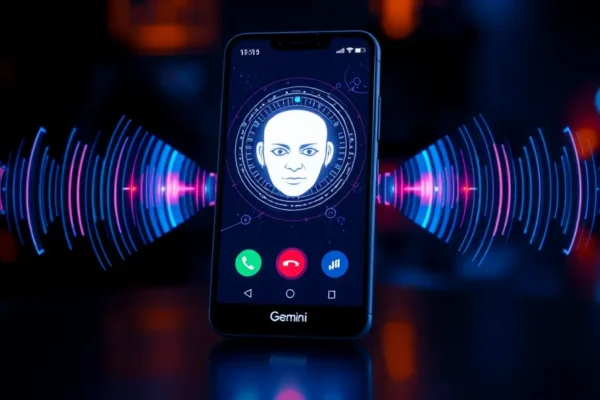
Say Goodbye to Annoying Calls? Google Gemini’s ‘Call for Me’ on Pixel Phones
Ever feel like your phone rings just to torment you with another robocall or a telemarketer you don’t want to talk to? Google is trying to fix that with a new feature called ‘Call for Me,’ powered by their Gemini AI, now rolling out on Pixel phones. Think of it as your personal assistant, but instead of booking appointments, it handles tricky phone calls for you. It’s designed to be a smarter way to deal with automated dialing systems and those endless menu trees, aiming to give you back precious time and sanity. If you own a Google Pixel and are tired of the constant barrage of unwanted calls, this is something you’ll want to pay attention to right now.
When Your Phone Becomes a Smart Gatekeeper
‘Call for Me’ works by having the Gemini AI assistant answer calls on your behalf. You know those frustrating calls where you’re stuck on hold, listening to terrible music, or trying to navigate a confusing automated menu? ‘Call for Me’ is designed to handle that. For example, imagine calling your utility company to report an outage. Instead of you navigating the phone tree, Gemini can interact with the automated system, tell it your issue, and even wait on hold for you. It can then notify you when a human agent is available, or even summarize the information it gathered. Another scenario: you need to make a reservation at a popular restaurant that’s always busy. You could potentially use ‘Call for Me’ to get on their waitlist or ask about availability, freeing you up to do other things. It feels like having a virtual receptionist for your personal life. 📞
Who Should Be Excited About This Feature
Best for: Anyone who is constantly frustrated by robocalls, telemarketers, or lengthy automated phone systems. If you value your time and prefer to avoid these interactions, this feature is a game-changer. It’s especially beneficial for those who find these calls stressful or have difficulty navigating complex phone menus.
Good for: Busy individuals who juggle multiple tasks and want their phone to do more of the heavy lifting. It can also be a great tool for people who might have a language barrier or find spoken phone interactions challenging.
Skip if: You rarely receive unwanted calls, you don’t mind dealing with automated systems, or you prefer to handle all your phone conversations directly. If you don’t own a Google Pixel phone, this feature isn’t available to you yet.
How ‘Call for Me’ Stacks Up
The most direct comparison is to other AI assistants that offer call screening, like Google’s own “Call Screen” on older Pixels. ‘Call for Me’ takes this a step further by not just screening but actively engaging with the system to resolve issues or gather information. Other AI assistants from companies like Samsung also have call-assisting features, but ‘Call for Me’ leverages Gemini’s advanced AI capabilities for potentially more nuanced interactions. In terms of price, ‘Call for Me’ is a feature built into Pixel phones, so there’s no extra cost if you have a compatible device. This makes it a compelling value proposition compared to third-party apps that might offer similar, though often less integrated, functionality.
Getting Started with Your AI Phone Assistant
Setting up ‘Call for Me’ on your Pixel phone is generally straightforward. It’s integrated within the phone app and your Google Assistant settings. You typically don’t need any special technical skills – it’s designed to be user-friendly. The initial setup involves enabling the feature and potentially adjusting some preferences, which usually takes just a few minutes. Once active, you’ll often see an option to “Call for Me” when initiating certain types of calls or when your phone recognizes an automated system. It’s pretty intuitive, feeling like a natural extension of the existing Google Assistant features you might already use. For most users, the learning curve is minimal, allowing you to start benefiting from it almost immediately.
The Good Stuff: What Makes ‘Call for Me’ Shine
- Reduces Annoyance: The primary benefit is a significant reduction in the time spent dealing with robocalls and frustrating automated menus. This alone can be a huge win for your peace of mind.
- Saves Time: By handling hold times and menu navigation, ‘Call for Me’ frees you up to focus on other tasks, whether that’s work, chores, or simply relaxing.
- Intelligent Interaction: Gemini’s AI is designed to understand context and respond appropriately, making interactions feel more natural than basic automated responses.
- Pixel Integration: Being built directly into Pixel phones means it’s seamless and works well with your existing phone experience.
The Not-So-Good: Where ‘Call for Me’ Could Improve
- Availability Limitations: As of now, this feature is exclusive to Google Pixel phones. If you don’t own one, you can’t use it.
- Not for Every Call: While powerful, it’s not designed for every single type of call. Complex, highly personalized customer service issues might still require direct human interaction.
- AI Misunderstandings: Like any AI, there’s always a small chance of misinterpretation or the AI getting stuck in a loop with very unusual phone systems.
- Privacy Considerations: While Google emphasizes privacy, some users may still feel uneasy about an AI handling their calls, even if it’s for their benefit.
Is It Worth the Price? Value and Affordability
‘Call for Me’ is a feature that comes with Google Pixel phones, so there’s no direct additional cost beyond the price of the phone itself. Pixel phones generally range from mid-tier pricing to premium, depending on the model. For instance, the Pixel 8a might cost around $500, while the flagship Pixel 8 Pro can be upwards of $1000. Considering the value it offers in terms of time saved and stress reduction, it can be seen as a significant perk, especially for frequent callers or those heavily targeted by unwanted calls. If you’re already considering a Pixel, this feature adds extra value. There are no hidden subscription costs associated with ‘Call for Me’ itself, making its cost-benefit analysis tied directly to the phone’s purchase price. Budget-friendly alternatives might involve manually blocking numbers or using third-party apps, but they often lack the seamless integration and advanced AI capabilities of ‘Call for Me’.
The Final Word: Who Should Grab This Feature
If you own a Google Pixel phone and find yourself constantly battling robocalls, stuck on hold, or frustrated by phone menus, then ‘Call for Me’ is absolutely worth exploring. It’s a powerful tool that leverages cutting-edge AI to make your daily life a little bit easier and a lot less annoying. The best use case is definitely for automating those mundane, time-consuming, and often infuriating phone interactions.
However, if you’re not a Pixel owner, you’ll have to wait or consider switching. And if you genuinely don’t mind these types of calls or prefer the direct approach, the feature might not be a primary selling point for you.
Got Questions About Google Gemini’s ‘Call for Me’?
Is ‘Call for Me’ the same as Google Assistant’s Call Screen?
No, ‘Call for Me’ is an evolution. While Call Screen screens incoming calls, ‘Call for Me’ uses Gemini AI to actively interact with automated systems and wait on hold, going beyond simple screening.
Can I use ‘Call for Me’ on any Android phone?
Currently, ‘Call for Me’ is a feature exclusive to Google Pixel phones, leveraging their specific hardware and software integration.
How much does ‘Call for Me’ cost?
There is no extra cost for the ‘Call for Me’ feature itself. It’s included as part of the software on compatible Google Pixel phones.
Will ‘Call for Me’ handle all my calls?
It’s designed for specific scenarios, primarily dealing with automated systems, robocalls, and hold times. It’s not intended for every single phone conversation you have.
Is my conversation data safe when using ‘Call for Me’?
Google states that interactions handled by ‘Call for Me’ are processed securely and in line with their privacy policies. You can review Google’s privacy controls for Assistant features.
What happens if the AI makes a mistake?
While AI is advanced, occasional misunderstandings can happen. If the AI misinterprets something, you can typically intervene or it may offer to restart the interaction or connect you directly to a human.
Product prices and availability vary by region. Verify current pricing before purchase