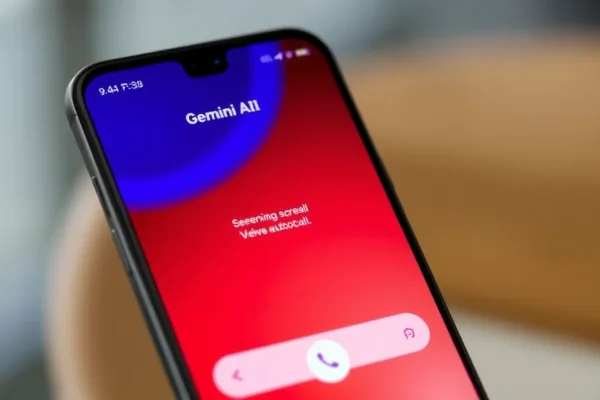
Meet Your New AI Phone Assistant: Google Gemini’s ‘Call for Me’ on Pixel 11
Ever feel like your phone is a black hole for annoying calls? That’s where the ‘Call for Me’ feature, powered by Google Gemini on the Pixel 11, steps in. Think of it as your personal AI phone assistant, designed to tackle those pesky robocalls and even handle some automated tasks that used to eat up your time. If you’ve ever wished your phone could just deal with spam calls so you don’t have to, this is for you. It’s especially aimed at anyone who finds phone calls a chore, from busy professionals to folks who just want a quieter life. With the constant barrage of unwanted calls, having an AI that can help manage your phone life is a pretty compelling idea right now.
How Gemini’s ‘Call for Me’ Works in the Real World
So, what does ‘Call for Me’ actually do? At its core, it uses the smarts of Google Gemini to act as a gatekeeper and sometimes a task-doer for your calls.
Imagine this: Your phone rings with a number you don’t recognize. Instead of you picking up to hear a pre-recorded message trying to sell you something, Gemini’s ‘Call for Me’ can intercept it. It then has a conversation with the caller, essentially screening the call for you. If it’s a scam, Gemini can spot it and hang up, keeping your line clear. If it’s something important but automated, like a doctor’s office confirming an appointment or a delivery service giving you an update, Gemini might even be able to handle simple confirmations or provide information without you lifting a finger. It’s like having a helpful receptionist for your personal phone line.
Here are a couple of scenarios:
- The Constant Robocall Annoyance: You’re having dinner, and your phone buzzes with another “IRS is filing a lawsuit against you” or “extended car warranty” call. With ‘Call for Me’, Gemini can answer, engage the robocaller in a conversation designed to identify and dismiss it, and you won’t even know it happened until you check your call log, which might show a brief interaction with your AI assistant.
- Booking Appointments on the Go: You need to reschedule a dentist appointment. Instead of spending 15 minutes on hold, Gemini’s AI phone assistant could potentially handle this. You might instruct it to call your dentist’s office and find the next available slot, or confirm your new appointment time, acting as your proxy. (Note: This latter, more advanced automated calling capability is still evolving and might not be fully implemented or available for all appointment types or businesses).
It’s designed to feel like your phone is actively working to protect your time and peace of mind.
Who is Gemini’s ‘Call for Me’ Really For?
This feature is a game-changer for specific groups:
- Best for: Anyone who is frequently bothered by robocalls and spam. If you find yourself blocking numbers daily or getting frustrated by unsolicited calls interrupting your day, ‘Call for Me’ is designed with you in mind. It’s also a huge plus for those who juggle many appointments or need to interact with automated systems regularly.
- Good for: People who appreciate cutting-edge smartphone AI features that simplify daily tasks. If you’re a tech-savvy user who likes to leverage AI to its fullest, you’ll find a lot to like here, especially as more capabilities are rolled out.
- Skip if: You rarely receive unwanted calls, or you prefer to handle all your phone interactions yourself and don’t trust an AI with your conversations. If you also find AI interfaces confusing or are not comfortable with the idea of your phone talking to other callers on your behalf, this might not be the feature for you.
It’s important to remember that while powerful, it’s an assistive tool, not a replacement for human interaction when it’s truly needed.
How Does ‘Call for Me’ Stack Up Against Other Options?
The world of call management is getting crowded. On Android, Google Pixel phones have long had excellent built-in call screening, and ‘Call for Me’ powered by Gemini is an evolution of that.
- Compared to standard call screening (on other Android phones or older Pixels): Gemini’s ‘Call for Me’ aims to be more proactive and intelligent. Instead of just identifying potential spam, it can engage in more complex conversations, and its potential for handling automated tasks is a significant step up.
- m> Compared to third-party call blocking apps: Many apps offer robust call blocking, but they often rely on user-reported databases or simple number blocking. Gemini’s AI approach attempts to understand the intent* of the call, which could be more effective against sophisticated robocallers and potentially handle legitimate automated interactions better.
- Price: ‘Call for Me’ is a built-in feature of the Google Pixel 11. This means there’s no extra subscription cost, unlike some premium third-party services. The value proposition is high if you’re already investing in a Pixel device. If you own a Pixel 11, this advanced AI phone assistant is essentially free with your phone purchase.
The key differentiator for Gemini’s ‘Call for Me’ is its integration of advanced AI to not just block, but to understand and interact, making it a more dynamic call management solution.
Getting Started with ‘Call for Me’: Simple Setup, But a Learning Curve
Setting up ‘Call for Me’ is generally straightforward, as it’s a core part of the Pixel 11’s software.
- Ease of Setup: You’ll typically find the options within your phone’s Settings app, often under ‘Call Settings’ or ‘Phone.’ The interface is designed to be user-friendly. You might need to grant permissions for the AI assistant to access your call history and microphone.
- Learning Curve: While enabling the feature is easy, understanding its full capabilities and how to best utilize it can take a little time. Initially, you might want to review the call logs to see how Gemini handled specific calls and perhaps adjust settings based on its performance. For more advanced automated calling tasks, there might be specific commands or interfaces you need to learn. It’s not overly technical, but it’s not a “set it and forget it” feature if you want to maximize its potential. It feels like learning a new habit for your phone.
- Time to Use: Once enabled, it starts working immediately for basic call screening. For more complex interactions, it might take a few days to see it in action as situations arise.
Most users should be able to get it up and running within minutes, with a bit of exploration to uncover its full power.
The Real-World Pros of Gemini’s ‘Call for Me’
Here are the genuine advantages you’ll likely experience with this Google Pixel feature:
- Significant Reduction in Annoying Calls: This is the headline benefit. Users report a dramatic decrease in interruptions from spam and robocalls. It genuinely provides a more peaceful calling experience. 1
- Time Savings: By screening calls and potentially handling automated tasks, you free up precious minutes (or even hours) you’d otherwise spend dealing with unwanted interruptions or long hold times.
- Peace of Mind: Knowing that your phone is actively protecting you from scams and intrusive calls adds a layer of security and reduces stress.
- Intelligent Call Handling: Unlike basic blockers, Gemini can often discern between a legitimate automated message and a scam attempt, leading to fewer blocked important calls and more effective spam filtering.
- Seamless Integration: As a native Google Pixel feature, it works smoothly with your existing phone app, without the need for clunky third-party interfaces.
1 User feedback often highlights this reduction in daily interruptions, a sentiment echoed in tech reviews discussing the Pixel’s AI capabilities.
The Real-World Cons and Limitations to Consider
No technology is perfect, and ‘Call for Me’ has its drawbacks:
- Not 100% Foolproof: While highly effective, there will still be instances where a sophisticated scammer might get through, or an important call might be misidentified (though this is rare). It’s a powerful tool, not a magical solution.
- Potential for Misunderstandings: For complex automated tasks like booking appointments, there’s always a risk of miscommunication between the AI and the automated system, leading to errors. This capability is still evolving.
- Privacy Concerns: While Google emphasizes data security, some users may still feel uneasy about an AI having conversations on their behalf. Understanding Google’s privacy policies is crucial.
- Resource Usage: Running an advanced AI like Gemini in the background can potentially have a slight impact on battery life or device performance, though this is generally optimized by Google.
These limitations mean you should still remain aware of your calls, but the overall burden is significantly lightened.
Price, Value, and Affordability
The ‘Call for Me’ feature is a core part of the Google Pixel 11 experience.
- Cost of Entry: There is no direct cost for the ‘Call for Me’ feature itself; it comes bundled with the Google Pixel 11 smartphone. The Pixel 11’s price point can vary, but it typically sits in the premium smartphone range. As of late 2023/early 2024, Pixel 11 models typically start around $699 – $899 USD, depending on storage and configuration. 2
- Value Proposition: For Pixel 11 owners, the value is exceptionally high. You’re getting advanced AI phone assistant capabilities that would otherwise require expensive third-party subscriptions or might not even exist yet. It enhances the core functionality of your phone in a meaningful way.
- Hidden Costs: No additional subscriptions or hidden fees are associated with ‘Call for Me.’ Your primary cost is the Pixel 11 itself.
- Long-Term Value: As AI technology advances, features like ‘Call for Me’ are likely to become more sophisticated over time through software updates, increasing its long-term value.
2 Pricing is approximate and subject to change by retailers and Google. Always check official sources for current pricing.
The Verdict: Who Should Buy the Pixel 11 for ‘Call for Me’?
The ‘Call for Me’ feature, powered by Google Gemini on the Pixel 11, is a compelling reason to consider this smartphone for a specific group of users.
- Clear Recommendation: If you are tired of being bombarded by robocalls and spam, and you value having your phone actively manage these interruptions, the Pixel 11 with ‘Call for Me’ is an excellent choice. It’s also ideal for those who embrace AI to streamline daily tasks and appreciate the convenience of an AI phone assistant.
- Who Should Wait or Look Elsewhere: If you rarely receive unwanted calls, are uncomfortable with AI handling your communications, or are on a very tight budget and already have a functional smartphone, you might not need to upgrade specifically for this feature.
- Final Honest Take: ‘Call for Me’ is one of the most practical and impactful AI integrations we’ve seen on a smartphone for everyday users. It delivers on its promise of a less annoying, more efficient phone experience. It’s a significant step forward in how our smartphones can work for us.
- Best Use Case: Its absolute best use case is giving you back your peace and quiet from the onslaught of unwanted calls, while offering a glimpse into a future of more capable AI-powered phone interactions.
Common Questions and Answers About ‘Call for Me’
Is Google Gemini’s ‘Call for Me’ worth the price of a Pixel 11?
If unwanted calls are a major frustration for you, then yes, the ‘Call for Me’ feature, as part of the Pixel 11, offers significant value by reducing those interruptions and saving you time. The advanced AI phone assistant capabilities are a strong selling point for the device.
How much data does ‘Call for Me’ use on my Pixel 11?
When actively screening calls, there will be some data usage as Gemini processes audio and communicates. However, Google has optimized this to be relatively minimal for standard call screening. Advanced automated calling tasks might use slightly more, but it’s generally not a data-intensive feature for everyday use.
Can I customize ‘Call for Me’ settings for different callers?
Yes, Pixel phones typically allow you to set preferences for how call screening operates, and with Gemini’s integration, you can expect more intelligent management and potentially customization options for how the AI assistant interacts with different types of callers or automated systems.
What happens if Gemini’s ‘Call for Me’ makes a mistake and hangs up on an important call?
While rare, if ‘Call for Me’ misidentifies a legitimate call, you will typically be notified. The Pixel 11’s phone app logs these interactions, allowing you to review them. Google continuously works to improve the accuracy of its AI phone assistant.
Do I need to download a separate app for ‘Call for Me’ on Pixel 11?
No, ‘Call for Me’ is a built-in feature powered by Google Gemini that is integrated directly into the Pixel 11’s phone application and operating system. You don’t need to download any additional apps.
Can ‘Call for Me’ handle making calls for me, not just screening incoming ones?
The primary focus of ‘Call for Me’ is on managing incoming calls, especially robocalls. While Gemini’s capabilities are expanding, its ability to proactively initiate and complete complex calls on your behalf, like booking appointments, is an evolving area and may have limitations on which businesses or services it can effectively interact with.
Product prices and availability vary by region. Verify current pricing before purchase.