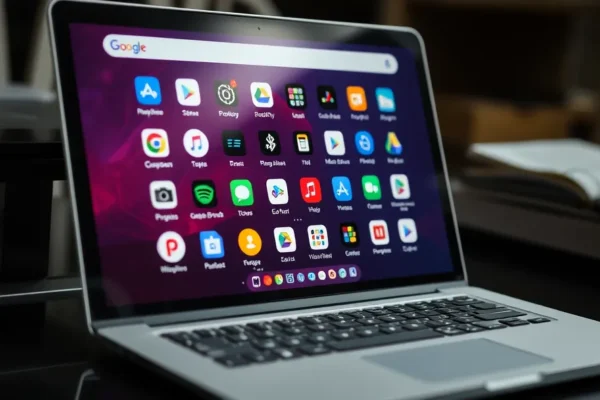
Google’s Android Apps on Intel: A Performance Puzzle
Google recently acknowledged a persistent challenge: not all Android apps run as smoothly as expected on Intel processors found in certain Chromebooks. This revelation shines a light on the intricate relationship between software (Android apps) and hardware (Intel chips) within the versatile Googlebooks ecosystem. For users, this means some popular applications might offer a less than ideal experience, impacting the perceived value and utility of these devices for running a wide range of mobile software.
The Engine Under the Hood How Apps and Processors Interact
To understand this performance issue, let’s break down how your apps and your device’s brain work together. Think of a processor, like Intel’s chips, as the engine of your device. It’s responsible for carrying out all the instructions from your apps. Android apps are built using specific coding languages and designed with particular processor architectures in mind. For years, the vast majority of Android devices have used processors designed by companies like Qualcomm. These processors speak a slightly different “language” than Intel processors.
When an Android app is designed for a Qualcomm chip, its instructions are in a dialect that Qualcomm processors understand perfectly. However, when that same app tries to run on an Intel chip, it’s like asking someone who speaks only Spanish to understand a detailed conversation in French. The Intel processor can eventually figure out what the app wants, but it requires an extra layer of translation software. This translator, known as an emulator or a compatibility layer, adds overhead. It’s like having an interpreter in a meeting; while they enable communication, the process is inherently slower and more resource-intensive than if everyone spoke the same language.
Where We See These Googlebooks Today
Chromebooks, or Googlebooks as they’re sometimes colloquially known, have grown significantly in popularity, especially in education and for users seeking a lightweight, cloud-centric computing experience. Many of these devices now offer the ability to run Android apps directly from the Google Play Store, dramatically expanding their functionality beyond traditional web-based applications. This convergence has made Chromebooks more versatile, allowing users to access familiar mobile games, productivity tools, and social media apps. However, the performance issues that Google has flagged primarily affect applications not specifically optimized for the Intel architecture. This means that while basic apps might function, more demanding games or complex productivity suites could exhibit lag, stuttering, or even crash.
The availability of Android apps on Googlebooks is generally widespread through the Google Play Store. However, the user experience varies depending on the underlying hardware. Devices running on ARM-based processors, common in most smartphones and tablets, generally offer better compatibility and performance for the majority of Android applications. The specific issue Google is addressing involves certain Intel-powered laptops and Asus Googlebook models, where users might encounter unexpected slowdowns. This situation is currently in the early adoption phase for advanced Android app integration on diverse hardware, meaning the technology is available but still being refined.
The Chip Wars and Software Choices
The landscape of mobile and laptop processors is a competitive one. For years, ARM-based processors, often from companies like Qualcomm, have dominated the Android ecosystem. These processors are known for their power efficiency, making them ideal for battery-powered devices like smartphones and tablets. Intel, traditionally a giant in the PC processor market, has made significant inroads into the laptop space, including those running ChromeOS.
The challenge arises because software (Android apps) and hardware (Intel chips) often have different “native languages.” While Intel has worked to improve its compatibility layers for running Android apps, and Google has made efforts to optimize Android for Intel architecture, a perfect translation isn’t always guaranteed. Qualcomm’s Snapdragon processors, for instance, have been the backbone of the Android world for so long that many apps are inherently optimized for them. This gives Qualcomm a significant advantage in terms of native app compatibility and often leads to smooth performance right out of the box for most Android applications on devices equipped with their chips.
Reshaping Our Digital Lives
The ability to seamlessly run Android apps on Googlebooks has the potential to significantly blur the lines between mobile and desktop computing. For students, it could mean having one device that handles research, writing, and even interactive educational apps downloaded from the Play Store. For professionals, it might offer a more consolidated workflow, using familiar Android productivity tools alongside traditional desktop software. This convergence could lead to more streamlined device choices and reduce the need for multiple gadgets.
Economically, this could boost the Chromebook market by making them a more compelling alternative to Windows laptops or iPads, potentially impacting sales for competitors like Microsoft and Apple. It could also encourage app developers to further optimize their applications for this hybrid environment. Socially, it democratizes access to a wider range of applications, making sophisticated software more accessible on affordable laptops. However, if performance issues persist for certain apps, it could lead to user frustration and a fragmented experience, limiting the full potential of this integration.
The Hurdles in the Path to Perfection
Despite the promise, several limitations and challenges remain. The core issue highlighted by Google’s admission is the inherent complexity of translating instructions between different processor architectures. Not all apps are created equal; some are written with very specific optimizations that are hard to replicate across different chip designs. This can lead to what is known as “translation overhead,” where the processor spends more time converting instructions than executing them, resulting in sluggishness.
Another challenge is app availability and developer support. While the Google Play Store offers millions of apps, not all developers actively test and optimize their creations for the diverse range of hardware that runs ChromeOS, especially Intel-based models. Developers might prioritize optimizing for the vast Android smartphone market, where ARM processors are dominant. Furthermore, the resources required for emulation can sometimes drain battery life more quickly on laptops. The performance issues are not universal, meaning some apps will work perfectly while others will not, creating an inconsistent user experience.
What Lies Ahead for Googlebooks and Android Apps
Looking forward, we can anticipate continued efforts from both Google and Intel to bridge the compatibility gap. Google is likely to invest more in its Android compatibility layers and potentially provide more tools for developers to test and optimize their apps for Intel-based Googlebooks. Intel, in turn, will continue to refine its hardware and software solutions to better execute Android workloads. We might see future generations of Intel processors with specific enhancements designed to improve Android app performance.
The trend towards convergence between mobile and desktop operating systems is unlikely to slow down. As such, expect further integration and optimization efforts. The timeline for widespread, seamless app compatibility across all Googlebooks and processors is still evolving. While basic apps may function well now, achieving truly smooth performance for all applications, including graphically intensive games and demanding professional software, could take several more years of dedicated development and hardware evolution. This is an ongoing process, not a finished product.
Frequently Asked Questions
Are all Android apps slow on Intel Chromebooks?
No, not all Android apps are slow. Many simpler applications run well, but more complex or graphically intensive apps are more prone to performance issues on Intel-based Googlebooks due to compatibility challenges.
Why does this performance difference exist between Intel and Qualcomm chips?
Android apps are often optimized for ARM-based processors like Qualcomm‘s. Intel processors use a different architecture, requiring translation software that can sometimes slow down app performance.
Is this problem affecting all Chromebooks?
This issue primarily affects Googlebooks that use Intel processors. Chromebooks with ARM-based processors generally do not experience these same Android app performance limitations.
Can I still run Android apps on my Intel Chromebook?
Yes, you can still run Android apps from the Play Store on most Intel-based Googlebooks. However, be aware that some may not offer smooth performance.
When will this issue be fixed?
Google and Intel are actively working on improvements, but there is no definitive timeline for a complete fix. Continued development and future hardware revisions are expected to enhance app compatibility.
Who is most affected by these performance issues?
Users who rely heavily on a wide variety of Android apps, especially those that are graphically demanding or computationally intensive, on Intel-powered laptops, are most likely to notice the performance issues.
Please note that the information provided is based on current understanding and public statements. The technology landscape is constantly evolving, and future developments may alter the current state of Android app performance on Intel-based Googlebooks.