

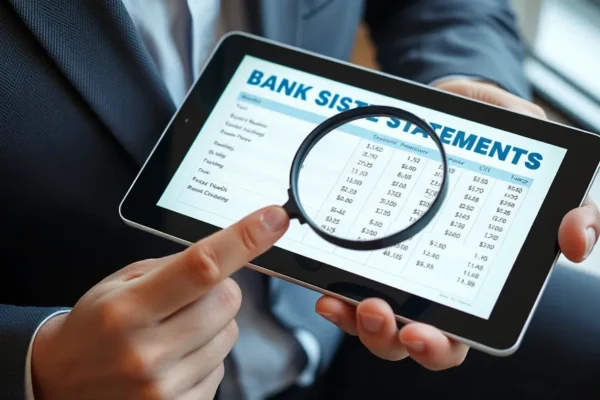
Mastering Your Bank Statement for Financial Clarity
The goal of this guide is to turn the intimidating wall of numbers on your bank statement into a clear roadmap for your financial health. By learning to read bank statements, you gain full control over your spending habits, identify unauthorized charges, and improve your overall financial literacy. This guide covers how to interpret headers, analyze transactions, and reconcile your account balance with confidence.
Before You Start
Before diving into your financial data, ensure you have the following requirements ready. This process should take about 15 to 20 minutes for a beginner.
- Required Documents: Access to your most recent bank statement (PDF or paper copy).
- Tools: A calculator or a spreadsheet program like Microsoft Excel or Google Sheets.
- Prerequisites: Basic knowledge of addition and subtraction. No advanced financial background is required.
- Difficulty: Beginner.
- Time Estimate: 15-20 minutes for the initial walkthrough.
Note: If you feel overwhelmed by your financial situation, or if you identify a significant number of errors you cannot explain, do not hesitate to contact your bank directly or consult a certified financial planner.
Preparation for Review
Clear your workspace and prepare your environment to ensure accuracy. If you are using a digital bank statement, ensure you have a secure, private device to view it. If you are using a paper copy, have a pen and a highlighter ready. Create a designated folder—physical or digital—to store your statements chronologically. Having a clean environment prevents missing details when checking your transactions.
How to Read Your Bank Statement
Reading your bank statement involves breaking down the document into three distinct segments: the summary, the transaction list, and the balance details.
Section A: Identifying Account Information
- Locate the Account Summary: Look at the top section of the first page. You will see your account number, the statement period (start and end dates), and the contact information for your bank.
- Verify the Statement Period: Ensure the dates match the month or cycle you intend to review. This confirms you are not accidentally looking at outdated information.
Section B: Analyzing Account Activity
- Scan the Beginning and Ending Balances: You will see an opening balance at the start of the period and a closing balance at the end. The difference represents the net flow of your money.
- Review Transaction Categories: Look for columns labeled “Date,” “Description,” and “Amount.” Deposits are usually in a separate column or marked with a positive value, while withdrawals/payments appear as negative values.
- Verify Each Transaction: Go line by line. If a transaction amount or description seems unfamiliar, flag it with your highlighter. This helps you identify recurring charges, such as subscriptions you may have forgotten about.
Section C: Confirming Your Balance
- Cross-Reference with Receipts: Take your tracked receipts or digital purchase confirmations and compare them to the listed amounts on the statement.
- Calculate the Running Total: If you are unsure about a balance, manually add your deposits and subtract your withdrawals to see if the final number matches the bank’s closing balance.
Common Mistakes and How to Avoid Them
The most common mistake is ignoring small, recurring charges. People often see a $9.99 charge and assume it is legitimate without checking if they still use the service. Another mistake is failing to account for pending transactions. A pending transaction might not be reflected in your “available balance” yet, but it will eventually settle. If you don’t account for this, you might overestimate how much money you actually have. Always check the “Pending” section in your online banking portal to see what is currently in transit.
Tips for Better Financial Management
Experienced savers use these tricks to make understanding bank statements faster and more effective:
- Color-Code Transactions: Use highlighters to distinguish between “needs” (rent, utilities) and “wants” (dining out, streaming services).
- Download CSV Files: Most banks allow you to download statement data as a CSV or Excel file. This allows you to use formulas to sum up your spending categories automatically.
- Go Paperless: Storing statements digitally allows you to search for specific terms (like “Amazon” or “Restaurant”) using the “Ctrl+F” or “Cmd+F” function.
Variations in Statement Formats
While every bank statement contains the same essential information, the layout varies between institutions. Large national banks often provide a “Spending Summary” pie chart on the first page, whereas credit unions might provide a simple, list-based statement. If you are struggling with a complex layout, look for the “Summary of Activity” section, which acts as a simplified overview regardless of the bank’s design.
Troubleshooting Common Issues
If you encounter a transaction you do not recognize, follow these steps:
- Search the Merchant: Often, companies use a parent company name for billing that looks different from the store name. Search the name online to see if it links to a known business.
- Check Shared Access: Ask family members or partners if they authorized the charge.
- Contact the Bank: If you are certain a transaction is fraudulent, call the number on the back of your card immediately. Ask to “dispute a transaction.”
If your math doesn’t align with the bank’s total, don’t panic. Banks rarely make errors, but you may have forgotten a fee or a recurring subscription payment. If the difference is significant, contact your bank’s customer service and ask for a line-item explanation.
Next Steps for Financial Literacy
Now that you can read your statement, build on this skill by creating a monthly budget. Use the insights from your statement to see where you can cut costs. Consider setting up “Transaction Alerts” in your mobile banking app so you receive a notification every time money leaves your account. This proactive approach turns bank statements from a post-mortem record into a real-time management tool.
Frequently Asked Questions
How often should I review my bank statement? You should review your transactions at least once a month when your statement arrives, though checking your account online once a week is a best practice for strong financial management.
Is it safe to read bank statements on public Wi-Fi? No. Never access your financial information on public or unsecured networks. Always use a secure, private internet connection or your cellular data plan.
What is the difference between current balance and available balance? The current balance is the amount in your account at the start of the day, while the available balance includes pending transactions that have been authorized but not yet fully processed.
How long should I keep old bank statements? It is generally recommended to keep monthly statements for one year, unless you need them for tax purposes, in which case you should keep them for at least seven years.
Can I use a mobile app instead of a paper statement? Yes, most mobile banking apps offer a better, more interactive experience than paper statements. They allow you to search, filter, and categorize your spending habits in real time.











