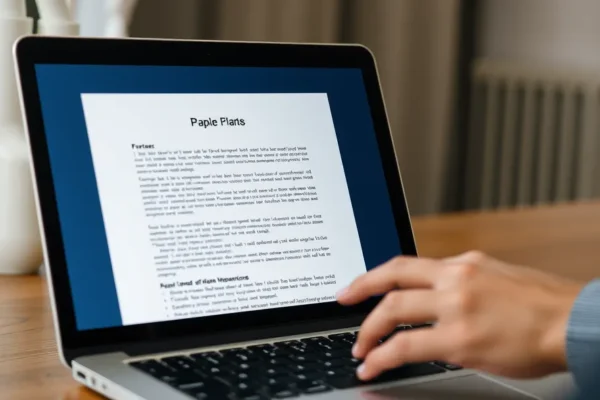
What is the Paperman app all about
If you spend hours every day staring at a bright, glossy laptop screen, you know the feeling. By mid-afternoon, your eyes feel gritty, your head starts to ache, and the harsh glare of your display makes you want to step away from your desk entirely. That is where the Paperman app comes in. In simple terms, this is software designed to make your laptop screen behave more like physical paper.
Instead of the typical high-contrast, light-emitting experience that tires your eyes, the Paperman app adjusts the visual characteristics of your display to mimic the texture and softness of a printed page. It is essentially digital paper for your computer. It is designed for students, writers, office workers, and anyone who feels the physical strain of long digital reading sessions. You should care about this right now because as we spend more of our lives in front of monitors, finding simple ways to prioritize visual comfort is becoming a necessity rather than a luxury.
Daily life with laptop screen paper
So, how does this look in practice? Imagine you are working on a lengthy report or a novel. Normally, the white background of a Word document or a webpage glows and creates a sharp contrast that keeps your eyes working hard to focus. When you toggle the Paperman app on, that harsh white shifts into a softer, warmer, and slightly textured tone. It feels like the difference between staring into a flashlight and looking at a page in a well-lit room.
Consider these real-world scenarios:
- For the remote worker: If you spend your entire day buried in emails and PDFs, you can set the app to activate during your deepest “focus hours.” It reduces the constant flicker and blue light glare, meaning you might end your workday without that “sand in the eyes” sensation.
- For the late-night student: If you are burning the midnight oil on an essay, the softer, paper-like texture prevents the screen from washing out your vision. It creates a more relaxing environment that makes it easier to transition to sleep once you finally close your laptop.
- For the casual reader: If you enjoy reading long-form journalism or blogs, the Paperman app makes your laptop feel more like a dedicated e-ink display. It turns your workstation into a comfortable reading nook.
Who should actually use this
The Paperman app is best for those who struggle with digital fatigue and want a quick, software-based fix without buying expensive hardware. It is perfect for writers and researchers who need to stare at text for hours. It is also good for folks who have sensitive eyes but aren’t ready to invest in a dedicated e-ink monitor, which can cost hundreds of dollars.
However, you should skip this if you are a professional photo or video editor. Because the app alters the colors, contrast, and texture of your screen, it is not suitable for work where color accuracy is non-negotiable. If you are looking for a true “electronic paper” feel that works in direct sunlight, no software can replace the physical properties of a Kindle or an e-ink tablet, so keep your expectations realistic.
How it stacks up against the competition
When you look at digital eye strain solutions, you have a few options. You could buy an anti-glare screen protector, but those are permanent, often look grainy, and are a pain to install. You could also use system-level tools like Night Light or f.lux, which are great at cutting blue light but do not actually add that subtle paper-like texture that makes text feel more tactile. The Paperman app occupies a middle ground: it provides more visual character than a simple blue-light filter but is far more flexible and cheaper than buying specialized hardware.
Getting started and the learning curve
One of the best things about the Paperman app is how easy it is to start. You don’t need to be a computer whiz to get it running. You download the software, install it like any other program, and you are ready to go in minutes. There is no complex calibration required. The interface is intuitive, usually consisting of a simple slider or a toggle that lets you decide how “paper-like” you want your screen to be. You might spend ten minutes playing with the settings to find the “sweet spot” for your personal eyes, but after that, it just works quietly in the background.
Real-world pros of switching to digital paper
- Improved visual comfort: Most users report a noticeable decrease in eye strain after using the app for just a few days of steady work.
- Simplicity: It is a “set it and forget it” tool that lives in your system tray and doesn’t demand constant attention.
- Customization: Unlike a physical screen protector, you can disable the effect instantly when you need to switch back to full-color accuracy for entertainment or design work.
- Cost-effectiveness: It is a fraction of the cost of buying specialized “paper-like” hardware or monitors.
Real-world cons and limitations
- Visual trade-offs: Because it simulates texture, some users find that fine images or high-resolution videos lose their crispness when the app is active.
- System performance: While generally lightweight, some users on older, slower laptops report that the app can occasionally cause a tiny bit of stuttering when running heavy background tasks.
- Not a miracle cure: It is not a replacement for proper lighting or taking regular breaks. If you spend 12 hours straight at a screen, your eyes will still get tired, even with the software.
Price and value proposition
As of early 2024, the Paperman app is typically offered via a low-cost subscription or a one-time license fee, depending on the current promotion. For a professional who spends eight hours a day on a laptop, the cost is essentially the price of a couple of coffees per month. Given the potential reduction in eye fatigue, many users find the value to be quite high. If you are a casual user who only touches a laptop once a week, it may be harder to justify the expense, but for daily power users, it is a smart, low-cost investment in your physical comfort.
Final verdict and recommendation
If you find yourself constantly rubbing your eyes at the end of the workday, the Paperman app is absolutely worth a try. It is one of the simplest, most effective ways to make your digital environment more human-friendly. It is not going to turn your MacBook or Windows laptop into a perfect e-ink device, but it does a fantastic job of taking the “sting” out of digital reading and writing. We recommend it for students, writers, and office workers. Designers and creative professionals, however, should keep it turned off while working on color-critical projects.
Common questions and answers
Does the Paperman app really reduce eye strain?
Many users report that by softening the glare and reducing the high-contrast “glow” of a screen, the app helps them work for longer periods with less fatigue. While individual results vary, it is a proven way to improve reading comfort for most people.
Is this as good as an e-ink display?
Not quite. E-ink technology uses physical ink pigments that behave like real paper and require no backlight. The Paperman app is a software simulation, so while it is excellent for reading comfort, it cannot match the zero-glare, sunlight-readable performance of a dedicated e-ink device.
Can I use this for gaming or video editing?
You can, but it is not recommended. The app alters the color and texture of your screen, which will make colors look inaccurate. It is best to turn the app off whenever you are doing visual work or watching high-definition media.
Does it require a fast computer to run?
The app is generally lightweight and designed to run on most standard laptops. If you have an older machine with very limited memory, you might notice minor performance impacts, but for the vast majority of modern devices, it runs smoothly in the background.
Can I turn it off quickly?
Yes, the app is designed for quick toggling. You can usually enable or disable the paper texture with a simple keyboard shortcut or a quick click in your system tray, making it easy to jump between “work mode” and “media mode.”
Product prices and availability vary by region. Verify current pricing before purchase.