Meet Microsoft Scout Your New AI Coworker in Teams
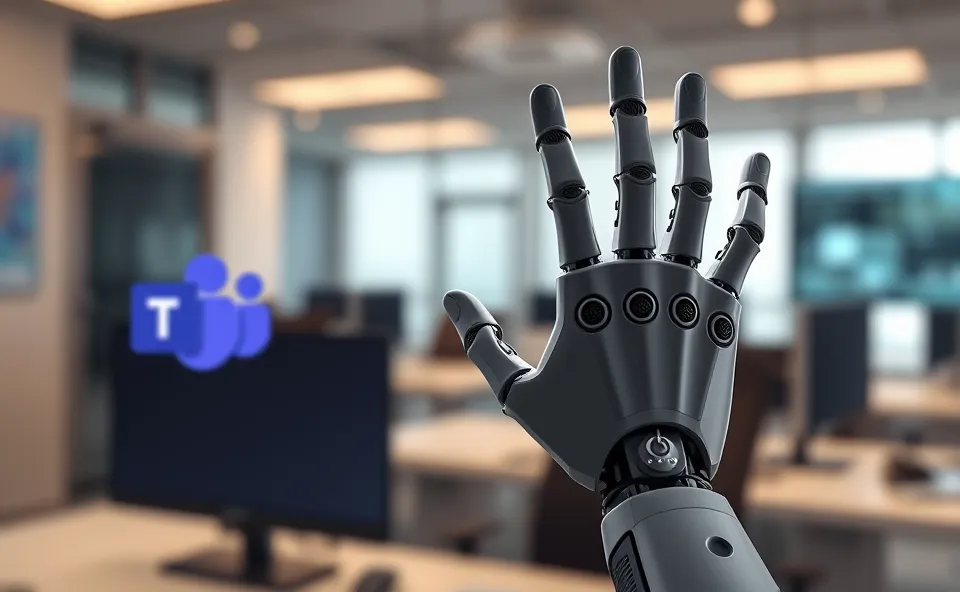
Imagine this: you’re drowning in emails, trying to find that one crucial document, and simultaneously prepping for a meeting. Sound familiar? Well, Microsoft is rolling out a new digital assistant right inside Teams called Scout. Think of it as your friendly AI coworker, ready to jump in and handle those repetitive, time-consuming office tasks that often bog us down. Scout isn’t here to write your novel or invent the next big thing, but it’s fantastic at automating the dull stuff, freeing you up to focus on what truly matters. It’s like having an extra pair of hands, powered by some seriously smart AI, that understands the rhythm of your workday.
Why the Buzz Around Microsoft Scout Now?
You’ve probably heard a lot about AI recently, and Microsoft Scout is part of that big wave. People are searching for Microsoft Scout because it represents a tangible step towards making AI a daily tool for the average office worker. It’s not just a futuristic concept anymore; it’s software you can actually use to make your job easier. The promise of AI automation is huge, and Scout’s integration directly into Teams, a platform many of us live in for work, makes its potential impact immediate and exciting. It taps into our desire for better work efficiency and a more productive workday. This isn’t just another tech update; it’s a peek into how our professional lives might change.
A Little Background on Our Digital Assistants
We’ve seen digital assistants evolve for years, from simple voice commands on our phones to more complex capabilities. Remember when you could just ask your phone for the weather? Now, we’re talking about AI agents that can understand context, manage workflows, and even learn our preferences. Microsoft has been a leader in this space, with initiatives like Microsoft Copilot already making waves by bringing AI smarts to applications like Word and Excel. Scout builds on this foundation, specifically targeting the collaborative environment of Teams. It’s a natural progression from basic chatbots to sophisticated AI coworkers that can actively assist us in our daily duties. The goal has always been to harness technology to amplify human capabilities, and Scout is the latest chapter in that story.
What Does Microsoft Scout Mean for Your Workday?
The impact of an AI coworker like Microsoft Scout is pretty significant, especially when it comes to AI automation and overall productivity. For individual users, it means less time spent on tedious tasks like sifting through meeting notes, summarizing long email threads, or finding specific files. This directly translates to better work efficiency. You can dedicate more mental energy to creative problem-solving, strategic thinking, or simply having more focused conversations.
For businesses, the implications are also huge. Imagine teams being able to accomplish more with the same resources, simply because their AI agent is taking care of the administrative overhead. This can lead to faster project completion, improved team collaboration through better information sharing, and potentially lower operational costs. The integration with Teams is key here. Because Scout lives within the familiar environment of Teams, the barrier to adoption is low. Employees don’t need to learn a whole new system; they can just start leveraging its capabilities within their existing workflow.
From a technology standpoint, Scout demonstrates the growing maturity of AI agents. It shows that AI can be reliably deployed to perform specific, practical tasks in a business context. It’s not about replacing humans, but about augmenting them. This allows us to offload the mundane and elevate the meaningful parts of our jobs. Think of it as a smart digital assistant that’s always on, always ready to help, and constantly improving. This AI automation is changing the landscape of what’s possible in a typical office environment.
Where Might Scout Take Us Next?
Looking ahead, the development of Microsoft Scout and similar AI coworkers will likely focus on deeper integration and more sophisticated understanding. We can expect these AI agents to become even more proactive, anticipating needs rather than just responding to commands. This could mean Scout suggesting follow-up actions after a meeting, automatically flagging important updates from key projects, or even helping to draft initial responses to common inquiries.
The trend towards AI automation will continue to grow, making these tools more indispensable. We might see Scout becoming more personalized, learning individual work styles and preferences to offer even more tailored assistance. The collaboration aspect will also be key. As AI becomes more integrated into our work lives, the ability for these AI agents to work together, or to seamlessly hand off tasks, could become a significant development. It’s about creating a more intelligent and connected work environment where technology supports every aspect of our professional endeavors, enhancing work efficiency at every turn. The future isn’t about humans versus AI, but about humans and AI working together more effectively than ever before.
Frequently Asked Questions About Microsoft Scout
What is Microsoft Scout and how does it help with office tasks?
Microsoft Scout is a new AI coworker integrated into Microsoft Teams. Its main purpose is to automate repetitive and time-consuming office tasks, like summarizing meetings, finding documents, or organizing information. This frees up employees to focus on more important work, boosting productivity and work efficiency.
How is Microsoft Scout different from Microsoft Copilot?
While both are AI-powered tools from Microsoft, Microsoft Copilot is designed to assist with content creation and analysis across various Microsoft 365 apps like Word, Excel, and PowerPoint. Microsoft Scout, on the other hand, specifically focuses on automating tasks within the collaborative environment of Microsoft Teams, acting more as a digital assistant for team-based workflows and communication.
Will Microsoft Scout replace human employees?
No, the intention behind Microsoft Scout and similar AI automation tools is not to replace human employees. Instead, it’s designed to augment human capabilities by taking over tedious tasks. This allows people to focus on more strategic, creative, and interpersonal aspects of their jobs, leading to enhanced productivity and job satisfaction.
How does Teams integration benefit Microsoft Scout’s functionality?
The Teams integration is crucial because it places Microsoft Scout directly within the central hub for many daily work communications and collaborations. This means users can access its AI agent capabilities without switching applications, making it incredibly convenient. It allows Scout to understand the context of ongoing conversations and projects, leading to more relevant and timely assistance, and improving overall work efficiency.
What kind of productivity gains can businesses expect from using Microsoft Scout?
Businesses can expect significant productivity gains through increased AI automation. By offloading routine office tasks to Microsoft Scout, employees have more time for high-value activities. This can lead to faster project turnaround, better team collaboration through streamlined information access, and a more engaged workforce. Essentially, it helps businesses operate more efficiently and effectively.