

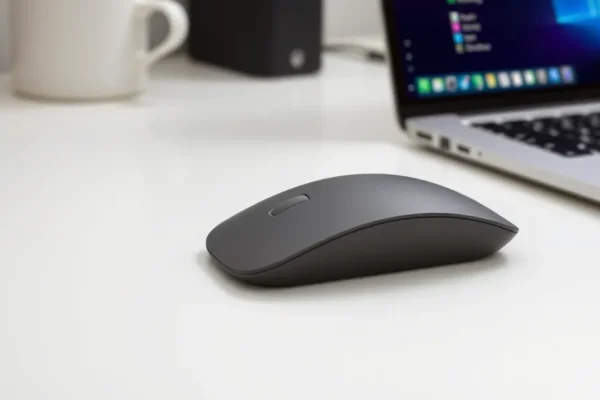
Feeling the Future Microsoft’s New Surface Mouse Unveiled
Microsoft has recently introduced a new addition to its lineup of Surface accessories, the Microsoft Surface Mouse. This peripheral hardware aims to enhance the daily workflow for Windows users by integrating advanced features that go beyond the traditional clicking and scrolling. The standout innovation is its sophisticated haptic feedback technology, coupled with a new, customizable Copilot button, promising a more intuitive and efficient computing experience. This launch signifies Microsoft’s ongoing commitment to refining the intersection of hardware and software for its Surface ecosystem, aiming to boost Windows productivity with thoughtfully designed tools.
More Than Just a Click Understanding the Innovation
The core innovation behind the new Microsoft Surface Mouse lies in its haptic feedback technology. Unlike standard mice that offer only physical clicks, this new device provides subtle, nuanced vibrations. Think of it like the difference between a simple buzzer and the nuanced rumble of a game controller; haptic feedback aims to convey information and provide a richer sensory experience. Microsoft states this technology is designed to make interactions feel more tangible and provide subtle cues about system status or user actions.
Beyond the tactile enhancements, the mouse features a dedicated Copilot button. This button is a direct gateway to Microsoft’s AI assistant, Copilot, integrated into Windows. Tapping this button instantly brings up the Copilot interface, allowing users to quickly initiate tasks, ask questions, or control their system using natural language, without needing to navigate menus or use keyboard shortcuts. This integration highlights the growing importance of AI within everyday computing and Microsoft’s strategy to make AI more accessible through its hardware. The development is detailed in Microsoft’s official product announcements and is available now for consumers.
How the Surface Mouse Delivers a Tangible Experience
The “how” behind the haptic feedback in the Microsoft Surface Mouse involves miniature, precisely controlled vibrating motors embedded within the mouse. When an action occurs within Windows or an application that the mouse is designed to acknowledge, these motors are activated. For example, a user might feel a distinct, subtle vibration when they successfully drag and drop a file, or a different sensation when a menu item is selected. This is akin to how a smartphone can provide different vibrations for notifications or typing. The goal is to offer a more intuitive way for users to confirm actions and receive subtle feedback without having to constantly look at their screen.
The customizable Copilot button works by sending a specific signal to the Windows operating system. This signal is pre-programmed to launch the Copilot feature. However, the “customizable” aspect, managed through the Microsoft Surface app, means users can potentially reassign this button for other functions if they prefer, though its primary design is for AI interaction. The Microsoft Surface app is a utility software that allows users to fine-tune settings for their Surface accessories, including sensitivity, button assignments, and in this case, likely the specific haptic responses. This provides a layer of personalization that goes beyond simple plug-and-play functionality.
The Surface Mouse in Action and Availability
The Microsoft Surface Mouse is positioned as a premium peripheral hardware designed to complement the Surface line of devices and enhance overall Windows productivity. While haptic feedback in computer peripherals is not entirely new, its integration into a mainstream mouse like this, particularly with the Copilot button, makes it a notable development for general users. Current applications are focused on improving the user experience within Windows 11, offering quicker access to AI-powered assistance and more informative physical cues during common tasks.
The mouse is available for purchase starting today through Microsoft’s online store and select retail partners globally. It is designed for immediate use with any Windows 11 PC, though its full benefits are most realized when paired with the Microsoft Surface app for customization. Early adopters and professionals who rely heavily on digital workflows and are keen to leverage AI assistance are expected to be the primary audience.
A Crowded Field of Input Devices
The market for computer mice is vast and competitive, with numerous brands offering a wide range of ergonomic computer mouse options and advanced features. Companies like Logitech, Razer, and Apple all produce high-quality mice, some of which incorporate advanced scrolling mechanisms or customizable buttons.
Logitech, for instance, has long been a leader in productivity peripherals, offering mice with features like “MagSpeed” electromagnetic scrolling, which provides both precise line-by-line scrolling and hyper-fast scrolling. Their MX Master series is particularly renowned for its ergonomic design and extensive customization options through the Logi Options+ software.
Razer, on the other hand, often focuses on the gaming market but their high-precision sensors and customizable buttons are also appealing to professionals seeking accuracy and speed. Apple’s Magic Mouse, while distinct in its touch surface design, also aims for a streamlined user experience within the Apple ecosystem.
What differentiates the Microsoft Surface Mouse is its specific integration with Windows and its dedicated Copilot button. While other mice offer customization, the direct, hardware-level shortcut to an AI assistant is a novel approach. The haptic feedback, while present in some niche or gaming peripherals, is a more refined addition for a general productivity mouse. Microsoft’s advantage lies in its deep integration with the Windows operating system, allowing for seamless operation and potentially more sophisticated software interactions.
Reshaping Daily Digital Interactions and Workflow
The introduction of the Microsoft Surface Mouse, particularly with its haptic feedback and Copilot button, has the potential to subtly but significantly reshape how users interact with their computers. For many, the current mouse experience is functional but often lacks a sense of responsiveness beyond a visual cue. Haptic feedback can add a layer of confirmation and nuance, making digital tasks feel more grounded and less abstract. This could lead to fewer errors and a more confident user.
The Copilot button’s prominence signals a future where AI is not just an add-on but an integrated part of the operating system experience. By providing a physical shortcut, Microsoft is encouraging users to adopt AI assistance more readily for tasks ranging from drafting emails to summarizing documents, thereby boosting Windows productivity. This could lead to increased efficiency for knowledge workers and a more intuitive way for less technical users to harness powerful computing capabilities.
Economically, this could spur further innovation in the peripheral hardware market, encouraging competitors to explore similar tactile feedback and AI integration. It may also create new use cases for AI-powered software, as hardware makes it easier to access. Socially, it could democratize access to AI tools, making them less intimidating and more accessible to a wider audience. In the short term, this will likely appeal to tech enthusiasts and early adopters. Long-term, if the technology proves beneficial, it could become a standard feature across a range of mice, influencing user expectations and industry standards.
Navigating the Nuances: Limitations and Challenges
Despite its promising features, the Microsoft Surface Mouse, like any new technology, faces limitations and challenges. The effectiveness of haptic feedback is subjective; what one user finds informative, another might find distracting or unnecessary. The sophistication of the haptic feedback is also a key factor. Early iterations might offer basic vibrations, while future developments could provide more complex and varied tactile sensations.
The success of the Copilot button is intrinsically tied to the utility and broad adoption of Microsoft Copilot itself. If Copilot’s capabilities are limited or its integration into various applications remains nascent, the button’s value proposition diminishes. Furthermore, while the mouse is described as customizable through the Microsoft Surface app, the extent of this customization, beyond reassigning the Copilot button, remains to be fully explored.
Another challenge is the potential learning curve. Users accustomed to traditional mice might need time to adapt to and appreciate the nuances of haptic feedback. For professionals, the cost of premium accessories like the Surface Mouse can also be a barrier to adoption, especially when more affordable, albeit less advanced, options are readily available. Adoption barriers also include the need for compatible software and operating system versions, ensuring that the full functionality is available across the Windows ecosystem.
The Road Ahead for Tactile Computing
The trajectory for haptic feedback in peripherals suggests a future where our digital interactions become more physically engaging. We can anticipate seeing more sophisticated haptic engines in mice, keyboards, and even touchpads, offering a richer spectrum of tactile responses that convey more detailed information. This could range from subtle textural feedback to more pronounced cues for system alerts or complex software interactions.
Microsoft’s investment in this technology, particularly within the Surface ecosystem, indicates a belief that tactile feedback is a crucial element in creating a more intuitive and efficient user experience. We might see further integration of haptic feedback with other AI features, creating a more holistic and responsive computing environment. Future developments could include personalized haptic profiles that adapt to individual user preferences and the specific tasks they are performing.
The timeline for these advancements is uncertain, but the current launch of the Microsoft Surface Mouse suggests that these innovations are moving from research labs into consumer products. Expert consensus points towards a gradual increase in the adoption of advanced haptic technologies across a wider range of peripheral hardware in the coming years.
Key Questions and Answers About the New Surface Mouse
What is the main innovation in the new Microsoft Surface Mouse?
The primary innovation is the integration of sophisticated haptic feedback technology, offering tactile sensations beyond traditional clicks, and a dedicated, customizable Copilot button for quick access to Microsoft’s AI assistant.
How does the haptic feedback work?
Think of it like the subtle vibrations in your smartphone. Miniature motors inside the mouse generate precise vibrations to provide tactile cues, confirming actions or conveying information, enhancing the feeling of interaction.
Who will benefit most from the Microsoft Surface Mouse?
Windows users looking to boost their productivity, especially those who frequently use AI assistance or appreciate more intuitive and responsive peripheral hardware, will likely benefit the most.
Is the Copilot button mandatory for its AI features?
No, the Copilot button provides a quick shortcut to Microsoft Copilot, but users can still access Copilot through other methods within Windows 11. The button’s primary purpose is convenience and encouraging AI interaction.
How does this haptic feedback mouse compare to competitors?
While competitors offer advanced features like high-precision sensors and specialized scrolling, the Microsoft Surface Mouse differentiates itself with its integrated haptic feedback and dedicated Copilot button, focusing on a tactile and AI-enhanced Windows experience.
When is the Microsoft Surface Mouse available and where can I buy it?
The Microsoft Surface Mouse is available now through Microsoft’s online store and select retail partners worldwide.
This article is based on information provided by Microsoft regarding the launch of their new Surface Mouse. Further details on the full capabilities and long-term impact of its haptic feedback technology will become clearer as user adoption grows and additional technical specifications are revealed.











