

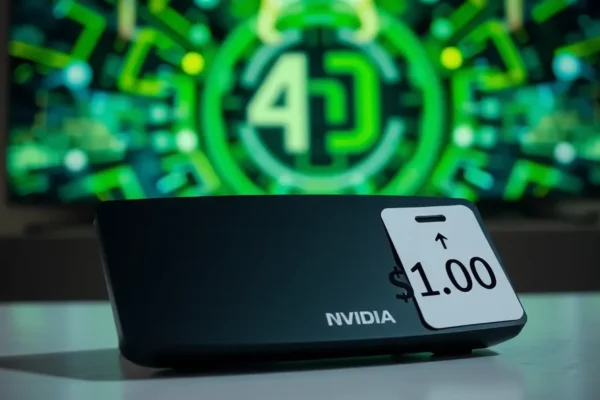
Is Your Streaming Box Getting Pricier? Nvidia Shield TV Price Hike Explained
You might have noticed that one of your favorite streaming devices, the Nvidia Shield TV, has seen a significant price jump. If you’ve been eyeing it or are a loyal user, you’re probably wondering why. After seven years on the market, this capable little box has gone up in price by about $100. It’s a head-scratcher, especially for tech that feels a bit “aging.” But the reason behind this Nvidia Shield TV price hike is deeply tied to a massive trend sweeping through the tech world: the booming demand for AI chips and, consequently, the memory they rely on. Let’s break down what this means for your wallet and your streaming habits.
The Little Box That Could Still Do It All
Think of the Nvidia Shield TV as the Swiss Army knife of streaming devices. It’s not just about watching Netflix or YouTube. For years, it’s been the go-to gadget for folks who want more power and flexibility from their TV. It lets you stream all your favorite shows and movies in gorgeous quality, but it also has some hidden talents. It can act as a mini-server for your media collection, it’s fantastic for gaming (even streaming games from a powerful PC), and it’s a favorite for tinkerers who love to customize their entertainment setup. Essentially, it solves the problem of having a smart TV that isn’t quite smart enough, or for those who want a premium, no-compromise streaming and media hub.
What This Means for Your Living Room
So, what does the Nvidia Shield TV actually do for you in real life? Imagine this: You’ve got a huge digital movie library, but your smart TV struggles to play those files smoothly. The Shield TV handles them like a champ, making them look and sound fantastic. Or, perhaps you’re a gamer who loves playing PC games but wishes you could do it on your big TV without a clunky setup. The Shield TV can stream those demanding games directly to your living room, offering a surprisingly smooth experience. It’s also perfect for cord-cutters who want a robust platform to manage all their live TV streaming apps, alongside on-demand content, all in one place with a user-friendly interface.
Let’s paint a few scenarios:
- For the Home Theater Enthusiast: You’ve invested in a high-end TV and sound system. The Shield TV delivers top-notch picture and audio quality, supporting all the latest formats, making sure your expensive setup isn’t held back by a weak streaming device.
- For the Tech-Savvy Gamer: You have a powerful gaming PC upstairs. With the Shield TV, you can stream those high-fidelity games to your living room TV and play with a controller, almost like you’re playing on a console, but with your PC’s power behind it.
- For the Media Hoarder: You have external hard drives filled with movies, photos, and music. The Shield TV can act as a central hub, making all your content easily accessible on your TV without needing to boot up a computer.
Who Should Bring This Powerhouse Home?
The Nvidia Shield TV is best for the discerning user who wants a premium, powerful, and versatile streaming experience. If you’re someone who values picture and sound quality above all else, enjoys advanced features like AI upscaling for older content, or wants a device that can handle more than just basic streaming (like gaming or media serving), this is likely for you. It’s also a strong contender for users who are invested in the Android TV ecosystem and want the most capable device available.
It’s also good for those who are willing to pay a bit more for a device that’s likely to last longer and offer more features than cheaper alternatives. If you’re tired of your current streaming stick buffering or not supporting your favorite apps, the Shield TV offers a smoother ride.
However, you should probably skip the Nvidia Shield TV if your needs are basic. If you just want to watch Netflix, Hulu, and Disney+ without any fuss and don’t care about advanced gaming, media server capabilities, or the absolute best picture quality, a much cheaper streaming stick or dongle will likely suffice.
How Does It Stack Up Against the Competition?
The streaming device market is crowded. You’ve got popular options like the Amazon Fire TV Stick series, Google Chromecast with Google TV, and Apple TV 4K. Compared to these, the Shield TV often sits at a higher price point. What sets it apart is its raw power and flexibility. While a Fire TV Stick is great for Amazon Prime Video and general streaming, it doesn’t have the same muscle for demanding tasks like high-end game streaming or acting as a Plex media server for multiple users. The Apple TV 4K is a strong competitor, especially for those in the Apple ecosystem, offering excellent performance and a sleek interface, but it’s more locked down and less customizable than the Android-based Shield TV.
The key difference in approach is that while others focus on being simple, plug-and-play streaming devices, Nvidia Shield TV aims to be a mini-computer for your TV, capable of handling a wider array of tasks. This extra capability is why its price often reflects a more premium offering.
Getting Started: Is It a Headache?
For most people, setting up the Nvidia Shield TV is pretty straightforward. You’ll connect it to your TV via HDMI, plug in the power adapter, and connect it to your home Wi-Fi. The on-screen interface guides you through the initial setup, including logging into your Google account and downloading your favorite streaming apps. You don’t need to be a tech wizard to get the basics running.
The learning curve comes in when you want to explore its more advanced features. If you want to set it up as a media server, delve into sideloading apps, or configure specific gaming settings, there’s a bit more learning involved. However, for everyday streaming, it’s quite intuitive. Most users report being up and running within 10-15 minutes for basic use. The remote is generally well-designed, though some users find the voice search a bit hit-or-miss sometimes.
The Real-World Pros You’ll Appreciate
Despite its age, the Shield TV has some genuine advantages that keep it relevant:
- Unmatched Performance: This thing is a speed demon. Apps launch instantly, and navigating menus is buttery smooth, even with many apps installed. It’s like going from a sputtering old car to a sports car.
- AI-Powered Upscaling: One of its standout features is its ability to take lower-resolution content (like older DVDs or standard-definition TV shows) and make them look sharper and clearer on your 4K TV. It’s not magic, but it’s impressive.
- Versatility Galore: As mentioned, it’s a streaming box, a game streamer, a media server, and a platform for all sorts of smart home integrations. It can truly be the central hub of your entertainment system.
- Reliability and Longevity: Nvidia has a track record of supporting its hardware with software updates for years, meaning your investment is likely to remain functional and secure for a long time. User feedback often points to its robustness.
- Excellent for Gamers: GeForce NOW cloud gaming and Steam Link game streaming work exceptionally well, offering a console-like experience on your TV for those who have capable gaming PCs.
The Not-So-Shiny Downsides
No product is perfect, and the Shield TV has its drawbacks:
- The Price Tag: Even before the recent hike, it was one of the pricier streaming devices. Now, with the increased cost, it’s an even bigger investment.
- Interface Can Feel Dated: While powerful, the Android TV interface, even with updates, doesn’t always feel as slick or modern as some competitors, particularly Apple TV.
- AI Upscaling Isn’t for Everything: While impressive, the AI upscaling can sometimes introduce artifacts or make content look unnaturally sharp, depending on the source material.
- Power Adapter and Dongle Design: It’s not a small, discreet stick. It’s a box that requires its own power adapter and occupies an HDMI port, which can clutter up your entertainment center.
Decoding the Nvidia Shield TV Price Hike and Value
The official Nvidia Shield TV Pro (the most common model) now retails for around $229, up from roughly $199. The simpler Shield TV tube model also saw a similar percentage increase. This isn’t just random inflation; it’s largely driven by the AI chip demand. The same memory components and manufacturing processes that go into powerful AI chips used in data centers and cutting-edge computers are also vital for high-performance devices like the Shield TV. The massive demand for AI hardware has driven up the cost of these essential components, leading to a ripple effect on the price of consumer electronics that use them. This is a prime example of AI impact on tech.
So, is it worth the premium price? For the average user looking for basic streaming, probably not. There are excellent alternatives like the Roku Ultra or Apple TV 4K that offer premium streaming for less or similar money. However, if you plan to utilize its advanced features – the AI upscaling, the robust gaming capabilities, or its potential as a media server – then the streaming device cost might be justified by the unique capabilities it offers. It’s a case of tech inflation hitting a niche but powerful product.
It’s important to note that there are no significant hidden costs for basic use, though you might want to buy a better controller for gaming. Long-term value is high due to its robust build and continued software support, but the initial memory price increase makes it a tougher pill to swallow.
The Final Word: Who Should Buy This Now?
The Nvidia Shield TV remains a powerhouse, but the recent price hike makes it a more considered purchase. It’s still the king for those who want the ultimate in streaming flexibility, gaming prowess, and media management on their TV. If you’re a serious streamer, a PC gamer looking to play on your TV, or someone who manages a large digital media library, and you can justify the higher cost, it’s still a fantastic device. The Nvidia hardware is undeniably capable.
However, if your primary goal is just to watch your favorite streaming apps, a more budget-friendly option like a Roku Streaming Stick or Chromecast with Google TV will likely be a better fit for your wallet. The extra features of the Shield TV might be overkill for casual users, and the new price makes those cheaper options even more appealing.
Ultimately, the Nvidia Shield TV is for the enthusiast who needs its unique blend of power and versatility, and is willing to pay for it. If that sounds like you, it’s still a worthwhile investment. If not, there are plenty of other excellent streaming devices out there.
Common Questions About the Nvidia Shield TV Price
Why did the Nvidia Shield TV price go up?
The Nvidia Shield TV price hike is primarily due to the rising cost of components, especially memory, driven by the massive global demand for AI chips. This affects the manufacturing costs of high-performance devices like the Shield TV.
Is the Nvidia Shield TV still worth buying at this price?
It depends on your needs. If you plan to use its advanced features like AI upscaling, game streaming, or media serving, it can still offer good value. For basic streaming, cheaper alternatives might be more sensible.
What are the best alternatives to the Nvidia Shield TV?
Popular alternatives include the Apple TV 4K, Amazon Fire TV Cube, and high-end Roku devices. Each offers a different balance of features and price.
Does the Nvidia Shield TV support 4K HDR streaming?
Yes, the Nvidia Shield TV supports 4K streaming at up to 60 frames per second with HDR10 and Dolby Vision, offering excellent picture quality for compatible content.
How long will Nvidia continue to support the Shield TV?
Nvidia has a strong history of supporting its hardware with software updates for several years. While the exact lifespan is never guaranteed, user feedback suggests it’s a durable and long-lasting product.
Can I use the Nvidia Shield TV for more than just streaming?
Absolutely! It’s capable of playing Android games, streaming PC games from your computer, acting as a Plex media server, and running various other Android apps. It’s a very versatile device.
Product prices and availability vary by region. Verify current pricing before purchase.











