

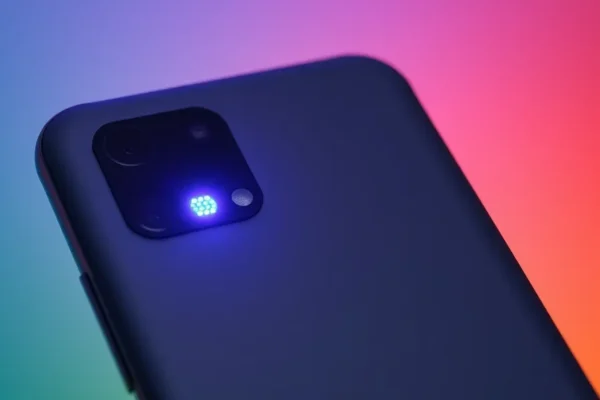
The Pixel 11 HiLight Feature and a Developer’s Solution
Google’s Pixel phones have long been lauded for their intelligent software and camera prowess. Among the many thoughtful features baked into the Android experience is the HiLight feature, designed to enhance how users receive notifications. However, like many innovative technologies, the native Pixel 11 HiLight feature has its limitations, leaving users yearning for more personalized control. Enter the HiLight Studio app by Dhananjay_Tech, a clever piece of software that aims to unlock the full potential of the Pixel’s LED array for notifications. This development is significant now as smartphone customization continues to be a key differentiator for users seeking a truly personal device experience.
Understanding the Pixel 11 HiLight and Its Potential
The Pixel 11 HiLight feature, as implemented by Google, is intended to provide subtle visual cues for incoming alerts. Think of it as a gentle blink of light, indicating that a new message, call, or app notification has arrived without requiring you to constantly check your screen. The idea is to offer a less intrusive way to stay informed. For those who own a Google Pixel 11 Pro or other compatible Pixel models, this feature is typically integrated into the notification LED settings. It’s designed to work out-of-the-box, offering a basic level of visual feedback.
How HiLight Studio App Brings Customization to Life
While the native HiLight feature offers a functional approach to notifications, its customization options are often limited. Users might want different colors for different apps, distinct blinking patterns for urgent messages, or even the ability to tie specific light behaviors to contacts. This is where the HiLight Studio app, developed by Dhananjay_Tech, steps in. This third-party application acts as a bridge, allowing users to delve deeper into the phone’s LED notification capabilities.
Imagine your phone’s LED notification light as a tiny traffic signal for your alerts. The default HiLight feature might only offer a steady green light for all traffic. The HiLight Studio app, however, allows you to assign different colored lights to specific types of vehicles (apps) and even give them unique flashing sequences (patterns). For example, you could set a bright red flashing light for important work emails, a soft blue pulse for social media updates, and a gentle green glow for calls from family. This level of granular control transforms a simple indicator into a powerful communication tool.
Where Pixel 11 HiLight Customization Shines Today
The primary real-world application for the HiLight Studio app is enhancing the smartphone utility for individual users. Anyone who wants more control over their notification experience can benefit. This includes professionals who need to quickly distinguish between urgent and non-urgent alerts, or individuals who simply prefer a more visually engaging way to be informed. The app is currently available for users who have compatible Pixel devices and are comfortable with exploring advanced Android customization options. It represents a significant step forward for users looking beyond the standard notification LED settings.
Exploring the Landscape of LED Notification Control
While Google offers its built-in HiLight feature, and Dhananjay_Tech provides a robust third-party solution, the broader landscape of LED notification control on Android has seen varying approaches. Historically, many Android phones featured dedicated notification LED lights. However, with the rise of edge-to-edge displays and the integration of always-on display technologies, dedicated LEDs have become less common on many flagship devices. This has led to a demand for software-based solutions that can emulate or enhance notification feedback.
Within the realm of third-party apps, Dhananjay_Tech’s HiLight Studio app stands out for its specific focus on leveraging the underlying LED hardware (where available on Pixel devices) to provide deep customization. Competitors in the broader “notification enhancement” space might offer pop-up features or advanced sound profiles, but the HiLight Studio app’s direct manipulation of the LED array for personalized visual alerts offers a distinct advantage for users seeking that particular type of feedback. The advantage lies in its targeted approach to a specific hardware capability, making it a specialized tool for a niche but passionate user base.
The Potential Impact of Enhanced Notification Control
The ability to finely tune notification alerts through features like the Pixel 11 HiLight and apps like HiLight Studio has several implications. For users, it means improved productivity and a more streamlined interaction with their devices. Imagine being able to glance at your phone and instantly know the nature of an incoming alert without even picking it up. This can reduce screen time and the urge to constantly check for updates.
Socially, it can lead to a more mindful approach to technology use. Instead of being bombarded by a cacophony of sounds and vibrations, users can opt for a more subtle and organized visual system. Economically, while this is a niche area, it contributes to the growing market for specialized smartphone utility apps that cater to user demand for personalization and enhanced functionality. The long-term impact could be a shift towards more intelligent and less intrusive notification systems across the smartphone industry.
Understanding the Boundaries of Pixel 11 HiLight Customization
Despite the impressive capabilities of apps like HiLight Studio, it’s crucial to acknowledge the inherent limitations of the Pixel 11 HiLight feature and the hardware it relies on. Not all Pixel phones have a dedicated physical LED notification light. Newer models, in particular, have largely moved away from this hardware in favor of screen-based notifications. Therefore, the effectiveness of apps that aim to control an LED notification light is entirely dependent on the presence and capabilities of that hardware on a specific Pixel model.
Furthermore, the underlying Android operating system and Google’s specific implementation of its features can impose restrictions. Developers of third-party apps must work within the boundaries set by the operating system. This means that certain advanced customizations might not be possible due to software limitations or security protocols. For instance, accessing and controlling specific LED colors or patterns might require special permissions or might simply not be exposed by the system API. The effectiveness of HiLight Studio, while significant, is ultimately tethered to the hardware and software capabilities provided by Google for the Pixel 11 Pro and other supported devices.
The Road Ahead for Smarter Notifications
The trajectory of notification technology is moving towards more intelligent and context-aware systems. While dedicated LED notification lights may be fading on some devices, the demand for clear and customizable alerts remains. Future developments are likely to focus on leveraging always-on displays, haptic feedback, and even augmented reality overlays to convey notification information in more sophisticated ways. For devices that retain LED capabilities, we might see Google further enhancing its native HiLight feature with more options. Developers like Dhananjay_Tech will likely continue to explore innovative ways to push the boundaries of what’s possible within the constraints of the operating system and hardware. The key developments to watch will be how smartphone manufacturers integrate notification systems that are both informative and unobtrusive.
Pixel 11 HiLight Studio App Frequently Asked Questions
What is the Pixel 11 HiLight feature?
The Pixel 11 HiLight feature is Google’s built-in functionality on Pixel phones designed to provide visual cues for incoming notifications using the device’s LED notification light.
Can I customize the LED notification light on my Google Pixel 11 Pro?
While the native HiLight feature offers basic notification lighting, for deeper customization, third-party apps like the HiLight Studio app by Dhananjay_Tech can be used to personalize LED colors and patterns.
Does the HiLight Studio app work on all Pixel phones?
The functionality of the HiLight Studio app is dependent on the presence of a physical LED notification light on your specific Pixel model. Not all Pixel phones, especially newer ones, come equipped with a dedicated LED.
How does the HiLight Studio app enhance Android customization?
The HiLight Studio app allows users to assign specific colors and blinking patterns to different apps and contacts, offering a much more granular control over notification alerts than the default settings.
What are the limitations of the Pixel 11 HiLight feature?
The primary limitation is its lack of extensive customization options. Users often desire more control over colors, patterns, and app-specific settings, which the default HiLight feature does not provide.
Is the HiLight Studio app a replacement for the native notification LED settings?
No, it complements them. The HiLight Studio app builds upon the existing notification LED hardware and system, providing advanced control that goes beyond the standard notification LED settings.
This article is based on publicly available information regarding smartphone notification features and third-party application capabilities. Specific hardware implementations and software updates can affect the performance and availability of these features.











