

What Is Screen Recording and Why Does It Matter
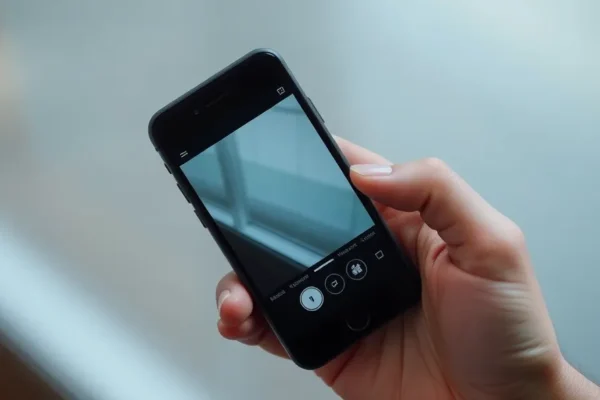
At its simplest, to record screen phone activity is to capture a video of everything happening on your display. Think of it like a digital tape recorder for your smartphone. Whether you are using an iPhone or an Android device, this feature lets you save a video file of what you see on your screen, including your touches and swipes.
This tool is incredibly useful for everyday tasks. It solves the frustration of trying to explain a tech problem to a relative over the phone or showing someone how to navigate a specific app. Instead of writing a long, confusing set of instructions, you can simply record a quick video and send it over. It is designed for anyone who shares information, solves problems, or just wants to save a moment from a video call or a gaming session. It is a must-have skill in our screen-centric world.
Real World Ways to Use Screen Recording
You might be surprised by how often you could use this tool in your daily routine. Here are a few ways to make your life a little easier:
- Tech Support for Family: If your parent is struggling to find a setting in an app, screen recording allows you to record yourself doing the steps and send it to them. It is much easier than talking them through it step-by-step.
- Capturing Memories: If you are on a video call with a distant relative or watching a funny moment during a live stream, you can quickly capture that interaction to keep for later.
- Managing Household Tasks: If you are planning a trip or a home project, you can record yourself browsing through hotel options or shopping carts to show your partner later. It is a visual way to compare notes without taking dozens of screenshots.
Who Should Use Screen Recording Tools
Screen recording is best for people who frequently help others with technology or who want a quick way to document digital processes. It is excellent for social media power users, busy parents coordinating schedules, and professionals who need to demonstrate app workflows.
However, you should skip this if you are worried about digital clutter. Since these videos are saved as files on your device, they can take up a surprising amount of storage space if you forget to delete them. If your phone is already running low on memory, you might want to be selective about what you record.
How Built-in Tools Compare to Third Party Apps
Most modern smartphones now have screen recording baked right into the software. On an iPhone, it is a simple button in your Control Center. On most Android devices, you can find a Screen Recorder icon in your Quick Settings panel. These built-in tools are usually free, private, and perfectly integrated into your phone’s system.
Third-party screen recorder app options found in the App Store or Google Play Store are often marketed as “pro” versions. While these might offer extra features—like drawing on the screen while recording or adding a front-facing camera overlay—they often come with annoying ads or require paid subscriptions. For most everyday users, the built-in tool is the superior choice because it is free and doesn’t track your data like some questionable third-party apps might.
Setup and Learning Curve
Getting started is remarkably simple and requires no advanced technical skills. On an iPhone, go to Settings, then Control Center, and tap the plus icon next to Screen Recording. Now, just swipe down from the top right to start. On Android, pull down your notification shade twice to see the full list of icons and look for Screen Recorder. If you don’t see it, tap the pencil icon to edit your quick settings and drag it into view.
The learning curve is almost non-existent. You tap to start, do your thing, and tap to stop. The biggest hurdle for most people is simply remembering that the feature exists when a situation calls for it. You don’t need special software or a computer connection, just your thumb and a few seconds of time.
The Genuine Pros of Recording Your Screen
- Efficiency: It saves massive amounts of time compared to writing out tutorials or explaining steps over the phone.
- Privacy: By using the built-in tools, you avoid sending your data to unknown third-party apps that might be riddled with ads.
- Clarity: It eliminates the guesswork. A video shows exactly what button you pressed, making it easier for others to follow along.
- Accessibility: Most native recording tools allow you to easily toggle your microphone on or off, so you can record your voice-over explanation simultaneously.
Common Cons and Limitations to Keep in Mind
While useful, there are a few drawbacks to keep in mind. First, recording screen phone activity can drain your battery significantly. If you are recording a long session, your phone might get warm and your battery level will drop faster than usual. Second, some apps block screen recording. You might find that when you try to record within a banking app or a protected streaming service, the video turns out black or displays an error message due to copyright or security protections.
Finally, your storage will fill up fast. High-definition video files are much larger than photos. If you don’t delete your old recordings, you will quickly find your phone storage full of videos you no longer need.
Price and Value Proposition
The beauty of the built-in screen recording feature is that it is completely free. It comes included with the price of your phone. There are no hidden costs and no monthly subscriptions required for the standard experience. Even if you choose to download a third-party app for more advanced features, most operate on a “freemium” model. However, for 99 percent of users, the free, built-in version offers the best value—it is reliable, fast, and costs you nothing extra.
Verdict on Screen Recording
If you have a modern smartphone, you have a powerful screen recording tool already sitting in your pocket. It is a fantastic, practical feature that makes sharing information and solving problems much easier. You should absolutely use it, provided you keep an eye on your storage space. For most people, the built-in tool is more than enough, and there is no need to hunt for third-party apps.
Frequently Asked Questions
Is screen recording safe to use?
Yes, using the built-in screen recording tools provided by Apple or Google is safe and private. Avoid downloading unknown third-party screen recorder app options that ask for excessive permissions.
Does recording my screen drain my battery quickly?
Yes, recording your screen is an intensive task that requires the processor to work harder than usual. Expect your battery to drain faster during long recording sessions.
Can I record audio along with my screen?
In most cases, yes. When you initiate the record screen phone feature, you can usually long-press the icon to toggle your microphone on, allowing you to narrate your video.
Why is my screen recording black?
Some apps, such as banking or protected media apps, prevent screen recording to protect your privacy and prevent copyright infringement. You cannot record inside those specific apps.
Do I need an app to record my screen?
No. Both Android and iPhone offer built-in tools that are fully capable of handling standard screen recording needs. There is rarely a need for additional software.
Product prices and availability vary by region. Verify current pricing before purchase.











