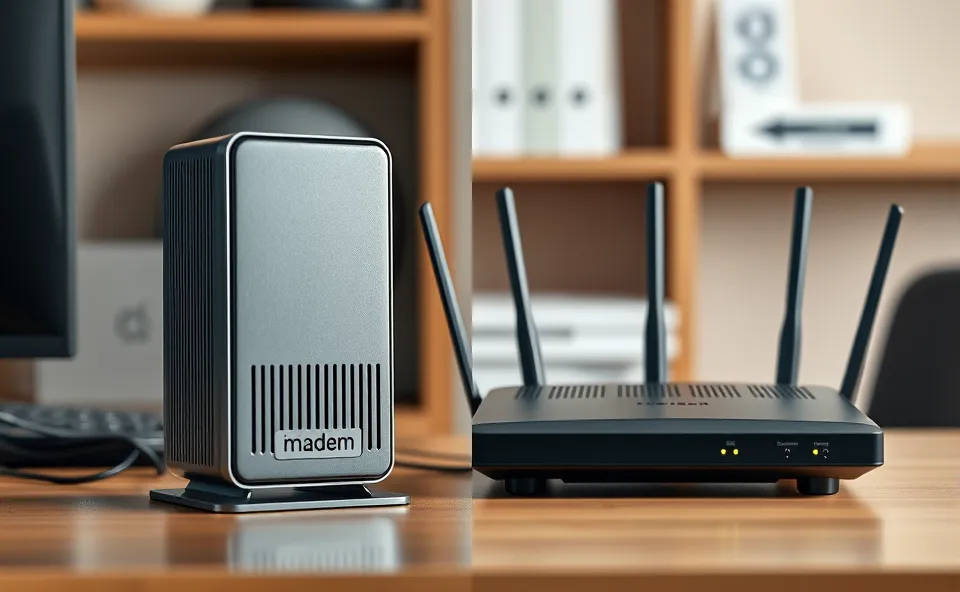
Why Are We Talking About Routers and Modems Right Now?
Ever felt that little ping of confusion when you’re setting up home internet, or maybe when your ISP sends you a new piece of equipment? You’ve probably heard the terms “modem” and “router” tossed around, often interchangeably. But here’s the thing: they’re not the same thing at all, and understanding the router vs modem difference is key to getting the best internet connection in your home. Lately, a lot of folks have been digging into what makes their home network tick, leading to a surge in searches about these two essential networking devices. Let’s break down why that is and what it all means for you.
A Quick Trip Down Memory Lane for Your Internet
Think back to the early days of home internet. You might remember dial-up, those screeching noises, and waiting ages for a single page to load. Back then, you usually had just one box from your Internet Service Provider (ISP) that did most of the heavy lifting. This was often a combined modem and router, or just a simple broadband modem. As the internet evolved and speeds increased, so did the need for more sophisticated ways to manage and share that connection. This is where the distinct roles of the modem and the wireless router really started to shine, and why separating them became common practice.
Unpacking the Modem: Your Internet’s Translator
So, what exactly is a modem, and why is it crucial for your internet connection? Imagine the internet as a highway of information. Your ISP sends this information to your house, but it travels in a format that your devices can’t directly understand. That’s where the modem comes in. Its primary job is to translate signals. It takes the digital data from your computer and converts it into an analog signal that can travel over the lines provided by your ISP (like cable or phone lines), and vice versa. This process is called modulation and demodulation, which is where the name “modem” comes from.
Think of it as a language translator. Your ISP speaks one language, and your computer speaks another. The modem bridges that gap. Without a modem, your home devices wouldn’t be able to interpret the internet signal coming into your house. It’s the essential gateway that connects your home network to the wider internet.
Enter the Router: The Traffic Director of Your Home Network
Now, let’s talk about the router. While the modem brings the internet into your home, the router is what distributes it to all your devices. It’s like the traffic director for your home network. If you have multiple devices – laptops, smartphones, smart TVs, gaming consoles – all wanting to use the internet at the same time, the router is the device managing that flow. It takes that single internet connection from the modem and creates your private home network. A wireless router then broadcasts this connection wirelessly, giving you that convenient WiFi you rely on every day.
Here’s a closer look at what a WiFi router functions include:
- Assigning IP Addresses: Each device on your network gets a unique local IP address from the router. This allows the router to send data to the correct device.
- Managing Data Traffic: It directs internet traffic to and from your devices, ensuring that requests from your laptop go to the internet and responses come back to the right place.
- Providing Network Security: Routers often include built-in firewalls to protect your network from unauthorized access.
- Creating a Local Network: It establishes a private network within your home, allowing devices to communicate with each other even without an internet connection.
Essentially, the modem gives you access to the internet highway, and the router creates all the on-ramps and local roads within your property, directing traffic efficiently to each house (your devices).
Why You Need Both for a Smooth Internet Connection
So, why can’t one device do it all? Well, historically, they were separate functions, and while many ISPs now offer combination modem/router units, understanding their distinct roles is vital. The modem’s job is to be the bridge to your ISP’s network. The router’s job is to manage and share that connection within your home, creating your personal network. If you only had a modem, you’d likely only be able to connect one device directly via an Ethernet cable, and you wouldn’t have WiFi. If you only had a router, it wouldn’t know what to do because it wouldn’t have an internet signal to distribute.
This is why understanding the router vs modem difference is so important for anyone looking to set up a robust home network setup. They work in tandem, each performing a critical task to bring the internet from the outside world into your hands, whether that’s on your phone, laptop, or smart home gadget. This partnership is the foundation of modern home networking devices.
What This Means for Your Digital Life
For everyday users, this means that when you experience internet issues, it helps to know whether the problem might be with the modem (the connection to the outside) or the router (how the connection is shared inside). For example, if no devices are getting internet, but your modem’s lights indicate it’s connected to your ISP, the issue might be with your router. Conversely, if your WiFi is working fine, but you can’t access any websites, the problem could be with the modem or the signal coming from your ISP.
Having separate units also offers flexibility. You might want to upgrade to a more powerful wireless router to improve your WiFi coverage or add features without needing to replace your modem, or vice versa. This separation allows for tailored solutions to meet specific needs, whether it’s better WiFi range for a larger home or a more robust connection for heavy streaming and gaming.
Looking Ahead: The Evolving Landscape of Connectivity
The trend towards more integrated devices continues, with many ISPs providing combo units that house both modem and router functionalities in a single box. However, the underlying technical distinctions remain. We’re also seeing advancements in WiFi technology, with new standards like WiFi 6 and WiFi 7 offering faster speeds and better performance. These advancements often happen on the router side of the equation, as it’s responsible for the wireless distribution within your home. As more smart devices enter our homes, the router’s role as the central orchestrator of our digital lives becomes even more critical, ensuring seamless communication and efficient data management.
Common Questions About Your Home Internet
What is the main difference between a router vs modem?
The modem connects your home to the internet by translating signals from your ISP. The router takes that internet connection and shares it with multiple devices in your home, creating your local network and providing WiFi.
Why do I need both a modem and a router for my internet connection?
You need a modem to access the internet service from your ISP, and you need a router to distribute that single internet connection to all your devices wirelessly or via Ethernet cables, forming your home network.
Can my ISP hardware be a modem and router combined?
Yes, many ISPs provide a single device that combines the functions of both a broadband modem and a wireless router. This is a common solution for home network setup.
What does a modem explained do for my internet connection?
A modem explained is essentially a signal translator. It converts the digital data from your computer into analog signals that can travel over your ISP’s lines, and converts incoming analog signals back into digital data your devices can understand.
Is upgrading my WiFi router worth it for better performance?
If you have multiple devices or live in a large home, upgrading your wireless router can significantly improve WiFi coverage, speed, and stability, making your overall internet experience much better.