

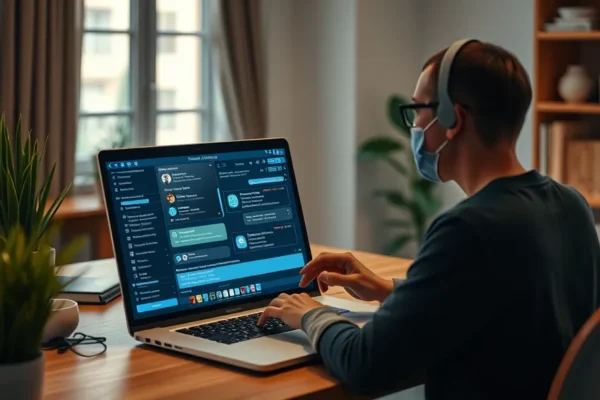
Your Own Private Digital Assistant: Running Chatbots Locally
Ever felt a little uneasy about sending your personal questions, notes, or even drafts to a cloud-based AI service? You’re not alone. Many of us are curious about the power of AI chatbots, like ChatGPT or Bard, but also concerned about where our data goes. What if you could have all that AI smarts right on your own computer, with your information staying completely private? That’s where the idea of running a large language model (LLM) locally comes in. Think of it as setting up your own personal, offline AI assistant. This guide will walk you through what that means, why you might want it, and how to get started.
What Does Running a Chatbot Locally Actually Mean?
Imagine having a super-smart assistant that can write, brainstorm, explain things, and even code, all without needing an internet connection once it’s set up. That’s the core idea behind running a local LLM on your personal computer. Instead of relying on big tech companies’ servers, you’re downloading an AI model and running it directly on your own hardware. This is fantastic for anyone who values their data privacy or wants an AI that works even when your internet is flaky. It’s about having a self-hosted AI that is entirely under your control.
Putting Your Local AI to Work in Daily Life
So, what can a local AI assistant actually do for you? It’s surprisingly versatile!
- Creative Writing Buddy: Stuck on a blog post, a story idea, or even a tricky email? Your local LLM can help you brainstorm outlines, suggest wording, or even draft entire paragraphs. You can feed it your rough ideas, and it will help you flesh them out, all without that data leaving your machine. It works like a tireless writing partner who never gets tired or asks for a share of your royalties.
- Personalized Learning Tool: Need a complex topic explained in simple terms, or want to practice a new language? Your local AI can act as a private tutor. You can ask it to break down scientific concepts, explain historical events, or even generate practice questions for a subject you’re studying.
- Digital Organizer and Summarizer: Imagine feeding it a lengthy article or a document and asking for a quick summary. This is perfect for staying on top of information without spending hours reading. It feels like having a super-efficient personal assistant who can digest information at lightning speed.
For instance, if you’re a writer who juggles multiple projects and needs to keep your ideas confidential, a local LLM means you can brainstorm plot twists or character development without worrying about sensitive information leaking. For busy parents, it could mean quickly generating creative activity ideas for kids or drafting personalized birthday messages without needing to send personal details to an external service.
Who is This For? The Ideal Local LLM User
Running a local LLM isn’t for everyone, but it’s a game-changer for a specific group of people.
- Best For: Privacy Enthusiasts and Data-Sensitive Professionals. If your absolute top priority is keeping your information private, or if you handle sensitive work (like legal documents, personal journals, or proprietary business information), then this is for you. You gain complete control over your data.
- Good For: Tech-Curious Individuals and Offline Users. If you enjoy tinkering with technology, want an AI that works even without an internet connection, or are tired of subscription fees for AI services, exploring local LLMs is a great path. It’s also good for those in areas with unreliable internet.
- Skip If: You Need Cutting-Edge Features or Simplicity Above All. The very best, most powerful AI models are often the largest and require high-end hardware. If you’re looking for the absolute fastest or most advanced AI, and don’t want to manage software installations, cloud-based services might still be easier. Also, if your computer is older or has limited processing power, you might be disappointed with performance.
Comparing Local LLMs to Cloud-Based Alternatives
The biggest alternative to running a local LLM is using popular cloud-based AI chatbots like OpenAI’s ChatGPT, Google’s Bard, or Anthropic’s Claude.
- Cloud Services (ChatGPT, Bard): These are incredibly easy to use – just go to a website and start typing. They are often powered by the most advanced and up-to-date AI models, meaning they can sometimes offer more nuanced or creative responses. However, your data is processed on their servers, which is the privacy concern. They also often have free tiers but can require paid subscriptions for full access or faster responses.
- Local LLMs: The primary advantage here is absolute data privacy. Your conversations and prompts stay on your computer. You also gain the freedom of offline use and no ongoing subscription fees. The downside is that the models you can run might not be as cutting-edge as the very largest cloud models, and getting them set up requires more effort. Performance is directly tied to your computer’s power.
Think of it like this: cloud services are like renting a super-fast sports car that you can use anytime, anywhere, but you don’t own it and the rental company knows where you’ve been. Running a local LLM is like buying a reliable, good-quality car that you can drive wherever you want, and no one else tracks your journey, but you need to know how to maintain it.
Getting Started: Setup, Ease of Use, and the Learning Curve
This is where the “practical” part of running a local LLM really comes into play. It’s not as simple as downloading an app from an app store.
- The Setup: You’ll typically need to download specific software that acts as a “front-end” or interface for running AI models. Popular options include tools like LM Studio, Ollama, or KoboldCpp. Once you have the interface software, you’ll then download the actual AI model files. These model files can be quite large, ranging from a few gigabytes to tens of gigabytes, so you’ll need ample storage space.
- Technical Skills: You don’t need to be a programmer, but you do need to be comfortable following instructions, downloading files, and occasionally dealing with simple configuration settings. It’s akin to setting up a new piece of software on your computer for the first time. There will be a learning curve, especially when choosing which models to download (there are many!) and understanding their strengths.
- Time to Use: Expect to spend at least an hour or two getting everything set up the first time. Downloading models can also take a significant amount of time depending on your internet speed. Once set up, though, you can usually start chatting within minutes.
- Common Frustrations: Sometimes models don’t work as expected, or your computer might not be powerful enough, leading to slow responses. Finding the “right” model for your needs can also feel like a treasure hunt.
It’s definitely more of a DIY approach compared to simply clicking a link. It requires a bit of patience and a willingness to learn, but the reward of having your own private AI is significant for many.
Real-World Benefits You’ll Actually Experience
When you get it right, running a local LLM can be incredibly rewarding.
- Unwavering Data Privacy: This is the headline benefit. Your conversations, your ideas, your sensitive information – it all stays on your machine. This offers peace of mind that cloud services can’t match. User feedback on privacy forums often highlights this as the primary driver for switching to local setups.
- Offline Access: Once installed, your local AI doesn’t need an internet connection to function. This is a huge plus for travelers, people with unreliable Wi-Fi, or those who want to work without distractions from the online world.
- No Subscription Fees: After the initial setup, there are no recurring costs. You download the software and models, and you own that capability on your hardware. This can save money in the long run compared to paid tiers of cloud services.
- Customization and Experimentation: The local LLM community is very active. You can experiment with different AI models, each with its own personality and strengths. Some are better at creative writing, others at coding, and some are specifically trained on certain types of data. This allows for a more tailored AI experience.
Drawbacks and Limitations to Be Aware Of
It’s not all sunshine and private AI responses. There are definite downsides.
- Hardware Demands: Running large language models, especially the more capable ones, requires a decent amount of processing power and memory (RAM). If you have an older laptop or a basic desktop, you might find responses are very slow or that you can only run smaller, less capable models. Many users report needing at least 16GB of RAM and a capable CPU.
- Performance Can Be Slower: Even with powerful hardware, local models can sometimes be slower to respond than their cloud-based counterparts, which are often running on massive, specialized server farms. This means waiting a few seconds longer for an answer.
- Model Capabilities Vary: While there are many impressive open-source models available, they might not always match the sheer power, accuracy, or up-to-the-minute knowledge of the very largest proprietary models like the latest versions of ChatGPT-4. You might find a local model struggles with highly complex reasoning or the very latest factual information.
- Technical Glitches and Updates: Like any software, local LLM interfaces and models can sometimes have bugs or require updates. Troubleshooting these issues might be necessary, which can be a barrier for less tech-savvy users.
Price, Value, and Your Wallet
The beauty of running a local LLM is that the core software for many interfaces is free. The main cost is your existing personal computer and potentially an upgrade if your hardware is insufficient.
- Cost of Entry: The software interfaces like LM Studio or Ollama are generally free to download. The “cost” is primarily the hardware you already own. If you need to upgrade your RAM or get a new graphics card to run models effectively, that’s where the expense comes in.
- Value Proposition: For those who prioritize privacy and offline functionality, the value is immense. You’re essentially getting powerful AI capabilities without ongoing subscription fees. If you were paying for premium cloud AI services, the long-term savings can be significant.
- Hidden Costs: The biggest potential “hidden cost” is hardware upgrades. If your current PC can’t handle the models you want, you’ll need to invest in better components. Storage space is also a consideration, as models can take up considerable room.
- Budget Alternatives: If your PC isn’t powerful enough, you might be limited to smaller, less capable models. Alternatively, you can explore services that offer more affordable or privacy-focused cloud AI, though they may not offer the same level of complete offline control.
The Verdict: Should You Run a Chatbot Locally?
If you’re someone who values your data privacy above all else, enjoys a bit of technical tinkering, and has a reasonably modern personal computer, then diving into the world of local LLMs is absolutely worth exploring. It offers a unique blend of power, privacy, and independence.
However, if you need the absolute cutting edge of AI performance, or if the thought of downloading and configuring software fills you with dread, sticking with user-friendly cloud-based AI assistants is likely the better route for you. This isn’t a one-size-fits-all solution, but for the right person, running an AI model locally on your PC can be a truly empowering experience, turning your computer into a private, intelligent digital assistant.
Common Questions About Running Local LLMs
Can I really run a chatbot locally on my personal computer?
Yes, absolutely! With the right software and an adequate computer, you can download and run powerful AI models directly on your own machine, making it an offline AI.
Is it free to run a local LLM?
The software interfaces to run local LLMs are often free. The primary cost is the power of your personal computer and the electricity it uses. Some larger AI models might be behind a paywall, but many excellent open-source options are readily available.
Do I need a super-powerful computer to run a local LLM?
It depends on the size and complexity of the AI model you want to run. For basic models, a moderately modern computer with at least 8GB of RAM might suffice, but for more capable models, 16GB of RAM or more and a good graphics card (GPU) are highly recommended for faster performance.
How large are these AI models?
Local LLM files can vary significantly, from a few gigabytes for smaller models to over 50 gigabytes for the most advanced ones. Ensure you have enough free storage space on your personal computer.
Is setting up a local LLM difficult?
It’s generally considered intermediate. You’ll need to be comfortable downloading and installing software and following instructions, but you don’t typically need to be a coding expert. Tools like LM Studio and Ollama aim to simplify the process.
What are the main benefits of a local LLM compared to cloud AI like ChatGPT?
The biggest benefits are enhanced data privacy, the ability to use the AI offline, and no recurring subscription fees. You have complete control over your information and access.
Product prices and availability vary by region. Verify current pricing before purchase.











