

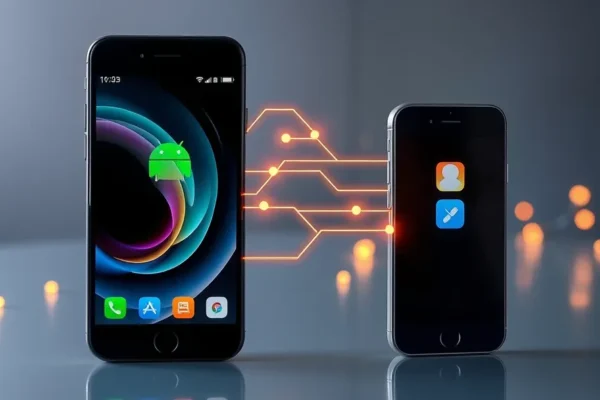
Bridging the Gap: Effortless Ways to Share Files Between Android and iOS
Ever found yourself frustrated trying to send a photo, document, or video from your Android phone to your iPhone, or vice versa? It’s a common headache! In today’s connected world, seamlessly sharing data between different operating systems shouldn’t feel like a tech puzzle. This guide explores the easiest methods to share files between Android and iOS devices, making cross-platform file transfer a breeze. We’ll look at practical solutions that work for everyday users, no matter their tech savviness. If you’ve ever wished for an “AirDrop” for Android or a simpler way to transfer files from Android to iPhone, you’re in the right place.
Making Sharing a Snap: How These Tools Work in Real Life
These file-sharing solutions are designed to simplify your digital life. Think of them as digital handoffs for your files, whether it’s a vacation photo album, a crucial work document, or a funny video clip. They aim to remove the technical barriers that often exist between different phone brands and operating systems.
Here are a few real-world scenarios where these tools shine:
- The Family Photo Share: You’ve just attended a family gathering, and your aunt with her iPhone took some amazing candid shots. You, on your Android, also captured some great moments. Instead of emailing tiny, compressed versions or relying on clunky cloud uploads, you can use a simple app to instantly share all those photos wirelessly. Your aunt gets your pictures, and you get hers, all in high quality, directly to your phones.
- The Student Project: You’re working on a group project with friends, some using Android and some using iOS. You’ve compiled research notes and edited a presentation. With an easy file-sharing app, you can quickly send the latest version of your document or a large PDF to everyone, regardless of their phone type. No more “which version is the latest?” confusion.
- The Traveler’s Companion: You’re traveling and need to share your itinerary, boarding passes, or hotel confirmations with a travel buddy. If you’re on different platforms, sending these via text can be problematic. A quick file transfer app lets you send these important documents in seconds, ensuring everyone has the information they need without any fuss.
Who’s This for? Finding Your Perfect Sharing Solution
The best approach to sharing files between Android and iOS depends on your needs.
Best for:
Users who frequently need to exchange files with people on a different operating system. This includes families with mixed device ownership, friends who share media often, or professionals collaborating with diverse tech users. If you’ve ever said, “How do I get this from my Android to your iPhone?”, these solutions are designed for you.
Good for:
Anyone who occasionally needs to share a larger file or a batch of photos and wants a more efficient method than email or messaging apps. If you’re a casual user who values convenience and a clean user experience, these tools offer a significant upgrade.
Skip if:
You primarily share files only within your own ecosystem (e.g., only Android to Android, or only iOS to iOS). In such cases, built-in features might suffice. Also, if you have very specific security or encryption needs for highly sensitive data, you might need to explore more specialized enterprise-level solutions, though many of these consumer apps offer decent security.
Looking at Your Options: Comparing Sharing Methods
When it comes to bridging the Android-iOS divide, several methods exist, each with its own strengths and weaknesses.
- Cloud Storage Services (Google Drive, Dropbox, OneDrive): These are fantastic for storing and accessing files from anywhere, and they work cross-platform. You upload a file from your Android, and your iOS friend can download it from the same cloud link.
- Pros: Excellent for large files, provides a backup, accessible from any device.
- Cons: Requires an internet connection for uploads and downloads, can feel slower for quick, spontaneous shares, often requires an account.
- Price: Free tiers are generous, paid plans offer more storage.
- Third-Party File Transfer Apps (e.g., Send Anywhere, Xender, SHAREit): These apps are purpose-built for direct, often wireless, file sharing between devices. They typically use Wi-Fi Direct or your local network.
- Pros: Fast for local transfers, no internet needed for direct sharing (if using Wi-Fi Direct), supports various file types and sizes, some offer direct phone-to-phone transfer without a router.
- Cons: Requires both users to have the same app installed, can sometimes be ad-heavy on the free versions, setup can vary in complexity.
- Price: Most offer free versions with ads, paid versions remove ads and may offer extra features.
- Email/Messaging Apps: The most basic method, but often the least efficient for anything beyond small files or a few photos.
- Pros: Universally available, no extra app needed.
- Cons: Files are heavily compressed, size limits are strict, slow for large transfers, not ideal for bulk sharing.
- Price: Free.
- Cross-Platform Sharing Features (e.g., NearDrop, similar to AirDrop for Android): Some newer tools aim to mimic Apple’s AirDrop experience for Android and iOS. These leverage Wi-Fi and Bluetooth for discovery and transfer.
- Pros: Potentially very fast and seamless if it works well, no need for dedicated apps beyond a system-level integration or a lightweight app.
- Cons: Reliability can be hit-or-miss, requires both devices to be close and discoverable, compatibility can be a concern depending on the specific implementation.
- Price: Varies, some are free apps.
When comparing, dedicated file transfer apps often provide the most direct and rapid solution for spontaneous sharing between Android and iOS, especially if you don’t want to rely on cloud services or have limited internet access.
Getting Started: The Setup and Learning Curve
The ease of setup is a huge factor for everyday users. For most third-party file transfer apps, the process is generally straightforward:
1. Download the App: Both users need to download the same file-sharing app from their respective app stores (Google Play Store for Android, Apple App Store for iOS).
2. Grant Permissions: The app will ask for permissions like access to your storage, contacts, and location. These are usually necessary for the app to function correctly.
3. Initiate Sharing: One person will select the files they want to send and then tap a “Share” or “Send” button.
4. Connect Devices: The app will then provide options to connect. This might involve scanning a QR code, entering a code, or simply selecting the recipient’s device from a list if they are on the same Wi-Fi network.
5. Receive Files: The other person will accept the incoming file transfer.
For most popular apps, this entire process takes just a few minutes to get the hang of. There’s usually no need for technical expertise. It feels like sending a file through a more direct, guided path. However, some apps might have slightly different interfaces, leading to a brief learning curve of a few minutes to understand where the buttons are. The biggest hurdle is ensuring both users have the same app and are willing to grant it the necessary permissions.
The Upsides: What Users Love About Seamless Sharing
Based on user feedback and common observations, here are the genuine advantages you’ll likely experience when using a good cross-platform file sharing solution:
- Speedy Transfers: When both devices are on the same Wi-Fi network or using Wi-Fi Direct, sending files can be incredibly fast. You can transfer photos, videos, and documents in seconds, which is a massive time-saver compared to emailing or using slower methods.
- High-Quality File Preservation: Unlike sharing via most social media or messaging apps, these tools aim to transfer files in their original quality. Your photos stay sharp, and your videos retain their resolution and clarity.
- Simplicity for All: Once set up, the process is usually very intuitive. Select files, tap send, and connect. It’s designed for non-techy users, making it accessible to grandparents, kids, and everyone in between.
- Wireless Convenience: The freedom to share files wirelessly without needing cables or a computer is a huge plus. It makes spontaneous sharing incredibly easy, whether you’re across the room or across the house.
- Cross-Platform Compatibility: This is the core benefit. It finally breaks down the wall between Android and iOS, allowing you to share with anyone, regardless of their phone.
The Downsides: Where Sharing Can Still Be a Hassle
No solution is perfect, and users do report some frustrations and limitations with cross-platform sharing:
- m> App Dependency: Most easy solutions require both sender and receiver to install the same* third-party app. If your friend doesn’t want to install another app, or if you forget which app you both used last time, it can be a roadblock.
- Ad Overload in Free Versions: Many free file sharing apps are supported by ads. These can sometimes be intrusive, popping up at inconvenient times or making the interface feel cluttered, which detracts from the “seamless” experience.
- Network Dependence: While some apps offer Wi-Fi Direct, many still rely on both devices being connected to the same Wi-Fi network for optimal speed. If you’re in a location with poor Wi-Fi or no Wi-Fi at all, transfers can be slow or fail.
- Occasional Glitches or Discoverability Issues: While generally reliable, users sometimes report that devices don’t discover each other immediately, or a transfer might pause or fail for no apparent reason. This can be particularly frustrating when you need to share something urgently.
Cost, Value, and Getting the Most Bang for Your Buck
The good news is that the best methods for sharing files between Android and iOS are often free or very affordable.
- Free Apps: Many excellent file transfer apps like Send Anywhere, Xender, and SHAREit offer robust free versions. The primary “cost” here is your time spent dealing with ads or potentially a slightly less polished interface.
- Cloud Services: Google Drive, Dropbox, and OneDrive all offer generous free storage tiers (e.g., 15GB for Google Drive). If you already use these services for cloud backups, sharing from them is essentially free. Paid tiers offer more space, typically ranging from $1.99 to $9.99 per month depending on the provider and storage amount.
- Value Proposition: The value here is immense. For free or a minimal monthly fee, you gain the ability to easily and quickly transfer data between your most important devices and the devices of those around you. This convenience and time-saving aspect easily outweighs the low cost.
There are rarely hidden costs for basic file sharing. You won’t typically need to buy extra accessories for these software solutions. The best value lies in using a reputable free app or integrating sharing into your existing cloud service workflow.
The Final Word: Is It Worth It for You?
If you’ve ever struggled to share files between your Android phone and an iPhone, then yes, exploring these cross-platform solutions is absolutely worth your time and attention. The convenience they offer can significantly reduce daily frustrations.
You should definitely consider this if:
You are in a household with mixed Android and iOS devices, frequently collaborate with people on different platforms, or simply want an easier way to send photos and videos to friends and family who use iPhones. Tools like Send Anywhere or cloud services provide a practical and often free way to achieve this.
You might want to wait or look elsewhere if:
You primarily share files within your own ecosystem and are happy with existing methods, or if you have very strict data security requirements that necessitate specialized, often paid, enterprise solutions.
In essence, these tools are about making your digital life smoother. They transform a potential headache into a quick, easy action. The best approach for you will depend on how often you share and with whom, but the core benefit of effortless share android ios is readily achievable for most users.
Your Burning Questions Answered
Here are some common questions people have about sharing files between Android and iOS devices:
How can I easily transfer files from Android to iPhone?
You can use cross-platform file transfer apps like Send Anywhere, which requires both users to install the app. Alternatively, cloud storage services like Google Drive or Dropbox allow you to upload from your Android and download on your iPhone.
What is the best app to share files between Android and iOS?
Many users find Send Anywhere to be a top choice for its ease of use and reliability for direct transfers. Cloud services like Google Drive are also excellent for more persistent storage and sharing.
Is there an AirDrop alternative for Android and iPhone?
While Apple’s AirDrop is exclusive to Apple devices, apps like NearDrop aim to replicate that functionality between Android and iOS. Other dedicated file transfer apps also offer a similar seamless experience wirelessly.
Can I wirelessly share files between my Android and iPhone without the internet?
Yes, some apps like Send Anywhere utilize Wi-Fi Direct technology, allowing you to transfer files directly between devices without needing an active internet connection, as long as both devices are close enough.
Are these cross-platform file transfer methods secure?
Most reputable apps use encryption to protect your data during transfer. For highly sensitive information, always check the app’s security features and consider using password protection for shared links or encrypted cloud storage.
What is the price for these file-sharing solutions?
Many of the best apps for android ios sharing are free to use, often supported by ads. Cloud storage services offer substantial free tiers, with paid upgrades for more storage. The value is typically very high for the convenience gained.
Product prices and availability vary by region. Verify current pricing before purchase.











