

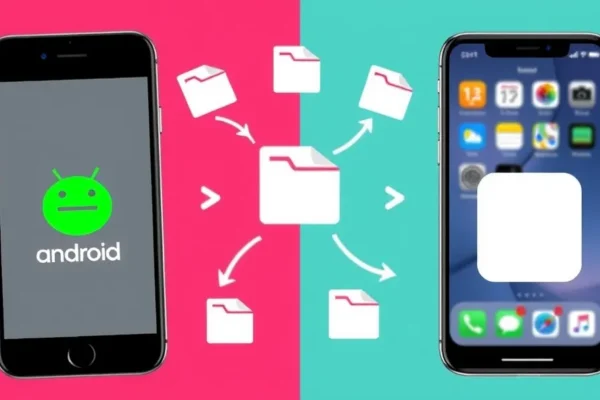
Bridging the Gap: Seamlessly Share Files Between Your Android and iPhone
For years, sharing files between an Android phone and an iPhone felt like trying to speak two different languages. You’d either have to email tiny attachments to yourself, juggle cloud storage accounts, or resort to clunky workarounds. But those days are largely behind us. Today, sharing any type of file or data between these two popular operating systems is easier and more seamless than ever before. This guide breaks down the simplest methods, making cross-platform sharing a breeze for everyone.
What Does This Mean for You?
Imagine this: You snapped some amazing photos on your friend’s new iPhone, and you want them on your Android. Or maybe you’ve got a crucial PDF document on your Android that your colleague needs on their iPhone. Traditionally, this was a headache. Now, it’s as simple as a few taps. This technology is designed for anyone who owns both an Android and an iPhone, or who frequently interacts with people who use the “other” platform. Why should you care right now? Because it saves you time, reduces frustration, and makes collaborating or sharing memories incredibly simple. Forget juggling cables or complex setups; it’s about getting your data where it needs to go, fast.
Real-World Scenarios: How You’ll Actually Use This
Think about your daily life. Does this sound familiar?
- Sharing Family Memories: You’re at a family gathering, and your aunt snaps a bunch of adorable pictures of the kids on her iPhone. You, with your Android, want those photos immediately to share in your family chat. With the right tools, you can transfer those photos wirelessly in seconds, just like magic. ✨
- Work Collaboration: You’ve finished editing a presentation document on your Android tablet and need to send it to your team member who uses an iPhone for a quick review. Instead of wrestling with email attachments that might not send, you can use a simple app to push that document directly to their device. It works like a digital handover, smooth and efficient.
- Moving Between Devices: Maybe you’re upgrading from an older iPhone to a new Android, or vice-versa. Transferring contacts, photos, and even app data used to be a massive undertaking. Now, many methods allow for a much more comprehensive and straightforward data transfer, making the switch feel less daunting.
Who Needs This Most?
- Best For: Families where members use a mix of Android and iPhones, or individuals who frequently collaborate with people on the opposite platform for work or personal projects. If you’re someone who values quick, hassle-free sharing of photos, documents, or other files, this is for you.
- Good For: Anyone who finds themselves occasionally needing to move files between their personal Android and their work iPhone, or vice-versa. This includes students sharing notes, hobbyists sharing project files, or friends sharing media.
- Skip If: You primarily stick to one operating system and rarely need to share files with users of the other. If you’re happy emailing large files or using USB drives for everything, the added convenience might not be a priority. Also, if you have extremely niche or massive data transfer needs (like terabytes of video footage), you might need more specialized enterprise solutions.
How Does It Compare to Other Methods?
Before, options were limited. You had:
- Email: Okay for tiny files, but painful for anything larger. Plus, you often have to send it to yourself first.
- Cloud Storage (Google Drive, Dropbox, OneDrive): These are excellent and very versatile. You upload from one device, then download on the other. It’s reliable but can involve multiple steps and requires an internet connection for both uploading and downloading. Many apps now integrate these services.
- Bluetooth: Famously slow and unreliable for anything beyond small contact cards, especially between different operating systems. It’s like trying to whisper across a stadium.
- USB Cables & Computer: The old reliable, but requires a computer and can be cumbersome.
The newest methods often leverage Wi-Fi Direct or local networks, making them much faster than Bluetooth and more immediate than cloud services for direct device-to-device transfers. Apps like ShareIt, Xender, or even built-in features on some phones (like Samsung’s Quick Share which is becoming more cross-platform) offer wireless file transfer that feels more direct and quicker.
Getting Started: Setup and Ease of Use
The best part is that most of these solutions are incredibly user-friendly.
- Setup: For most dedicated file-sharing apps, it’s as simple as downloading the app on both your Android and iPhone from their respective app stores. You might need to grant permissions for Wi-Fi or Bluetooth. Some solutions might require both devices to be on the same Wi-Fi network, while others can create their own direct connection.
- Learning Curve: There’s virtually no learning curve for the most common methods. You open the app, select the files you want to send, and choose the receiving device. It’s usually very intuitive, similar to sending a message.
- Time to Use: You can typically start sharing within minutes of downloading an app. The actual file transfer speed depends on the app and your network environment, but it’s usually much faster than traditional methods.
- Common Frustrations: Sometimes, a firewall or a strict network setting on a public Wi-Fi can interfere. Forgetting to allow permissions or having one device not discoverable are minor hiccups that are easily fixed by checking app settings or restarting the app.
Real-World Pros: What You’ll Love
- Speed: Many wireless file transfer apps are incredibly fast, especially for photos and videos. You can send large files in a fraction of the time it would take via email or even some cloud services, as they often utilize Wi-Fi Direct or your local network.
- Simplicity: The “tap and send” approach means you don’t need to be a tech whiz. Anyone can pick it up and use it within minutes, making it accessible for all ages.
- Versatility: Beyond just photos, you can share documents, music, app installers (APK files on Android, though iOS is more restricted), and almost any other file type.
- No Internet Required (Often): Many of these solutions create their own direct Wi-Fi connection between devices, meaning you don’t need to use your mobile data or be connected to a Wi-Fi hotspot, which is a lifesaver when you’re on the go.
- Cost-Effective: The most popular and effective file-sharing apps are often free to download and use, making them an economical choice.
Real-World Cons and Limitations
- App Dependency: You often need both devices to have the same or a compatible file-sharing app installed. This can be a minor hurdle if the other person isn’t tech-savvy or willing to download a new app.
- Discovery Issues: Occasionally, devices might not “see” each other. This can be due to network configurations, app glitches, or simply needing to restart the app or devices. It’s not a constant problem, but it can happen.
- iOS Restrictions: Apple’s iOS is generally more locked down than Android. While you can share most common file types, direct access to system files or certain app data might be restricted compared to what you can do between two Android devices.
- Ads in Free Apps: Many free file-sharing apps are supported by ads. While usually not intrusive, they can pop up between transfers and be a minor annoyance. Some apps offer a paid ad-free version.
Price, Value, and Affordability
The great news here is that the best methods for sharing files between Android and iOS are often free. Dedicated apps like SHAREit or Xender are free to download and use, supported by ads. Cloud services like Google Drive, Dropbox, and OneDrive offer generous free tiers that are more than enough for casual file sharing, with paid upgrades available for more storage.
- Value Proposition: The value is incredibly high for free solutions. They offer a significant improvement in convenience and speed over traditional methods without costing you a dime.
- Hidden Costs: The main “cost” is your time to download and set up the apps, and occasionally dealing with ads. If you opt for paid versions of cloud storage for larger storage needs, that’s a subscription cost.
- Budget Alternatives: As mentioned, free apps and free tiers of cloud services are your best bet and often outperform paid solutions for the specific task of occasional file sharing.
Verdict: Who Should Buy This (or Use These Methods)?
The ability to seamlessly share files between Android and iOS devices is less about buying a specific “product” and more about adopting a set of convenient tools.
- You Should Definitely Use These Methods If: You have a mixed-device household, frequently share files with friends or colleagues using different phones, or simply want to eliminate the hassle of getting photos and documents from one platform to another. The ease and speed are transformative for everyday sharing needs.
- m> You Might Want to Wait or Look Elsewhere If: You are extremely privacy-conscious and prefer to avoid third-party apps for file sharing (though many are reputable), or if you only* ever use devices of the same operating system.
- Final Honest Take: The current landscape makes cross-platform sharing incredibly practical. For the vast majority of users, utilizing a good free file-sharing app or a well-integrated cloud service is a no-brainer. It saves time, reduces frustration, and simply makes life easier when dealing with different devices. The best use case is that immediate, informal sharing – sending that funny photo, that important PDF, or that vacation video to someone on a different phone.
Common Questions and Answers
- Can I really share any type of file between Android and iOS?
Generally, yes. Most apps allow you to share photos, videos, documents (PDFs, Word files, etc.), music, and other common file types. iOS has more restrictions on what can be directly accessed and shared compared to Android, but for everyday content, it works great.
- Is it safe to share files this way?
Reputable apps use encryption during transfer. It’s always wise to stick to well-known apps from official app stores. For highly sensitive corporate data, always consult your IT department for approved methods.
- Do I need both phones to be on Wi-Fi?
Many solutions, like SHAREit or Xender, create their own direct Wi-Fi connection between devices, so you don’t need an existing Wi-Fi network or mobile data. Others, like cloud storage, require an internet connection on both ends for uploading and downloading.
- How long does it take to transfer files?
Transfer speeds vary greatly depending on the app, file size, and signal strength, but for photos and smaller documents, it can be as fast as a few seconds. Larger video files might take a few minutes. This is typically much faster than Bluetooth or email.
- What’s the difference between using an app and cloud sharing?
Apps like SHAREit often facilitate direct device-to-device transfers, making them faster for immediate sharing. Cloud sharing (Google Drive, Dropbox) involves uploading to a server and then downloading, which is great for backing up or sharing with multiple people over time, but can be slower for quick, direct transfers.
- Is there a limit to how many files I can share?
Most dedicated file-sharing apps don’t impose strict limits on the number of files you can send at once, though very large batches might take longer. Cloud services have storage limits on their free tiers.
Product prices and availability vary by region. Verify current pricing before purchase.











