

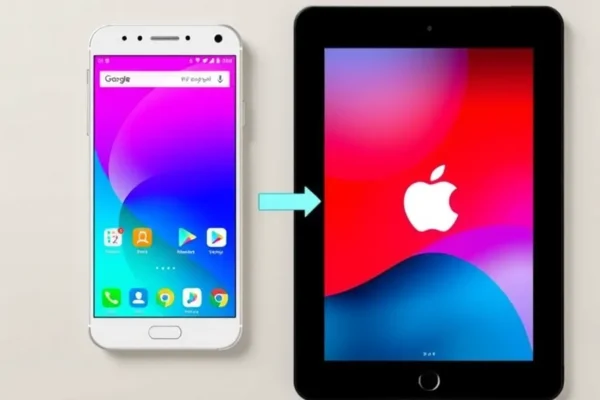
Bridging the Gap: Simple Ways to Share Files Between Android and iOS
Ever felt like your phone’s operating system is a digital brick wall separating you from your friends, family, or colleagues? If you’ve ever tried to send a photo or a document from your shiny new iPhone to your buddy’s Android phone, or vice-versa, you know the frustration. This isn’t just about convenience; it’s about seamless collaboration and staying connected. The good news? Wired has highlighted some straightforward methods to share files and data between these two popular platforms, making cross-platform file sharing much less of a headache.
Making Sharing a Breeze in Your Daily Life
So, what does this actually mean for you? It means you can stop wrestling with complicated workarounds. Imagine sharing those hilarious vacation photos instantly with family members who use different phones, or sending a crucial work document from your personal Android tablet to your colleague’s work iPhone without a hitch.
For example, if you travel frequently and need to share travel itineraries or booking confirmations with someone using a different phone, simple methods make this quick and painless. Or perhaps you’re a parent managing a busy household with multiple devices. Being able to easily transfer school projects, scanned documents, or even just a funny meme between your iPhone and your child’s Android tablet is a game-changer. It’s about removing those little digital barriers that can add up and make everyday tasks feel more complicated than they need to be.
Who Will Find This Most Helpful?
This is really for anyone who regularly interacts with people using a different type of smartphone.
Best for: Families and friends who own a mix of Android and iOS devices and want to easily share photos, videos, documents, and other files without hassle. Also great for small teams or collaborators who use different platforms.
Good for: Anyone who occasionally needs to share a file across platforms, like sending a recipe to a friend or a document to a client.
Skip if: You’re a die-hard fan of only one operating system and rarely, if ever, need to exchange files with users of the other. Or if you primarily use cloud services that already handle all your sharing needs seamlessly.
Exploring Your Sharing Options
When it comes to sharing files between Android and iOS, the simplest methods often involve leveraging existing technology or free services. Based on insights from articles like the one in Wired, here are the key approaches:
- Cloud Storage Services: Think Google Drive, Dropbox, or OneDrive. You upload a file from one device to your cloud account, and then you can access and download it on the other device, or share a link with anyone, regardless of their phone type. This is a robust way to transfer data.
- Built-in Sharing Features & Apps: Many modern apps, including messaging apps like WhatsApp or Telegram, allow you to send files directly. There are also dedicated cross-platform file sharing apps.
- Email: The old reliable. You can always email files to yourself or to the recipient. This works for smaller files but can be cumbersome for large ones.
- Bluetooth (with limitations): While Bluetooth is great for connecting accessories, direct file transfer between Android and iOS using Bluetooth is notoriously clunky and often not supported directly without third-party apps.
- USB Transfer (with a computer): This is the most traditional but involves an extra step. You connect both phones to a computer and drag and drop files. It’s reliable but not wireless.
Compared to more complex solutions, these methods focus on ease of use and accessibility, often requiring minimal setup.
Getting Started: Simplicity is Key
The beauty of the recommended methods is their straightforward nature.
For cloud storage, you typically just need to download the app (e.g., Google Drive) onto both your Android and iOS devices, sign in with the same account, and then upload from one and download on the other. It’s pretty intuitive, works like a digital locker accessible from anywhere.
For file sharing apps, the process is often similar: install the app on both devices, grant necessary permissions, and follow the on-screen prompts to connect and send. Some might involve scanning a QR code or entering a code.
Email is, of course, universally understood. You compose an email, attach your file, and send.
The learning curve for these methods is generally very low. If you can send an email or download an app from your phone’s app store, you can likely master these file sharing techniques. Common frustrations might include slow transfer speeds for large files over a weak internet connection or hitting file size limits with email.
What Makes These Sharing Methods Shine
When they work, these simple methods offer some real advantages:
- Cross-Platform Compatibility: This is the biggest win. They genuinely allow you to share files between Android and iOS, breaking down those digital walls.
- Ease of Use: For the most part, these are not complicated processes. Cloud services and email are incredibly user-friendly, and dedicated file sharing apps aim for simplicity.
- Accessibility: Most of these solutions are free to use (within certain limits) and don’t require you to buy special hardware. Cloud storage offers free tiers that are sufficient for many users.
- Versatility: You can share a wide range of file types, from photos and videos to documents, audio files, and more.
- Works with Most Devices: These methods aren’t tied to specific phone models, making them broadly applicable.
The Bumps in the Road: What to Watch Out For
Despite their advantages, these simple methods aren’t perfect:
- m> *File Size Limitations: Email has strict attachment limits, and while cloud services offer more, free tiers can restrict how much you can store and transfer at once.
- Internet Dependency: Most wireless sharing methods, especially cloud storage, rely heavily on a stable internet connection. If you’re in an area with poor Wi-Fi or cellular service, transfers can be slow or impossible.
- Speed Can Vary: Transferring large video files wirelessly can still take a significant amount of time, especially over slower connections. It’s not as zippy as physically handing over a drive.
- Security Concerns (for some): While reputable cloud services use encryption, some users might still be hesitant to upload sensitive personal data. Direct peer-to-peer methods might offer more privacy if implemented correctly.
- Bluetooth’s Quirks: As mentioned, direct Bluetooth file sharing between Android and iOS is often not a straightforward “turn it on and go” feature without third-party assistance.
Cost, Value, and What You’ll Spend
The good news here is that most of the simplest methods are either free or very affordable.
- Cloud Storage: Google Drive, Dropbox, and OneDrive offer free tiers (typically 5GB to 15GB) which are often enough for casual file sharing. Paid tiers for more storage are reasonably priced, starting around $2 to $10 per month for hundreds of gigabytes.
- Email: Completely free, beyond your regular internet service cost.
- File Sharing Apps: Many are free, often supported by ads or offering premium versions with more features for a one-time purchase or small subscription.
- USB Transfer: Requires owning a computer and the necessary cables, which most people already do.
In terms of value, these methods offer excellent bang for your buck because the core functionality is often free. The value proposition is highest for users who need to bridge the Android/iOS divide without spending extra money or investing in complex hardware. If you just need to send a few photos, the value is immense. If you’re constantly transferring huge professional video projects, you might outgrow the free tiers quickly.
The Final Word: Should You Use These Methods?
For the vast majority of everyday users, the simplest methods for sharing files between Android and iOS are not only practical but essential for smooth digital interaction.
You should absolutely use these methods if: You own both Android and iOS devices, or frequently need to share files with someone who does. You value convenience and don’t want to deal with complicated tech. Your file sharing needs are generally moderate.
Consider looking into alternatives if: You deal with extremely large files on a daily basis and require the fastest possible transfer speeds, or if you have very strict privacy requirements that cloud services don’t meet to your satisfaction.
Ultimately, these tools are designed to make your life easier. They bridge the gap between two dominant mobile ecosystems, allowing for seamless data transfer and better connectivity with the people and information that matter to you.
Got Questions? We’ve Got Answers!
How do I share files between Android and iOS for free?
You can share files between Android and iOS for free using services like Google Drive, Dropbox, or OneDrive with their free storage tiers. Emailing files (for smaller attachments) and many free file sharing apps are also excellent free options.
What is the easiest way to transfer data between my iPhone and Android phone?
Cloud storage services like Google Drive or Dropbox are generally the easiest. You upload from one phone and download on the other. Many messaging apps also support direct file sharing between the two platforms.
Can I use Bluetooth to share files between Android and iOS?
Direct file sharing via Bluetooth between Android and iOS is not natively supported in a user-friendly way. While some apps might enable it, it’s often not as reliable or straightforward as other wireless sharing methods.
What if I need to share very large files between my Android and iPhone?
For very large files, cloud storage services with paid upgrades (offering more storage space and faster uploads) or specialized large file transfer services are your best bet. Wired often highlights solutions that handle big data transfers efficiently.
Are there dedicated file sharing apps for Android and iOS?
Yes, there are many dedicated cross-platform file sharing apps available. These often focus on peer-to-peer wireless sharing and can be very fast for transferring data between devices on the same network.
Is my data safe when using cloud storage to share files?
Reputable cloud storage providers use strong encryption to protect your data both in transit and at rest. However, always ensure you are using a strong password and enabling two-factor authentication for added security.
Product prices and availability vary by region. Verify current pricing before purchase.











