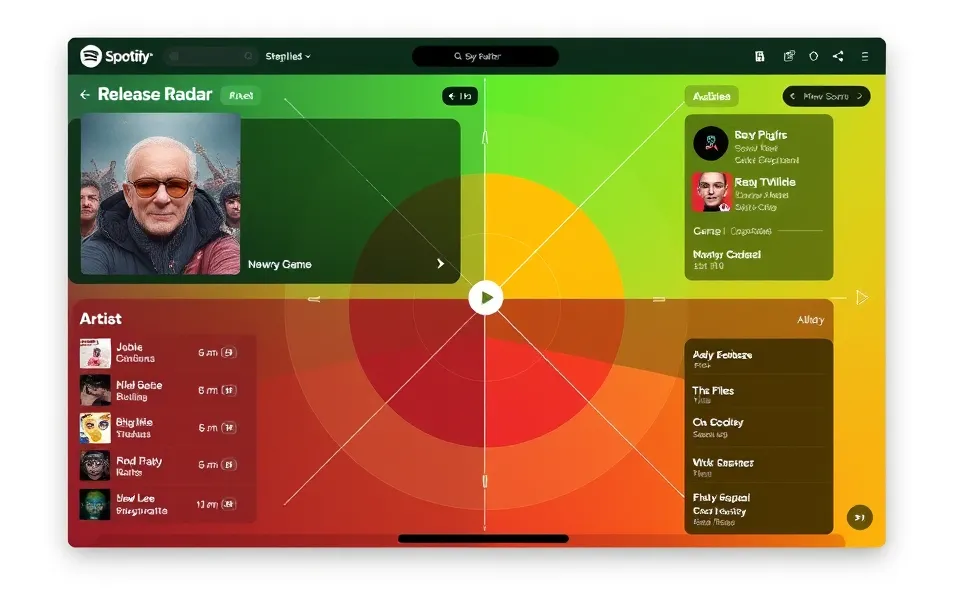
A smarter way to keep up with new music
If you are anything like me, your Friday morning ritual probably involves opening the Spotify app to check your Release Radar. It is usually the highlight of the week, a neat package of fresh tracks delivered right to your feed. But for a long time, it felt like a bit of a gamble. Sometimes you got exactly what you wanted, and other times, you spent twenty minutes skipping through tracks that just did not match your mood or taste.
Spotify is finally changing how this works. They have introduced new customization features for your Release Radar that give you more control over the machine. Instead of just letting the algorithm decide what you should hear, you can now fine tune your recommendations. This means you can filter by specific genres or tell the app you want to focus more on discovering new artists rather than just sticking to the names you already know. It is a massive step forward in making your listening experience feel less like a random shuffle and more like a curated broadcast designed specifically for you.
Why everyone is talking about this update
The buzz around these changes is not just hype. People have been asking for more control over their personalized playlists for years. We live in an era where we are overwhelmed by choices. When you open your phone, you do not want to spend an hour hunting for a song you might like. You want the technology to work for you, not the other way around.
Users are currently rushing to try these settings because they solve a major pain point. Everyone has those days where their current mood does not align with their usual listening habits. Maybe you are in the mood for jazz today, even though your history is full of rock. In the past, the algorithm would have ignored that temporary shift and kept feeding you guitar solos. Now, you can tweak the filters to match your current vibe, which makes the whole process of music discovery feel personal and responsive. People are excited because it feels like Spotify is finally acknowledging that our tastes are fluid and ever-changing.
The journey of the personalized playlist
To understand why this is a big deal, we have to look back at how we got here. Years ago, discovering new music was a chore. You had to browse record store aisles, listen to the radio, or trade burnt CDs with friends. When streaming services arrived, the game changed. Suddenly, we had access to almost every song ever recorded. The problem shifted from having no music to having too much music to sift through.
Spotify built its reputation on being the king of the algorithm. Their personalized playlists became the industry standard. They used data on what we skip, what we repeat, and what we save to map out our preferences. However, these algorithms were always a bit of a black box. You could like or dislike a song, but you could not tell the system, “Hey, show me more of this specific genre this week.” This latest move marks a shift from passive listening to active curation. It bridges the gap between the rigid, automated systems of the past and the flexible, user-centered tools of the future.
What this means for your daily listening
This update has a ripple effect on how we interact with technology. For the average listener, it means less time spent skipping tracks and more time finding songs that become part of their permanent library. By allowing users to guide the algorithm, Spotify is actually making their own data more accurate. When you tell the app what you want to hear, you are essentially training your personalized playlists to be better.
For artists, this is also a significant shift. In the old model, if you were not already a massive star, you were at the mercy of a generic recommendation engine. With these new filters, niche genres and independent musicians have a better chance of reaching an audience that is actively looking for their sound. It creates a more dynamic ecosystem. The technology is no longer just predicting our behavior; it is providing a workspace where we can explore the edges of our own musical curiosity. Whether you are using the Spotify app on your mobile device or streaming from your desktop, the interface feels tighter and more intentional.
Where the music experience goes from here
Looking ahead, it is clear that customization is the next frontier for streaming platforms. We are moving toward a future where our listening habits feel like a conversation with the software rather than a one-way stream. I expect to see even more granular controls, perhaps allowing us to set mood presets or time-of-day filters for our music discovery.
The goal for these companies is clearly to keep us engaged for longer, but they are achieving this by giving us more agency. The future of tech is not just smarter machines, but smarter humans using tools that listen to them. As these algorithms get better at understanding our intent, we will likely see less “noise” in our digital lives. We will have fewer moments where we say, “I have nothing to listen to,” because we will have the power to define the soundtrack of our day with a few simple taps.
Common questions about Spotify personalization
How do I access these new customization features on my Spotify app?
You can usually find these settings within your Release Radar playlist view. Look for the filter or settings icon that allows you to adjust your preferences. Make sure your Spotify app is updated to the latest version to see these options on both mobile and desktop.
Does changing my genre filters affect my permanent music recommendations?
While these filters help you fine tune your current experience, the algorithm still looks at your long-term habits. You can think of these settings as a temporary nudge rather than a total reset of your profile, so you can explore new sounds without ruining your usual recommendations.
Can I use these filters to find new artists I have never heard before?
Yes, that is a primary goal of this update. You can toggle settings to prioritize music discovery, which tells the algorithm to surface tracks from artists outside of your usual listening history who match your preferred genres.
Why does my Release Radar sometimes include music I do not like?
Sometimes the algorithm tries to predict your taste based on similar artists you follow. By using the new playlist customization features, you can now provide direct feedback and tell the system specifically which genres you want to focus on, which helps clean up the feed significantly.
Is this update available for all Spotify users?
Spotify generally rolls out these features across all accounts, but availability can sometimes vary by region or device type. If you do not see the options yet, check your app store to ensure you are running the most recent update, as these features are designed to enhance the experience for everyone using the platform.