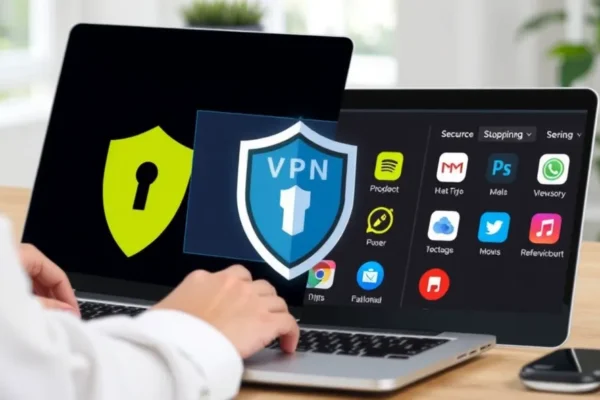
What Is Split Tunneling and Why Does It Matter
If you have ever used a Virtual Private Network (VPN), you know the routine. You flip a switch, your entire internet connection gets routed through a secure server halfway across the world, and suddenly your online privacy is protected. The trade-off? Everything you do on your computer or phone gets pulled into that tunnel. Sometimes this causes your local printer to stop working, makes your bank app suspicious of your location, or slows down your streaming speed.
This is where split tunneling enters the picture. Think of split tunneling as a “smart lane” for your internet traffic. Instead of forcing every bit of data through the VPN, this feature lets you pick and choose. You can send your private browsing through the secure, encrypted VPN tunnel while letting your trusted apps, like local streaming services or gaming platforms, connect directly to the internet as usual. It is a way to gain digital protection without sacrificing the convenience of your local network.
Real World Use Cases for Smart Traffic Management
So, how does this actually look in your daily routine? Imagine you are working from a coffee shop and need a secure connection to access company files. If you turn on a standard VPN, your Netflix app might block you because it thinks you are in a different country, or your wireless printer at home stops connecting when you try to print a report. With split tunneling, you can tell your VPN to only “protect” your work browser, leaving everything else to run on your normal, faster connection.
Here are a few ways this makes life easier:
- The Traveler: If you are traveling abroad, you can route your work email through your home country’s VPN server to keep it secure, while letting your map and weather apps use the local connection so you get accurate, region-specific results.
- The Household Manager: If you have a busy home network, you can ensure that your financial apps and sensitive browsing stay hidden behind the VPN, while your gaming console or smart home devices skip the tunnel, preventing the latency (or lag) that sometimes happens with encrypted traffic.
- The Streamer: You can keep your privacy settings tight on your web browser but let your favorite movie app run on your regular connection to maintain top-tier speed and avoid annoying geo-blocking errors.
Who Should Use This Feature
Split tunneling is a fantastic tool for the “power user” who wants privacy but hates the friction of constant disconnects. It is best for people who juggle multiple apps simultaneously—work, entertainment, and personal banking—and want a seamless experience. It is also great for anyone who struggles with VPN usage causing connectivity issues with local hardware like home printers or smart speakers.
However, you should skip this if you are a “set it and forget it” user who finds settings menus confusing. If you are not comfortable deciding which apps need encryption and which do not, you might end up accidentally leaving a sensitive app unprotected. If your main goal is total, unbreakable privacy for every single kilobyte of data, a traditional, all-or-nothing VPN connection is still your best bet.
How It Compares to Traditional VPN Connections
Most basic VPNs operate on a “tunnel all” approach. You are either fully protected or fully exposed. Alternatives like standalone proxy servers or browser-based extensions offer a “light” version of this, but they usually only protect one specific browser window. Split tunneling, available in major services like ExpressVPN, NordVPN, or Surfshark, offers a much more granular approach that lives at the system level.
Compared to free VPNs that often lack advanced features, paid VPNs with robust split tunneling offer much better value. While you pay a monthly subscription fee—typically ranging from $3 to $12 a month—you gain the ability to customize your network traffic, which effectively saves you the headache of toggling your VPN on and off dozens of times a day.
Setup and Ease of Use
For most modern VPN apps, setting up split tunneling is surprisingly simple. Once you have installed the software, you head to the settings or preferences menu. You will usually see a tab labeled “Split Tunneling” or “App Management.” From there, it is essentially a toggle menu where you check the boxes for the apps you want to include (or exclude) from the VPN.
It takes about five minutes to configure. The learning curve is low, but you do need to know the names of the apps you want to adjust. Some apps might have a slight delay before they register the change, but in my testing, most changes take effect immediately. If you have never messed with network settings before, you might find it slightly intimidating at first, but most interfaces today are designed to be visual and intuitive.
The Real World Pros
- Speed: By bypassing the VPN for non-essential traffic, you often keep your connection speeds higher, which is crucial for gaming or video calls.
- Convenience: You stop fighting with “local” services like printers or your smart home hub because they stay on your local network.
- Customization: You have the power to decide exactly which pieces of your digital life need extra protection.
- Compatibility: It prevents the “access denied” errors that some banking and streaming sites throw when they detect you are using a VPN.
The Honest Cons and Limitations
- Human Error: The biggest risk is human error. You might forget to add a new app to your secure list, leaving it vulnerable without you realizing it.
- Complexity for Some: If you are managing a large number of apps, the list can get messy and hard to track over time.
- Limited Platform Support: While most VPNs offer this for Windows and Android, it is often missing or much more limited on macOS and iOS due to stricter restrictions from Apple.
- Variable Performance: Users report that on some older hardware, managing split tunnels can slightly increase the strain on your processor, though this is rare on modern devices.
Price and Value Proposition
Split tunneling is typically a built-in feature of premium VPN services. You are rarely paying extra for it; it is just part of the subscription package. Considering the cost of most reputable VPNs is roughly $50 to $100 per year, this feature adds a significant amount of value by making a VPN a “background” tool rather than an intrusive one. If you are already paying for a VPN, this is an “unlocked” feature you should definitely be using.
Final Verdict
Is split tunneling a must-have? For anyone who feels like their VPN is a bit of a “blunt instrument,” the answer is a resounding yes. It transforms a VPN from an all-or-nothing switch into a nuanced tool that protects your data while staying out of your way. If you value your privacy but do not want to be interrupted by connectivity bugs, it is absolutely worth the effort to set this up.
Common Questions and Answers
Do I need technical skills to set up split tunneling?
Not at all. If you can navigate a basic settings menu on your phone or computer, you can handle this. It is mostly a simple checklist of apps you want to include or exclude.
Does split tunneling work on all my devices?
It depends on your provider, but it is widely available on Windows and Android. Support for macOS and iOS is often more limited due to operating system restrictions, so check your provider’s website first.
Does this feature slow down my internet?
Actually, it usually helps keep your speed up. By only routing the traffic that needs security through the VPN, your other apps get to use your regular, faster connection.
Is my data fully protected if I use split tunneling?
Only for the apps you have selected to go through the VPN. Any apps or websites you have set to “exclude” from the tunnel are using your standard, unprotected internet connection.
What if I accidentally exclude a sensitive app?
You can always check your settings to see which apps are currently bypassed. Most VPN apps provide a clear list or a “protected vs. unprotected” status, so you can easily correct mistakes.
Product prices and availability vary by region. Verify current pricing before purchase.