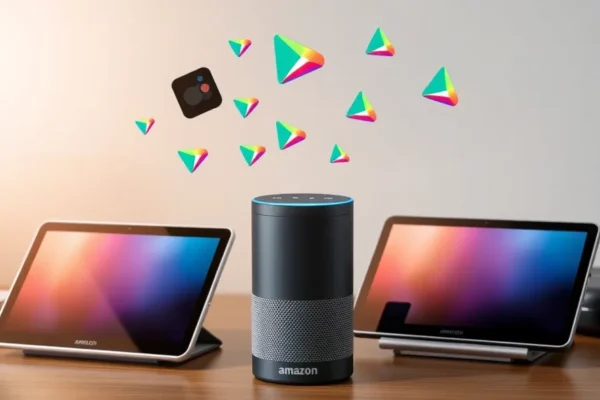
The latest Amazon Alexa tablets might seem like just another device for browsing the web or watching videos. But if you look closely, they offer a fascinating peek into what Amazon might have up its sleeve for its next big move: a potential Amazon smartphone. The way Alexa is woven into these tablets gives us a real glimpse into how a future Amazon phone could leverage its voice assistant for an experience unlike anything we’ve seen. For anyone curious about the future of smart devices and Amazon’s place in it, these tablets are worth a closer look.
What These Alexa Tablets Are All About
Simply put, these are tablets designed to be more than just screens. They’re built around Alexa, Amazon’s popular voice assistant. Think of them as smart displays that you can also use for all the usual tablet stuff. They aim to make controlling your smart home, getting quick information, or even just making a hands-free call as easy as speaking. If you’re already invested in the Amazon ecosystem with smart speakers or other devices, these tablets aim to be a central hub. Even if you’re not, they offer a streamlined way to interact with technology using just your voice, solving the common frustration of fumbling for your phone or trying to navigate complex menus when you just need a quick answer.
Living With an Alexa Tablet Daily Life
Imagine this: you’re in the kitchen, hands covered in flour, and you need to set a timer for your cookies. Instead of washing your hands, you just say, “Alexa, set a timer for 15 minutes.” The tablet chimes back, confirming it’s done. Or perhaps you’re waking up and want to know the weather and what’s on your calendar. A simple “Alexa, good morning” can trigger a spoken summary of your day, complete with a weather report. If you travel frequently, think of these tablets as your personal concierge. “Alexa, find a highly-rated Italian restaurant near the hotel” or “Alexa, what’s the capital of Peru?” can give you instant answers without needing to pull out your phone and type.
For busy households, they can act as a digital bulletin board. Leave voice notes for family members, create shared to-do lists, or even make video calls to grandparents using just your voice. The integration goes beyond simple commands; it’s about making everyday tasks more seamless and accessible.
Who Should Consider These Tablets?
Best For: If you’re already a big fan of Amazon’s Alexa and have other Echo devices, these tablets are a natural extension. They’re also ideal for older adults or those who prefer voice commands over complex touch interfaces. If you want a central command center for your smart home that’s also portable, these fit the bill.
Good For: Families looking for a shared device that can manage schedules, entertain kids with audiobooks or music, and facilitate easy communication. Anyone interested in exploring the capabilities of voice assistants in a more visual format will find them useful.
Skip If: You’re looking for a high-performance tablet for demanding apps, gaming, or professional creative work. These tablets prioritize Alexa integration and ease of use over raw power. If you’re fiercely private about your data or prefer not to have a voice assistant in your home, these aren’t for you.
How They Stack Up Against Other Options
When you compare these Alexa tablets to standard tablets like iPads or Android tablets, the difference is clear. Those devices offer immense versatility for a wide range of apps and productivity. The Alexa tablets, however, are laser-focused on the voice assistant experience. Think of it like this: an iPad is a powerful Swiss Army knife for everything, while an Alexa tablet is a specialized, highly effective tool for voice-activated tasks and smart home control.
Competitors in the smart display space, like Google Nest Hubs, offer similar voice-assistant-driven experiences, but Amazon’s tablets add the full functionality of a tablet. Price-wise, Amazon’s tablets often come in at a more accessible price point than premium tablets, making them a good entry into smart display functionality with added tablet perks. The key difference is the depth of Amazon’s Alexa ecosystem integration compared to the more general-purpose nature of other tablets.
Getting Started is Usually a Breeze
Setting up these Alexa tablets is generally quite straightforward. You’ll need an Amazon account and a Wi-Fi connection. The on-screen prompts guide you through connecting to your network and signing into your Amazon account. The real “setup” happens when you start connecting your other smart home devices to Alexa, which is also usually a simple process within the Alexa app. There isn’t a steep learning curve for basic voice commands, as Alexa is designed to understand natural language.
For those new to voice assistants, there might be a slight adjustment period as you learn what commands work best and discover all the features. However, most users report that it’s very intuitive after a day or two of use. It feels like you’re just having a conversation.
The Real-World Upsides You’ll Notice
Hands-Free Convenience: This is the biggest win. Being able to control devices, get information, or make calls without lifting a finger is genuinely liberating for many everyday tasks. It significantly streamlines multitasking.
Central Smart Home Hub: For those with smart lights, thermostats, or security cameras, these tablets offer a visual and voice-controlled command center that’s more interactive than a smart speaker alone. User reviews frequently highlight how much easier managing their smart home has become.
Accessibility Features: The voice-first design inherently makes these devices more accessible for people with certain disabilities, and for anyone who finds traditional interfaces challenging.
Kid-Friendly and Educational: Kids can interact with Alexa for stories, educational games, and music, making it a valuable tool for family entertainment and learning.
Simple and Focused Experience: Unlike a full-fledged smartphone or tablet, the experience here is less cluttered, making it easier to focus on your tasks and interactions with Alexa.
Where These Tablets Fall Short
Limited App Ecosystem: While they can run some apps, they don’t have the vast selection or performance of dedicated app store powerhouses like Apple’s App Store or Google Play. Don’t expect to run complex professional software here.
Alexa’s Limitations: While powerful, Alexa isn’t perfect. It can sometimes misunderstand commands, especially in noisy environments, leading to frustration. There are also privacy concerns for some users about having an always-listening device.
Performance Can Lag: For more demanding tablet tasks like extensive web browsing with many tabs open or complex video editing, the performance can feel sluggish compared to more powerful, pricier tablets. User feedback often points to this when pushing the device beyond its core Alexa functions.
Amazon Ecosystem Dependence: The tablet’s full potential is unlocked if you’re invested in Amazon services (Prime Video, Audible, Amazon Music, etc.). If you primarily use other services, the integration might feel less compelling.
Price, Value, and Is It Worth It?
Amazon’s Alexa tablets typically range from around $70 to $200, depending on the model and screen size. This price point makes them very competitive, especially when you consider they offer both tablet functionality and a robust smart display experience. For the functionality they offer, they represent excellent value for money if your primary need is smart home control and voice interaction.
You might need to consider the cost of accessories like screen protectors or carrying cases, but there are no mandatory ongoing subscriptions to use Alexa’s core features. Compared to buying a separate smart display and a basic tablet, the bundled approach of an Alexa tablet often presents a better overall value. For users who want a dedicated Alexa device that can do more than just listen, the price is quite attractive.
The Final Word: Who Should Buy This?
If you’re looking for a device that seamlessly integrates Alexa into your daily life, acts as a smart home hub, and offers basic tablet functionality at an affordable price, then an Amazon Alexa tablet is likely a great purchase for you. It’s particularly suited for those who want an easy-to-use device for quick information, media consumption, and smart home control without the complexity of a full-blown smartphone or tablet. It’s a clever blueprint for what a future Amazon smartphone could be, focusing on seamless voice interaction.
However, if you need a powerful tablet for productivity, extensive app usage, or high-end gaming, you’ll be better served by looking at offerings from Apple or other Android manufacturers. This device is about simplicity and voice command convenience, not raw processing power.
Frequently Asked Questions
Is the Alexa tablet worth the price? Yes, if your main goal is to integrate Alexa deeply into your home, control smart devices, and have a portable screen for quick information and media. The value proposition is strong for this specific use case.
How long does the battery last? Battery life varies by model and usage, but expect around 6-10 hours of mixed use for typical models. For continuous smart display functions, it’s best kept plugged in.
Can I use it without an Amazon Prime subscription? Absolutely. While some features integrate more smoothly with Prime (like Prime Video), you can use Alexa, access Wi-Fi, browse the web, and use many apps without a Prime subscription.
Do I need to buy extra accessories? A power adapter is included. Optional accessories like screen protectors, cases, or stands can enhance your experience but are not essential for basic use.
Is it difficult to set up for someone not tech-savvy? Setup is designed to be user-friendly. As long as you have Wi-Fi and an Amazon account, the on-screen prompts will guide you through the process. Connecting other smart devices is also usually straightforward.
What’s the main difference between this and an Amazon Echo Show? An Echo Show is primarily a smart speaker with a screen. These Alexa tablets offer similar smart display features but also have more robust tablet capabilities for browsing, apps, and a generally more versatile interface.
Can these tablets replace my smartphone? No, they are not designed to replace a smartphone. They lack cellular connectivity, advanced camera features, and the full app ecosystem of a typical mobile device.
What are some alternatives to Amazon Alexa tablets? Competitors include Google Nest Hub devices (for smart display features) and general-purpose tablets like Apple iPads or Samsung Galaxy Tabs (for broader tablet functionality).
Product prices and availability vary by region. Verify current pricing before purchase.