The Big Change: What Are the New Alexa Tablets
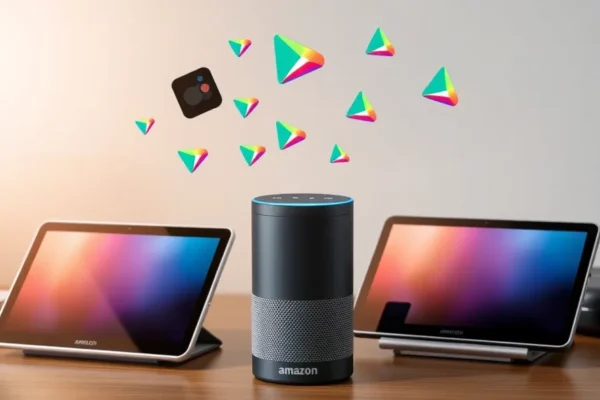
For years, Amazon tablets were locked into their own digital ecosystem. You were limited to apps found in the Amazon Appstore, which often meant missing out on your favorite Google apps or specific productivity tools. The new 2026 Amazon Alexa Tablet lineup, including the 12 Pro, 11, and 8, changes that completely by switching to a standard version of Android and offering full Google Play Store support. This is the biggest leap forward in Amazon hardware history. It transforms these devices from specialized media players into versatile, everyday computers that finally let you install the apps you actually want, rather than the ones you are forced to use.
Living With the New Alexa Tablet
In practice, this change feels like moving from a walled garden into an open park. If you manage a busy household, the 12 Pro acts as a digital command center. You can install your preferred calendar, task manager, and smart home apps directly from the Google Play Store without jumping through hoops. For the frequent traveler, the 8-inch model is now a perfect companion. You can download the full versions of your favorite streaming apps, offline map tools, and productivity suites that were previously unavailable or clunky on older Amazon models. Whether you are using the 11-inch version for reading or the 12 Pro for creative work, the experience feels like a standard Android tablet, just with Amazon’s signature Alexa integration right at your fingertips.
Who Should Consider These New Models
These tablets are a fantastic fit for families who want a balance between entertainment and utility. The 8-inch model makes for an excellent entry-level or kids tablet, while the 12 Pro is powerful enough for students or remote workers who need a larger screen for multitasking. However, if you are a “power user” who demands cutting-edge processing power for heavy gaming or high-end video editing, you might still find these tablets a bit too modest. If you are deeply committed to a non-Android ecosystem or prefer a “bare-bones” tablet experience, you might want to look elsewhere.
How They Stack Up Against the Competition
When you look at other Android tablet options, the Amazon Alexa Tablet series now competes on a level playing field. Previously, you were choosing between “convenience” and “app compatibility.” Now, you get both. Compared to budget tablets from other manufacturers, the Alexa integration remains a strong selling point, especially if your home is already filled with Echo devices. While other tablets might have slightly sharper screens or faster processors at higher price points, the value proposition of the Amazon hardware—especially the durability of the kid-focused models—makes these very hard to ignore for the average shopper.
Setting Up Your New Device
Setting up your new tablet is remarkably straightforward. Because it now runs a standard version of Android, the “out-of-the-box” experience is familiar to anyone who has used a modern smartphone. You sign into your Google account, and your apps, bookmarks, and settings sync automatically. The learning curve is practically non-existent. You do not need to be a tech expert to navigate the interface or install new software. It takes roughly ten minutes to get from unboxing to browsing your favorite apps in the Play Store.
Real World Pros You Will Notice
The most immediate advantage is the freedom to install almost any app you need from the Google Play Store. Beyond that, users will appreciate these wins:
- Universal App Support: Finally, your favorite banking, email, and niche productivity apps are just a tap away.
- Alexa Integration: The voice assistant remains the best in class for controlling smart home lights, thermostats, and music.
- Value for Money: You are getting a highly capable, full-featured Android tablet at a price point that frequently undercuts premium competitors.
- Hardware Quality: The 12 Pro features a vibrant, crisp display that makes it a joy for watching movies or reading digital magazines.
The Drawbacks and Reality Checks
While the transition to Google Play is a massive win, the tablets still have a few limitations to keep in mind:
- Battery Life Variability: While the 12 Pro is great, heavy users report needing to charge by late afternoon during days of intense video streaming.
- Bloatware: Amazon still includes a fair amount of pre-installed apps and advertisements on the home screen, which can be annoying to clear out.
- Performance Caps: These devices are built for efficiency and media consumption, not for intensive 3D gaming or professional creative software.
Price, Value, and Long Term Investment
The 2026 lineup is competitively priced to meet different budgets. The 8-inch model is the most affordable, making it a low-risk purchase for kids or casual media consumption. The 12 Pro carries a premium tag but provides the most “laptop-like” experience. Unlike some cheaper tablets that feel like they will break in a year, these units are generally sturdy. You are paying for the reliable build quality Amazon is known for, now paired with the software flexibility that makes these devices useful for years rather than months.
Final Verdict: Should You Buy
If you have been avoiding Amazon tablets because you didn’t want to be trapped in their specific ecosystem, the 2026 Amazon Alexa Tablet lineup is exactly what you have been waiting for. It is the best of both worlds: great hardware backed by excellent customer support, now combined with the vast library of the Google Play Store. It is ideal for students, families, and anyone looking for a reliable, everyday device. If you are a professional needing top-tier specs, look elsewhere, but for 90% of users, this is the most practical tablet choice on the market today.
Common Questions About the New Alexa Tablets
Is the Google Play Store fully integrated?
Yes, all new 2026 models come with native Google Play Store support, meaning you can download apps just like you would on any other Android tablet.
Is this Alexa Tablet good for kids?
Absolutely. The 8-inch model is especially popular for families, as it offers a durable design and parental control features that are easy to manage.
Do I need an Amazon Prime membership to use these?
While a Prime membership offers more features, you do not need it to use the tablet, install apps, or browse the internet.
How long does the battery last?
In typical use, including web browsing and video streaming, users report getting about 8 to 10 hours of life, though this varies based on brightness and usage patterns.
Can I return the tablet if I don’t like it?
Amazon offers a standard return policy for their hardware, which generally allows you to return the device within 30 days if you are not satisfied.
Product prices and availability vary by region. Verify current pricing before purchase.