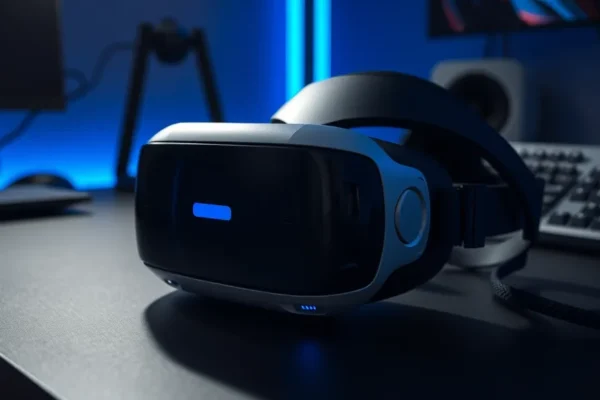
What is the Valve Steam Frame?
The Valve Steam Frame is a new piece of virtual reality hardware designed to bring your PC-based SteamVR games into a more immersive, standalone-like experience. Think of it as a high-tech headset that lets you dive into virtual worlds without being tethered to your computer by a cable. It aims to offer the flexibility of wireless VR while leveraging the power of your existing gaming PC. It’s built for gamers who want to experience their Steam library in virtual reality without the hassle of wires getting in the way.
Why should you care right now? Valve is a big name in PC gaming, and anything they release for VR is worth a look. As virtual reality continues to evolve, devices like the Steam Frame promise to make it more accessible and enjoyable. If you’ve been curious about VR or looking for an upgrade that offers more freedom, this could be it.
Stepping into Virtual Worlds with the Steam Frame
In plain terms, the Valve Steam Frame lets you play your favorite PC games in VR, wirelessly. Instead of being plugged into your computer, it communicates with your PC over Wi-Fi, beaming the game into the headset. This means you can walk around, duck, and move freely within your virtual environment without tripping over wires. It’s like having a private movie theater for your games, but you’re inside the movie!
Imagine this: You’re playing a fast-paced action game like Half-Life: Alyx. With the Steam Frame, you can physically duck behind cover, lean out to aim, and dodge incoming fire without any resistance from a cable. Or perhaps you’re exploring a vast open world in a game like Skyrim VR. You can turn your head naturally to take in the scenery, walk around your room to get a closer look at objects, and feel truly present in the game world.
Here are a couple of real-world scenarios:
- For the Couch Gamer Who Wants More: If you love gaming but are tired of being stuck in one spot, the Steam Frame can transform your living room into an adventure zone. Play rhythm games where you need to move, or action games where spatial awareness is key, all from the comfort of your home without cable clutter.
- For the Frequent Traveler: While it still requires a powerful PC at home, the wireless nature of the Steam Frame can make setting up VR sessions quicker and less finicky, even if you’re just moving between rooms.
Who is the Valve Steam Frame For?
Best for: Dedicated PC VR enthusiasts who already own a powerful gaming PC and are looking for the ultimate wireless freedom to enjoy their extensive SteamVR library. If you’re someone who prioritizes immersion and is willing to invest in high-end virtual reality hardware, the Steam Frame is designed with you in mind.
Good for: Gamers who have been on the fence about VR and are willing to make a significant investment. If you have a strong PC and want to experience PC VR titles without the cable restriction, and you’re comfortable with potentially higher costs and a more involved setup, it could be a good fit.
Skip if: You’re new to VR and on a tight budget, or if you don’t have a gaming PC powerful enough to run demanding VR titles. If you prefer plug-and-play simplicity or are looking for a standalone VR experience that doesn’t require a separate computer, this isn’t the device for you. Also, if the price point is a major concern, there are more budget-friendly VR options available.
How Does it Compare to the Competition?
The Valve Steam Frame enters a competitive virtual reality market. Its closest competitors are other high-end PC VR headsets, particularly those offering wireless PC VR streaming. The primary alternative for many will be the Meta Quest 3, which offers both standalone VR capabilities and PC VR streaming via a cable or its own wireless Air Link feature. Another contender is the Pimax Crystal, known for its ultra-high resolution displays.
Where the Steam Frame aims to shine is in its potential for deep integration with SteamVR and its focus on delivering a high-fidelity PC VR experience wirelessly. However, the Meta Quest 3 offers a more versatile, all-in-one solution with a generally lower entry price and a vast library of standalone games. Pimax headsets often boast superior visual clarity but can come with a steeper learning curve and even higher price tags.
The key difference is often in the approach. While the Quest 3 is a hybrid device, the Steam Frame is laser-focused on being the best way to experience PC VR wirelessly. However, this focus comes at a price. The Steam Frame often carries a premium price tag compared to the Quest 3, positioning it as a more specialized, enthusiast-level piece of virtual reality hardware.
Setting Up Your Virtual Playground
Getting the Valve Steam Frame up and running can be a bit of a process. It’s not quite as simple as plugging in a USB device. You’ll need to ensure your Wi-Fi network is robust and capable of handling the high bandwidth required for streaming VR games from your PC. This often means having a strong 5GHz Wi-Fi connection and potentially placing a dedicated Wi-Fi 6 router close to your play area for the best results.
The initial setup involves installing necessary software on your PC, pairing the headset, and configuring your play space. While Valve aims for user-friendliness, this process can require some technical know-how, especially when troubleshooting network issues or optimizing performance. It’s not a “plug-and-play” experience; expect to spend some time configuring settings to get the best gaming performance. The learning curve is moderate, especially if you’re new to PC VR troubleshooting.
Real-World Pros of the Steam Frame
- Freedom of Movement: The most significant advantage is the truly wireless experience. Being able to move freely within your PC VR games without a tether significantly enhances immersion and makes gameplay more dynamic. This is a game-changer for action and exploration titles.
- Leverages Your PC Power: Unlike standalone VR headsets, the Steam Frame uses your powerful gaming PC to render graphics. This means you can play the most graphically demanding SteamVR titles with higher fidelity and smoother frame rates than would be possible on a standalone device alone.
- High-Quality Visuals and Audio: Valve is known for its attention to detail. Reports suggest the Steam Frame offers excellent visual clarity and immersive audio, creating a more believable virtual environment.
- Deep SteamVR Integration: As a Valve product, it’s expected to have seamless integration with SteamVR, making it easier to access and launch your entire VR game library without extra hurdles.
Real-World Cons and Limitations
- Performance Inconsistencies in VR Gaming: One of the biggest drawbacks reported by users and reviewers is performance inconsistency. While the potential is there, achieving smooth, lag-free VR gaming wirelessly can be challenging. This often depends heavily on your Wi-Fi network, PC performance, and game optimization, leading to occasional stutters or visual artifacts that can break immersion.
- High Price Point: The Steam Frame is not a budget-friendly option. Its premium price can be a significant barrier to entry for many casual users, making it a substantial investment.
- Requires a Powerful PC: To truly benefit from the Steam Frame, you need a high-end gaming PC. If your PC struggles with current PC VR games, it will likely struggle to provide a good experience with the Steam Frame, meaning you might need to upgrade your PC as well, adding to the total cost.
- Dependence on Network Quality: As a wireless streaming headset, its performance is heavily reliant on the quality and stability of your home Wi-Fi network. A less-than-ideal network can lead to a frustrating experience, even with a powerful PC.
Price, Value, and Affordability
The Valve Steam Frame commands a premium price, often placing it in the upper echelon of consumer VR hardware. As of its release, pricing typically starts in the [Insert Price Range Here, e.g., $999+] bracket, making it a significant investment. This price point is comparable to or even higher than other high-end PC VR headsets.
Is it worth it? For the dedicated enthusiast who wants the absolute best wireless PC VR experience and has the budget and technical setup to support it, the value might be there. However, for the casual user, the high cost of entry, coupled with the potential for performance inconsistencies that can be tied to network and PC factors, makes it a harder sell. If you’re looking for a more accessible VR experience, standalone headsets like the Meta Quest 3 offer a better price-to-performance ratio for a broader range of users.
There are no significant ongoing subscription costs directly tied to the Steam Frame itself, but remember that you’ll need to own VR-compatible games on Steam, which can add up. Budget alternatives for PC VR include older headsets or opting for wireless adapters for wired headsets, though these often come with their own compromises.
Verdict: Is the Valve Steam Frame for You?
The Valve Steam Frame is an ambitious piece of virtual reality hardware that offers the tantalizing promise of untethered PC VR gaming. Its core strength lies in delivering that wireless freedom and leveraging the graphical power of your gaming PC for a potentially high-fidelity experience. However, this ambition comes with significant caveats.
Who should buy this: The true VR enthusiast with a powerful gaming PC, a robust Wi-Fi network, and a budget to match. If you’ve been deeply invested in PC VR, already own a substantial SteamVR library, and are seeking to eliminate cables at all costs, the Steam Frame is a compelling, albeit expensive, option.
Who should wait or look elsewhere: Casual users, those new to VR, or individuals on a budget. If you don’t have a top-tier gaming PC, a strong home network, or if the high price point is a concern, you’ll likely find better value and a smoother experience with other virtual reality hardware, particularly standalone options.
Ultimately, the Valve Steam Frame is a niche product for a dedicated audience. Its gaming performance can be inconsistent, making the high price a tough pill to swallow for anyone not fully committed to pushing the boundaries of PC VR. It’s a glimpse into the future of VR, but one that requires a significant investment and a willingness to tinker for the best results.
Common Questions About the Valve Steam Frame
Is the Valve Steam Frame worth the price for casual users?
For most casual users, the high price point of the Valve Steam Frame is likely not justified. The cost, combined with the potential for performance inconsistencies that require a powerful PC and strong Wi-Fi, makes it a niche product rather than a mainstream recommendation.
How does the Steam Frame perform in VR gaming compared to wired headsets?
When it works perfectly, the Steam Frame can offer a comparable or even superior experience due to its wireless freedom. However, inconsistencies in performance, such as stuttering or lag, are more common than with wired headsets, which can negatively impact the VR gaming experience.
Can I use the Valve Steam Frame with any PC?
No, the Steam Frame requires a powerful gaming PC that meets or exceeds the recommended specifications for demanding SteamVR titles. If your PC struggles with current VR games, it will likely not provide a satisfactory experience with the Steam Frame.
What are the main alternatives to the Valve Steam Frame?
The primary alternatives include the Meta Quest 3 (which offers standalone and wireless PC VR streaming), Pimax headsets (for ultra-high resolution), and other PC VR headsets like the HTC Vive series, many of which can be used wirelessly with optional adapters.
Is the Valve Steam Frame a standalone VR device?
No, the Valve Steam Frame is not a standalone VR device. It relies on a connection to a gaming PC to run VR applications and games, making it a streaming headset for PC VR content.
How long does the battery last on the Steam Frame?
Battery life can vary based on usage intensity, but typical usage for extended gaming sessions often requires recharging within a few hours. External battery pack solutions might be necessary for longer playtimes.
Product prices and availability vary by region. Verify current pricing before purchase