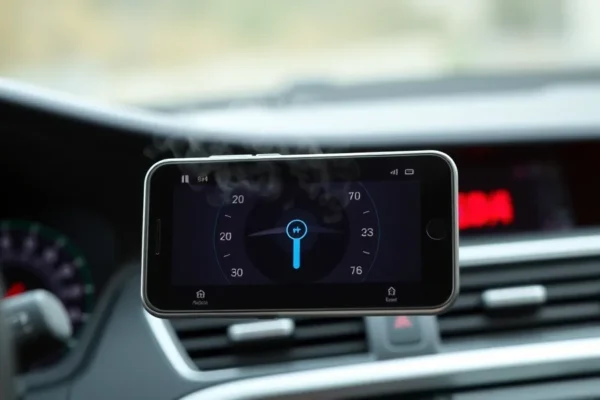
Your Phone Gets Hot in the Car Here’s Why and What to Do About It
Ever notice your smartphone feeling like a mini-furnace after a drive, especially when using your car’s built-in system like Apple CarPlay or Android Auto? You’re not alone. This common issue, often referred to as phone overheating, can be a real bummer, affecting performance and even battery health. But don’t worry, understanding why it happens is the first step to keeping your device cool and your battery charged.
CarPlay and Android Auto are fantastic tools that bring your favorite phone apps – like maps, music, and messaging – right onto your car’s display. They make your commute safer and more enjoyable by allowing you to control everything with your voice or simple taps on the screen. They’re designed for anyone who spends time in their car and wants a more integrated tech experience, from daily commuters to road trippers.
So why the heat? These systems essentially ask your phone to do a lot at once: run navigation apps, stream audio, manage Bluetooth connections, and display information on a separate screen. All this heavy lifting generates a lot of processing power, and that power produces heat. Add in the sun beating down on your dashboard and your car’s charger constantly topping up the battery, and you’ve got a recipe for a hot phone. This is especially relevant now as many of us rely on our phones for navigation and entertainment on the go.
Using Your Phone in the Car a Real-World Look
Imagine this: You’re heading out for a weekend road trip. You plug your iPhone into your car’s USB port to use Apple CarPlay. Your favorite podcast is playing, and you’re following directions on the car’s screen. Meanwhile, the sun is shining brightly through the windshield, directly hitting your phone, which is mounted on the dashboard. Your phone is working hard to keep everything running smoothly. The constant charging from the car also adds to the heat generation. By the time you reach your destination, your phone feels alarmingly warm, and the battery percentage hasn’t moved much, or maybe even dropped slightly despite being plugged in!
Or perhaps you’re a busy parent juggling a school run. You use Android Auto to quickly send a text message via voice command while navigating to your next appointment. The GPS is active, the music is playing, and your phone is connected to the car’s infotainment system. If you have your phone in a cradle or on the dash without good airflow, the processing power needed for these car apps combined with the ambient heat can lead to a significant rise in phone temperature. You might even see a warning pop up saying your phone needs to cool down before it can be used properly.
These scenarios highlight how everyday use of powerful car apps can tax your smartphone. The seamless integration of CarPlay and Android Auto is convenient, but it comes with the side effect of increased demand on your device, leading to potential phone overheating and accelerated battery drain.
Who Needs to Pay Attention to Phone Heat in the Car
Best for: Drivers who frequently use navigation apps, stream music or podcasts for extended periods, or rely heavily on voice commands through Apple CarPlay or Android Auto. If your phone is your primary tool for staying connected and entertained during your commute or travels, this is for you.
Good for: Anyone who occasionally uses these systems for longer trips, or those who live in warmer climates where ambient temperatures are already high. If you’ve noticed your phone getting warm or performing sluggishly in your car, even for short durations, you’ll benefit from these tips.
Skip if: You rarely use your smartphone in the car, or only for very basic tasks like making calls via Bluetooth. If you don’t use navigation apps or streaming services while driving, or if your car has a robust, integrated system that doesn’t require extensive phone use, you might not encounter these smartphone heat issues.
Alternatives and How They Stack Up
The main alternatives to using your phone with Apple CarPlay or Android Auto are your car’s built-in infotainment system or dedicated GPS devices. Many modern cars offer excellent navigation and media players that function independently of your phone. These are often less demanding on your personal device, thus reducing the risk of phone overheating.
Dedicated GPS devices, like those from Garmin or TomTom, are designed specifically for navigation. They often have better screen visibility in sunlight and their own cooling mechanisms, avoiding the need to tax your phone. However, they lack the seamless integration of apps and hands-free communication features that CarPlay and Android Auto offer.
In terms of price and value, the “cost” of using CarPlay and Android Auto is essentially the processing power and battery life of your existing smartphone. There are no direct purchase costs for the software itself (it’s built into compatible phones and cars). Compared to buying a separate GPS device (which can range from $100 to $300), using your phone is more cost-effective initially. However, the potential for reduced battery longevity and the need for cooling accessories could add hidden costs over time.
Getting Started with Car Apps and Avoiding Heat
Setting up Apple CarPlay and Android Auto is generally straightforward. For most users, it involves plugging your compatible smartphone into the car’s USB port using a good quality USB cable. Your phone should automatically detect the connection and prompt you to allow access for either CarPlay or Android Auto. The first time you connect, you might need to grant a few permissions and agree to terms and conditions. It’s designed to be plug-and-play, with minimal technical know-how required.
The learning curve is low for basic functions like navigation and music playback. Most interfaces are intuitive, mirroring the layout of your phone’s apps. However, exploring advanced features or customizing settings might require a little more time and perhaps a glance at your car’s manual or online tutorials. Common frustrations can include the need for a high-quality USB cable (a cheap or damaged one can cause connectivity issues and even contribute to overheating) and occasional software glitches that might require restarting the app or your phone.
The Upside What You’ll Love About a Cool Phone
Seamless Integration: The biggest win is having your familiar phone apps – like Google Maps or Waze for navigation, Spotify or Apple Music for tunes, and messaging apps for quick replies – displayed and controlled directly on your car’s dashboard screen. It’s like having your phone’s best features accessible without distractions. This makes using your phone in the car feel natural and safe.
Voice Control Power: Both systems excel with voice commands. Saying “Hey Siri, navigate home” or “Hey Google, play my workout playlist” is incredibly convenient and safer than fumbling with your phone. This hands-free capability is a huge plus for busy drivers.
Familiar Interface: You don’t need to learn a whole new system. The apps and layouts are generally identical to what you use on your phone every day, reducing any learning curve and making it feel intuitive.
Keeps Your Phone Charged (Usually): When connected via USB, your phone typically charges while you use these systems. This means you start your journey with a full battery and arrive at your destination with it still topped up, which is especially helpful for long drives or if your car’s battery is low.
Software Updates: Your car’s system automatically updates through your phone, meaning you always have the latest versions of your favorite apps without needing separate updates for your car.
The Downsides What Can Go Wrong
Phone Overheating is Real: As discussed, the biggest drawback is that running these powerful apps, especially navigation, while plugged into car charging can cause significant phone overheating. This can lead to your phone slowing down, apps crashing, or even the phone shutting itself off to prevent damage. Users frequently report their phones becoming too hot to touch after extended use.1
Battery Drain Despite Charging: In some cases, especially with older phones or very demanding tasks, the heat generated and power consumed can outpace the charging rate. You might find your battery percentage slowly decreasing even while plugged in, a frustrating experience when you expect to be charging.
Connectivity Hiccups: While generally reliable, both CarPlay and Android Auto can sometimes suffer from connection issues. This can be due to a faulty USB cable, software bugs on your phone or in the car’s system, or even a dirty USB port. These interruptions can be annoying when you’re relying on navigation.
Limited App Selection: While many popular apps are supported, not every app is available. You’re limited to what Apple and Google deem safe and suitable for in-car use, which means some niche apps won’t make it to your car’s screen.
Dependence on Phone: If your phone dies, runs out of battery, or experiences a major software issue, you lose access to your navigation, music, and communication features integrated through CarPlay or Android Auto. This can leave you stranded technologically.
Cost, Value, and Making It Work for You
The primary cost of using Apple CarPlay and Android Auto is already covered – they are features of your smartphone and compatible car systems. There’s no additional purchase price for the software itself. However, to ensure optimal performance and avoid issues like overheating, you might need to invest in quality accessories.
A high-quality, certified USB-C to USB-C or Lightning to USB-A cable can cost anywhere from $15 to $30. These are crucial, as cheap cables can cause slow charging and unreliable connections. For those concerned about smartphone heat, additional investments might include a good phone mount that allows for better airflow ($20-$50) or even a small, portable phone fan designed for car vents ($15-$30).
Considering the value, using CarPlay and Android Auto offers immense convenience for a zero-software-cost feature. It enhances your driving experience significantly. However, the potential need for extra accessories to manage heat and ensure connectivity means the total “cost of ownership” could rise. For users who already have compatible phones and cars, the value proposition is excellent. If you’re constantly battling phone overheating, the cost of a simple cooling fan or a better cable is often well worth the peace of mind and improved usability.
The Final Word Should You Use It?
If you spend a significant amount of time in your car and rely on your smartphone for navigation, music, or communication, then Apple CarPlay and Android Auto are fantastic tools that can greatly improve your driving experience. They offer a safer, more integrated way to use your favorite apps on the go.
However, you absolutely need to be aware of the potential for phone overheating and increased battery drain. If you live in a hot climate, tend to use demanding navigation apps for long periods, or have an older phone that struggles with intensive tasks, you’ll want to take proactive steps to manage your phone’s temperature. Investing in a good cooling solution, like a vent clip fan or ensuring proper airflow, is highly recommended.
Who should buy this: Anyone with a compatible car and smartphone who wants a more integrated and convenient way to use their phone’s features while driving. Especially useful for frequent travelers and commuters who rely on navigation and entertainment apps.
Who should wait or look elsewhere: If you rarely use your phone in the car, or if you find excessive heat and battery concerns to be a major turn-off and prefer a simpler, distraction-free driving experience, you might be better off sticking to your car’s basic functions or a dedicated GPS device.
Ultimately, the value of CarPlay and Android Auto lies in their convenience, but it comes with the responsibility of managing your phone’s performance and temperature. When used mindfully, they are indispensable.
Your Top Questions Answered
Can Apple CarPlay and Android Auto really overheat my phone?
Yes, they can. Running demanding applications like navigation, streaming audio, and managing Bluetooth connections simultaneously generates a lot of processing power, which creates heat. Combined with sunlight and charging, this can definitely lead to phone overheating.
What are the best ways to prevent phone overheating in the car?
Ensure good airflow around your phone. Avoid direct sunlight by using a sunshade or placing your phone in a less exposed spot. Use a high-quality USB cable. Consider a phone mount that allows for better ventilation. In very hot conditions, a small car vent fan can be a lifesaver for keeping your phone temperature down.
Is using my phone with CarPlay or Android Auto bad for my battery long-term?
Consistent exposure to high heat can degrade battery health over time. While the systems generally charge your phone, the stress of constant high temperatures can shorten its overall lifespan. Taking steps to reduce phone heat is beneficial for battery longevity.
How much does it cost to use Apple CarPlay or Android Auto?
The software itself is free, included with compatible smartphones and cars. However, you may need to purchase a quality USB cable (around $15-$30) and potentially cooling accessories like a phone mount or vent fan ($20-$50) to manage smartphone heat effectively.
What if my phone is too hot to use during a trip?
If your phone displays an overheating warning, unplug it from the car immediately and turn off any demanding apps. Move it to a cooler location, away from direct sunlight. Do not try to continue using it until it has cooled down significantly. This is a critical step to prevent damage.
Are there alternatives to Apple CarPlay and Android Auto that don’t cause overheating?
Yes, your car’s built-in infotainment system or a dedicated GPS device are alternatives. These often don’t rely as heavily on your phone’s processing power, thus reducing the risk of overheating. However, they might offer fewer features or a less familiar user interface compared to phone-based systems.
Product prices and availability vary by region. Verify current pricing before purchase.