What is Oh My Hours and Why Does It Matter
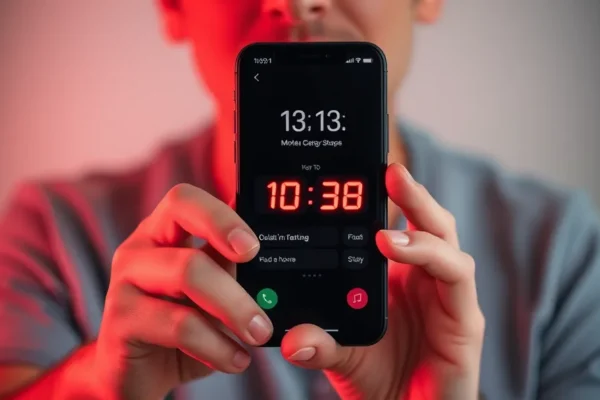
We all know the feeling. You pick up your phone to check a single email, and thirty minutes later, you are deep in a rabbit hole of viral videos and social media updates. This is the doomscrolling trap, and it is a massive thief of time. Oh My Hours is an iOS app designed to break that cycle by forcing you to confront exactly how you spend your day. Unlike other screen time management tools that simply give you a vague weekly report you might ignore, this app uses a visual, hour-by-hour time blocking approach combined with persistent notifications to keep you honest.
If you feel like your digital wellbeing has taken a backseat to constant scrolling, or if you struggle with phone addiction, this app is designed to act as a digital nudge. You should care about it because it moves away from passive monitoring and toward active, moment-to-moment awareness of your screen time habits.
How Oh My Hours Works in Your Daily Life
The core philosophy of Oh My Hours is accountability. It visualizes your day as a series of blocks. When you exceed the time you have mentally allotted for your favorite apps, the app does not just log it quietly in the background; it sends you a notification that feels a bit more “brutal” than the standard reminders from Apple.
Consider these everyday scenarios:
- The Commuter: If you use your morning train ride to mindlessly browse Instagram, the app will show you exactly how much of your “leisure time” you have eaten into before you even reach the office. It serves as a visual wake-up call that your free time is shrinking.
- The Work-from-Home Professional: If you find yourself checking apps between meetings, the app tracks those fragments. By the end of the day, you see a breakdown of your scattered focus, helping you understand why you feel like you got nothing done despite being “busy.”
- The Weekend Recharger: If you want to spend your Saturday offline but find yourself constantly checking notifications, the app highlights your “hour-by-hour” progress, showing you exactly when you broke your promise to stay off the phone.
Who Should Get This App
Oh My Hours is best for people who respond well to visual data and direct, sometimes blunt, feedback. If you are someone who knows your screen time is too high but struggles to put the phone down, this is a solid focus tool.
It is good for professionals, students, or anyone looking to reclaim their attention span. However, you should skip this if you find persistent notifications stressful or anxiety-inducing. If you prefer a “set it and forget it” approach to digital wellbeing, the constant check-ins from Oh My Hours might feel more like a nuisance than a helpful guide.
How It Compares to Other Tools
You have likely used Apple’s built-in Screen Time, which is great for a high-level overview but easy to ignore. Other apps like Freedom or Opal offer stricter blocking features that physically prevent you from opening apps. Oh My Hours sits in the middle; it is less of a “lockdown” tool and more of a “behavior modification” tool.
While competitors focus on locking you out, Oh My Hours relies on your conscience. It is generally more affordable than professional subscription-based focus apps, but it lacks the heavy-duty website blocking that users who need extreme distraction control might require.
Getting Started and Learning Curve
Getting up and running with Oh My Hours is straightforward. Since it is an iOS app, it integrates smoothly with your phone’s existing permissions. You simply install it, grant it the necessary access to monitor your app usage tracker data, and set your goals. There is no complex technical configuration required.
The learning curve is very low, but the emotional curve can be higher. The biggest “frustration” for new users is the initial shock of seeing how much time is actually being spent on non-essential apps. Expect to spend about ten minutes adjusting your notifications and goals to match your specific daily rhythm.
Real-World Pros
- Visual Clarity: The hour-by-hour visualization is much easier to digest than the long lists provided by standard phone settings.
- Behavioral Nudges: The notifications are frequent and direct, which is highly effective for breaking the subconscious habit of checking social media.
- Low Barrier to Entry: It is incredibly easy to set up and does not require a deep dive into phone settings.
- Focus on Awareness: It helps you identify specific “danger zones” in your day, like late-night scrolling or early-morning social media habits.
Real-World Cons and Limitations
- Notification Fatigue: If you have many apps that send alerts, the additional “brutal” reminders from Oh My Hours can become annoying, leading some users to disable them entirely.
- No Hard Blocking: If you lack self-discipline, this app will not stop you from clicking on an app anyway. It shows you the damage, but it doesn’t prevent it.
- Battery Impact: Like any app that tracks usage in the background, you might notice a slight, though usually minor, increase in battery drain depending on your phone’s age.
Price and Value
As of mid-2024, Oh My Hours follows a modern app pricing model, typically offering a free trial with a subscription option for full features. Compared to enterprise-level productivity suites, it is quite affordable. The value proposition here is simple: if this app saves you even one hour of mindless scrolling per week, it has likely paid for itself in reclaimed time. For those on a strict budget, the basic version offers enough functionality to get a handle on your digital habits.
Verdict
Oh My Hours is a fantastic tool for the person who is ready to change their habits but needs a nudge to do it. It is not a magical cure for phone addiction—that requires personal willpower—but it acts as a very effective mirror. If you are tired of losing hours to your screen and want a tool that is honest about your usage, this is a great place to start. If you need strict, unbendable blocks to keep you off social media, you might want to look at more aggressive, site-blocking alternatives.
Common Questions
Is Oh My Hours better than the built-in iOS screen time tracker? It offers a more visual, granular experience that makes it easier to spot trends in your behavior compared to the basic Apple summaries.
Can I use this to help with social media usage? Yes, the app is specifically designed to highlight how much time you spend on social platforms throughout the day, making it an excellent tool for curbing doomscrolling.
Is there a risk of becoming addicted to the app itself? While any app can be a distraction, the goal of Oh My Hours is to provide information. Most users find that once they build the habit of checking their time, they spend less time overall in the app.
Does it work on older iPhones? It runs on standard iOS versions, but performance and battery efficiency will always be better on newer hardware due to updated background processing capabilities.
Do I need a paid subscription to get value out of it? Many users find the free version provides enough data to be useful, but the subscription features offer more in-depth tracking and customization for power users.
Product prices and availability vary by region. Verify current pricing before purchase.