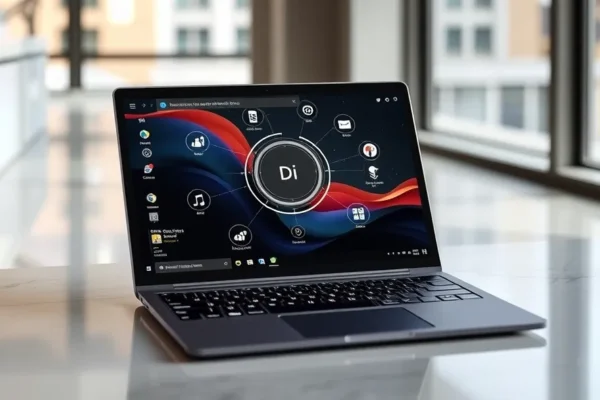
Meet the Microsoft Surface Laptop Ultra: Your AI-Powered Window to the Future
So, what exactly is this Microsoft Surface Laptop Ultra all about? Think of it as a super-smart, super-sleek laptop designed to make your daily tech life a whole lot easier, especially with the help of artificial intelligence. It’s Microsoft’s answer to those who want a powerful machine that can not only handle everyday tasks but also anticipate your needs and speed up things you do most often. If you’ve been eyeing a MacBook Pro but prefer the Windows world, or if you’re just curious about how AI is changing our computers, this laptop is definitely worth a look. It’s built for people who want a premium experience and are ready to embrace the next wave of computing.
What Can This Smart Machine Do For You?
Imagine a laptop that helps you write emails faster, summarizes long articles in seconds, or even creates stunning images from a simple text description. That’s the promise of the Microsoft Surface Laptop Ultra’s AI capabilities. It’s designed to be your digital assistant, working in the background to make everything smoother.
For instance, if you’re a student drowning in research papers, you could use its AI to quickly find key information and generate summaries, saving you hours of reading. For busy parents, imagine an AI that helps you organize family schedules, suggest meal plans based on what’s in your fridge, or even help draft those tricky school permission slips. And for creatives, it can be a brainstorming partner, helping to generate ideas or create visual assets without needing to be a design expert. It’s like having a super-powered sidekick for your daily grind.
Who is This New AI PC For?
This laptop is best for professionals, creatives, and students who are early adopters of technology and want the latest AI features integrated seamlessly into their workflow. If you’re someone who juggles multiple tasks, values efficiency, and is excited about what AI can do to boost productivity and creativity, the Surface Laptop Ultra is squarely aimed at you. It’s also a strong contender for anyone looking for a premium Windows laptop experience that can genuinely compete with the likes of the MacBook Pro in terms of design and overall polish.
However, if you’re someone who only needs a computer for basic web browsing and email, or if you’re perfectly happy with your current setup and don’t see the need for advanced AI features, this might be overkill. It’s not for the technophobe or someone on a very tight budget who just needs a reliable machine for simple tasks.
How Does It Stack Up Against the Competition?
The most obvious comparison for the Microsoft Surface Laptop Ultra is the Apple MacBook Pro. Both offer premium build quality, excellent displays, and powerful performance. However, the Surface Laptop Ultra is heavily leaning into its AI capabilities as a key differentiator. While macOS has its own set of smart features, Microsoft is betting big on integrating AI more deeply into Windows itself, with features that can assist with everything from content creation to managing your digital life.
In terms of raw power, both can handle demanding tasks, but the Surface Laptop Ultra aims to offer AI-powered enhancements that the MacBook Pro might not have out-of-the-box. Price-wise, these premium laptops typically sit at the higher end of the market. The Surface Laptop Ultra is positioned as a direct competitor, meaning you can expect a similar investment. The value proposition lies in whether those specific AI features and the Windows ecosystem are more appealing to you than Apple’s approach.
Getting Started: Easy Does It?
Setting up a new Windows PC is generally straightforward, and the Surface Laptop Ultra is no exception. Out of the box, it feels like a premium device. The initial setup process is guided and familiar for anyone who’s set up a Windows computer before. You’ll connect to Wi-Fi, sign in with your Microsoft account, and it will walk you through the basic personalization.
The AI features are designed to integrate as seamlessly as possible. Many will start working as soon as you begin using your laptop for common tasks like writing or browsing. There’s no complex installation or configuration needed for the core AI functionalities. For everyday users, the learning curve for these AI features is intended to be minimal; they often work by understanding your habits and preferences over time, or by responding to your direct commands. It feels intuitive rather than requiring a deep dive into technical manuals.
The Real-World Perks You’ll Love
- Smarter Productivity: Imagine typing an email and having the AI suggest better phrasing or even complete sentences for you. This Windows AI PC can genuinely speed up your writing tasks.
- Creative Boost: Need a quick image for a presentation? You can describe what you want, and the AI can help generate it. This is a game-changer for people who aren’t graphic designers.
- Streamlined Workflow: AI features can help you organize files, manage notifications, and even anticipate what you might need next, making your digital life feel less cluttered and more efficient.
- Premium Design and Build: Surface devices are known for their elegant, minimalist design and solid construction. The Surface Laptop Ultra continues this tradition, feeling great to touch and use.
- Integration with Microsoft Ecosystem: If you’re already a heavy user of Microsoft 365, OneDrive, and other Microsoft services, this laptop will feel right at home, with deep integration that makes switching between apps seamless.
Where It Might Fall Short
- Battery Life Under Heavy AI Load: While Microsoft often boasts impressive battery life, intensive AI processing can be power-hungry. Real-world usage, especially with many AI features running simultaneously, might see battery life drop faster than advertised. Early user feedback and tech reviews suggest that heavy AI tasks can drain the battery more quickly than traditional workloads, potentially offering around 8-10 hours of mixed usage rather than the full day under demanding AI use.
- AI is Still Evolving: While promising, AI technology is still developing. Some AI features might not always be perfect, occasionally providing quirky or unhelpful suggestions. It’s powerful, but not infallible.
- Potential for Newness Quirks: As a relatively new product line with advanced AI integration, there’s always a chance of encountering minor bugs or compatibility issues that get ironed out in future software updates.
- Dependence on Internet Connection: Some of the most powerful AI features may rely on cloud processing, meaning their performance can be impacted by your internet connection speed and stability.
What’s the Damage? Value for Money?
The Microsoft Surface Laptop Ultra is positioned as a premium device, so expect a price tag that reflects that. While exact pricing varies by configuration and region, it’s likely to be in the same ballpark as a comparable MacBook Pro, starting in the $1200-$1500 range and going up from there for more powerful options. This makes it a significant investment.
Is it worth it? For someone who will heavily utilize the AI features to boost productivity, creativity, or streamline their work, the potential time savings and enhanced capabilities could justify the cost. It offers a compelling Windows alternative to high-end Apple laptops. However, if you don’t see yourself using the AI features extensively, you might find more budget-friendly laptops that offer similar performance for basic tasks. There aren’t many significant hidden costs, but consider if you’ll need any Microsoft 365 subscriptions or accessories.
The Final Word: Should You Click “Buy”?
The Microsoft Surface Laptop Ultra is a compelling glimpse into the future of personal computing, especially for those who embrace AI. It’s a beautifully designed, powerful Windows AI PC that aims to be your intelligent co-pilot.
You should definitely consider the Surface Laptop Ultra if:
- You’re a professional or creative who wants to leverage AI to enhance your productivity and workflow.
- You’re looking for a top-tier Windows laptop that can go toe-to-toe with the MacBook Pro in design and performance.
- You’re an early adopter excited by the potential of AI computing.
You might want to wait or look elsewhere if:
- You have basic computing needs and don’t require advanced AI assistance.
- Battery life for extremely heavy, AI-intensive tasks is your absolute top priority above all else.
- You’re on a tight budget.
Ultimately, the Microsoft Surface Laptop Ultra is a forward-thinking device that offers a practical and engaging way to experience the power of AI. Its true value lies in how well its intelligent features integrate into your specific daily routine.
Common Questions Answered
What is the main benefit of the Microsoft Surface Laptop Ultra?
The main benefit is its integrated AI capabilities designed to boost productivity, streamline tasks, and enhance creativity in your everyday computing.
How does this Windows AI PC compare to a MacBook Pro?
It’s a direct competitor, offering premium build, performance, and display, but with a stronger emphasis on Windows-native AI features as a key differentiator.
What about Surface Laptop Ultra battery life?
Battery life is generally good for typical use, but heavy AI processing can consume more power, potentially reducing runtime compared to non-AI intensive tasks. Expect around 8-10 hours for mixed usage.
Is it easy to set up and use the AI features?
Yes, setup is straightforward for Windows users, and the AI features are designed to be intuitive and integrated into common applications, requiring minimal learning.
What is the price range for the Surface Laptop Ultra?
It’s a premium laptop, so expect prices comparable to a MacBook Pro, typically starting in the $1200-$1500 range, depending on configuration.
Can I return it if I don’t like it?
Return policies vary by retailer. It’s crucial to check the specific return policy of where you purchase the laptop before making your decision.
Product prices and availability vary by region. Verify current pricing before purchase.