What is Oh My Hours and Why Are You Scrolling So Much?
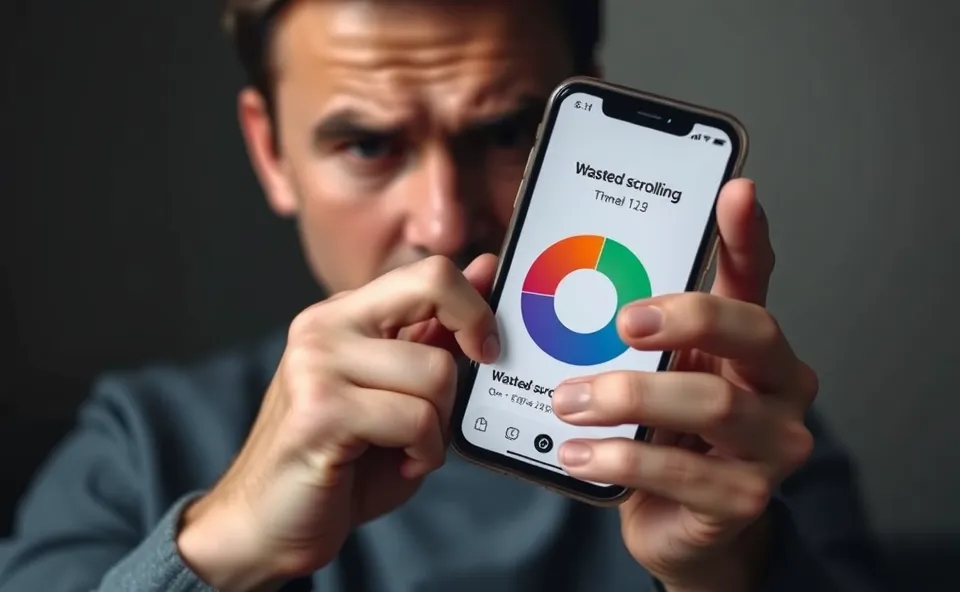
We have all been there. You sit down to check one quick message on Instagram, and suddenly, forty-five minutes have vanished into a void of cat videos and influencer travel vlogs. This is where a screen time app like Oh My Hours comes in. Instead of just giving you a polite graph of your usage, this iOS app takes a firmer approach to digital wellbeing. It is designed to track your wasted hours on social media and uses a unique shaming mechanism to nudge you back into the real world. If you find yourself trapped in a cycle of endless TikTok usage, this tool aims to make you hyper-aware of exactly how much of your life is being left on the screen.
How It Changes Your Daily Scrolling Habits
Oh My Hours works by constantly monitoring your activity on specific apps and providing real-time feedback that feels a bit more personal than the standard settings on your phone. It moves beyond simple data tracking to create a sense of accountability. Consider these real-world scenarios:
- The Morning Trap: If you habitually open Instagram the second you wake up, the app can be configured to send persistent alerts that highlight how much of your morning routine is being sacrificed to the feed.
- The Commuter: If you are on a bus or train and fall into a TikTok spiral, the app’s notification system acts as a digital tap on the shoulder, reminding you that you could be reading a book or listening to a podcast instead.
- The Evening Wind-Down: If you try to stop scrolling before bed but find yourself failing, the app’s shaming features kick in to remind you that your sleep quality is actively being traded for mindless scrolling.
Is This Productivity App Right for You?
This app is not for everyone. It is best for people who respond well to “tough love” notifications and who have tried standard tools without success. It is a solid choice for students or professionals who know they have a social media addiction and need an external force to help break the habit. However, if you are easily overwhelmed by notifications or find digital nudging annoying rather than helpful, you might want to skip this one. It requires a willingness to be annoyed by your own phone for the sake of your productivity.
How It Compares to Other Digital Wellbeing Tools
You might already use the built-in Screen Time feature on your iPhone. While Apple’s native tool is great for detailed data, it is notoriously easy to ignore. Oh My Hours differentiates itself through its aggressive design philosophy. While competitors often try to be supportive or gentle, this app leans into app shame. In terms of value, it is a niche utility. If you need a gentle reminder, the built-in iOS tools are free and sufficient. If you need a digital coach that isn’t afraid to make you feel guilty about your wasted hours, the premium cost of Oh My Hours is the price of that extra friction.
Getting Started Without the Tech Headache
Setting up Oh My Hours is straightforward. Because it is an iOS app, it integrates directly with your phone’s permissions. You will need to grant it access to your usage data, which takes about two minutes. There is no complicated dashboard to learn; it is designed to run in the background. The most important part of the setup is choosing which apps you want to monitor—focus on your “time sinks” like Instagram or TikTok rather than your work apps. Once enabled, it starts tracking immediately, though you should expect a small learning curve as you figure out how intrusive you want the notifications to be.
Real-World Pros of Using Oh My Hours
- Immediate Awareness: It stops the “time blindness” that happens when you scroll, forcing you to acknowledge the passage of time.
- High Customization: You can set specific thresholds so the app only shames you when you truly cross the line.
- Simple Design: The interface is clean and doesn’t get in the way of your actual phone use.
- Visible Impact: Many users report that within a week, they find themselves preemptively closing social apps just to avoid the notification alerts.
The Drawbacks and Reality Check
No app is perfect, and Oh My Hours has its limitations. First, the shaming mechanism can become genuinely grating if you have legitimate reasons to be on your phone for extended periods, such as running a social media account for work. Second, like any tracking tool, it does consume a small amount of background battery life. Finally, it relies on your cooperation; if you find the alerts too annoying, the temptation to simply delete the app or turn off its permissions is very high. It is not a permanent fix for behavior—only a tool to help you build better habits.
Price and Value Proposition
As of late 2023, Oh My Hours operates on a subscription model, which is common for this category of productivity app. While some might be hesitant to pay a monthly fee for an app that tells them to put their phone away, the value proposition lies in the time reclaimed. If it saves you even two hours of wasted scrolling a week, most users find the cost to be worth the investment. Always check the App Store for current pricing, as developers occasionally update their tiers or offer annual discounts.
The Final Verdict
Oh My Hours is a bold, no-nonsense tool for anyone tired of losing their day to their smartphone. It is not a miracle cure, and it won’t fix your relationship with social media overnight, but it does add a layer of friction that is often missing from our high-speed digital lives. If you are honest with yourself that you have a scrolling problem and you are open to a bit of digital guilt, it is well worth a download. If you prefer a gentler approach, stick to the free Apple Screen Time tools.
Common Questions About This Screen Time App
Does this screen time app really stop me from scrolling? It doesn’t physically lock you out of your apps, but it uses alerts and shame to make the experience less enjoyable, which often leads to you putting the phone down yourself.
Will using this app drain my iPhone battery? It runs in the background, so you may notice a very slight increase in battery consumption, but most users find it negligible compared to the benefits of mindful scrolling.
Is the app shame feature too much? It depends on your personality. If you are motivated by tough love, you will likely appreciate it, but if you prefer positive reinforcement, you might find it discouraging.
Can I use it to track apps other than Instagram and TikTok? Yes, the app allows you to select any application installed on your iOS device to monitor.
Do I need to pay a subscription to use it? Oh My Hours typically requires a subscription to access its core notification and tracking features, so consider it a recurring cost for your digital wellbeing.
Product prices and availability vary by region. Verify current pricing before purchase.