What Exactly Are the Insta360 Luna Ultra and Luna Pro?
If you have ever tried to film yourself while walking and ended up with a video that looks like it was shot during an earthquake, you know the struggle of stabilization. The Insta360 Luna Ultra and Insta360 Luna Pro are designed to fix that. In plain terms, these are high end 360 degree cameras. Unlike a normal camera that points in one direction, these see everything around them at once.
The big problem they solve is the need for a camera crew. Instead of worrying about where you are pointing the lens, you just hit record and capture every single angle. Later, you use an app to “reframe” the video, meaning you pick exactly where the camera should look after the action has already happened. This makes them a dream for the solo filmmaker or the independent journalist who needs to document a scene without a tripod or a partner.
You should care about these right now because the line between “amateur” and “cinematic” video is blurring. With these tools, one person can produce footage that looks like it was shot by a professional drone or a steady cam operator, all from a device that fits in your hand.
How These Cameras Work in Your Daily Life
Using a 360 camera feels like having a bubble of memory around you. You don’t have to aim; you just exist in the scene. Here are a few ways this actually plays out in the real world:
- For the Independent Journalist: Imagine you are covering a fast moving protest or a street festival. Instead of missing a key moment because you were pointing the camera the wrong way, you hold the Luna Ultra up. You capture the speaker, the crowd’s reaction, and the surroundings all at once. In the edit, you can pan from the speaker to the crowd seamlessly.
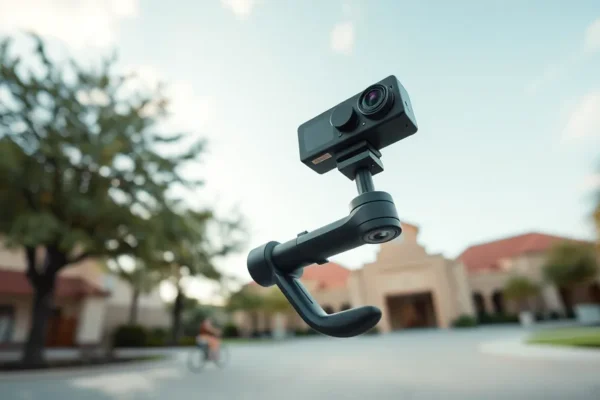
- For the Solo Filmmaker: If you are hiking a mountain or biking through a city, you can use the “invisible selfie stick.” The camera automatically deletes the stick from the footage. It looks like a drone is floating five feet in front of you, following your every move, while you keep your hands free to steer or climb.
- For the Content Creator: If you are filming a “day in the life” vlog in a crowded coffee shop, you can set the Luna Pro on a table. You don’t have to keep adjusting the angle as you move around. You just talk and move naturally, and later you can zoom in on your coffee or pan to the window to show the weather.
Who Should Buy This and Who Should Pass?
These are powerful creative tools, but they aren’t for everyone. Depending on your goals, these might be a miracle or a nuisance.
Best for: Full time content creators and independent journalists. If your income depends on high quality video and you usually work alone, the time you save on filming and the “safety net” of capturing everything make these an essential investment.
Good for: Travel enthusiasts and adventure seekers. If you want cinematic memories of your trips without spending the whole vacation staring at a screen to make sure you are in the frame, these are great choices.
Skip if: You just want quick photos for social media or you hate editing. 360 video requires a “reframing” step in an app before you can post it. If you want a “point and shoot” experience where the video is finished the moment you hit stop, a standard action camera or a smartphone is a better bet.
How Do They Stack Up Against the Competition?
The main rivals here are the GoPro Max and various DJI action cameras. When comparing the Insta360 Luna Ultra and Luna Pro to the competition, the difference usually comes down to the software ecosystem.
Insta360 generally leads in “AI editing.” Their app makes the process of turning a 360 bubble into a flat video much faster than GoPro’s equivalent software. In terms of video stabilization, the Luna series uses FlowState technology, which users consistently report feels smoother and more “floaty” compared to the more aggressive, sometimes robotic look of other brands.
Price wise, the Luna Ultra is a premium investment. It costs significantly more than a standard action camera. You are paying for the luxury of not having to aim the camera. If you don’t need the 360 degree view, you are paying for a feature that might actually add more work to your editing process.
Getting Started: Setup and Learning Curve
Getting the camera out of the box and recording is incredibly easy. It takes about five minutes to pair it with your phone and start shooting. However, the “learning” happens after the shoot.
The biggest hurdle for new users is the concept of reframing. You aren’t just trimming clips; you are essentially directing the camera after the fact. For the first few videos, you might find it tedious to manually move the view around. Luckily, the AI tools can often “track” a person automatically, which cuts the learning curve down significantly.
One common frustration is file management. Because these cameras record in every direction, the files are huge. You will need a fast microSD card and a decent amount of storage on your phone or computer to handle the footage without the app lagging.
The Real World Pros
After looking at official specs and user feedback, here are the genuine wins you will experience:
- Impossible Angles: The invisible selfie stick creates shots that are physically impossible with any other handheld camera.
- Zero Stress Filming: You stop worrying about “getting the shot” and start focusing on the experience, knowing the camera sees everything.
- World Class Stabilization: Whether you are running or shaking, the footage looks like it was shot on a professional rail.
- Versatility: One camera replaces a tripod, a gimbal, and sometimes even a drone for low altitude shots.
- AI Assistance: The app’s ability to automatically find the “best” parts of a 360 video saves hours of scrubbing through footage.
The Real World Cons and Limitations
It is not all perfect. There are some honest drawbacks to consider before spending your money:
- Battery Drain: Processing 360 degree video is taxing. Users report that during heavy 4K use, the battery can drop quickly, often lasting only a few hours of intermittent filming.
- Overheating: Like many high performance cameras, the Luna Ultra can get very hot during long, stationary recordings in sunny weather, which may lead to the camera shutting down to cool off.
- Editing Time: While AI helps, you cannot just “upload” a 360 file to Instagram or YouTube and expect it to look right. You must spend time reframing the video first.
- Low Light Struggles: While great in daylight, 360 cameras generally have smaller sensors than professional cinematic cameras. In dark environments, the footage can look grainy.
Price, Value, and Affordability
As of 2026, the Insta360 Luna Ultra sits at the top of the price bracket, while the Luna Pro offers a more mid range entry point for those who don’t need the absolute maximum resolution. For a professional solo filmmaker, the value is high because it replaces the need for a second operator.
However, be aware of the hidden costs. To get the most out of these, you will likely want a variety of mounts, extra batteries, and high speed memory cards, which can add another 100 to 200 dollars to your total. If this is too expensive, older models like the X series provide similar 360 functionality at a fraction of the cost, though you lose the professional grade stabilization and resolution of the Luna series.
The Final Verdict: Should You Buy It?
The Insta360 Luna Ultra and Luna Pro are not just cameras; they are efficiency tools. If you are a content creator or an independent journalist who feels limited by being a “one person show,” these cameras are a game changer. They remove the technical stress of framing and stabilization, allowing you to be present in the moment.
If you are a casual user who just wants a camera for family vacations and doesn’t want to spend time in an editing app, look elsewhere. The effort required to turn 360 footage into a shareable video might feel like a chore.
Final Take: Buy it if you value creative freedom and “safety” in your footage over simplicity. It is the best tool on the market for those who need professional results without a professional crew.
Common Questions About the Luna Series
Is the Insta360 Luna Ultra worth the high price?
It is worth it if you are a professional solo filmmaker. The ability to reframe shots after filming saves immense amounts of time and eliminates the need for expensive gimbal equipment.
How long does the battery actually last?
Depending on the resolution, you can expect a few hours of use. For a full day of shooting, we highly recommend buying at least two extra batteries.
Do I need a powerful computer to edit the videos?
You can do a lot in the mobile app, but for high resolution 4K projects, a computer with a decent graphics card will make the process much faster and prevent crashes.
Is it hard to learn how to reframe video?
It takes a bit of practice, but the AI tracking tools make it intuitive. Most users feel comfortable with the process after their first two or three projects.
Can I use this as a regular action camera?
Yes, most models allow you to use a “single lens” mode, which lets it act like a traditional wide angle camera for simpler shots.
Product prices and availability vary by region. Verify current pricing before purchase