A New Way to Organize Your Digital Life
In our current digital landscape, we are constantly bombarded with information. We stumble upon recipes while scrolling, find essential PDFs during work research, and take screenshots of products we intend to buy. The problem is that this information becomes fragmented. It lives in browser tabs, camera rolls, and various app archives, making it nearly impossible to retrieve when we actually need it. The Laytr app has emerged as a solution to this modern struggle, acting as a centralized hub for users to save online content.
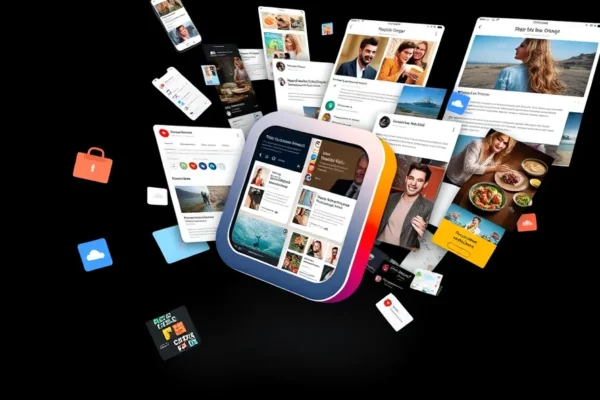
Unlike traditional digital bookmarking tools that focus primarily on text-heavy articles, Laytr is designed to handle a diverse array of digital formats. By allowing users to save screenshots, videos, PDFs, and web pages in one unified location, the developers are attempting to solve the issue of digital clutter. The significance of this release lies in its timing; as we consume more media across varied platforms, our need for a cohesive, private archive that syncs across Apple devices has reached a tipping point. According to company documentation, the goal is to provide a frictionless capture experience that moves beyond simple links.
How Laytr Works
At its core, Laytr functions as a personal library for the internet. Think of it like a digital filing cabinet where you can toss in a loose receipt, a cookbook page, or a film clip, and have the system automatically categorize and store it for you. When you encounter content you want to keep, you use the app’s share extension—a standard feature in modern operating systems—to send that item directly into your Laytr archive.
The technical mechanism is relatively straightforward. When you save an item, the app creates a localized snapshot of that content. By storing these files in a private archive that syncs across your Apple devices via iCloud, the app ensures that your research or inspiration is available regardless of whether you are using an iPhone, iPad, or Mac. It avoids the pitfall of many read later apps that only save the text of an article; instead, it preserves the visual context of the original content. This ensures that when you revisit a saved PDF or video, it looks exactly as it did when you first found it, preserving the layout and embedded media.
Current State and Real World Applications
Laytr is currently in its early adoption phase, available for users within the Apple ecosystem. It is primarily used by knowledge workers, students, and creative professionals who need to manage disparate sources of information. For instance, a designer might use Laytr to save screenshots of interface layouts for inspiration, while a culinary student might use it to organize recipes sourced from various food blogs and video channels.
Because the app supports diverse formats like PDFs and videos, it serves as a bridge between professional workflows and personal organization. As of late 2024, the app is mainstream-ready for Apple users, with the developer focusing on stability and synchronization speed across devices. It is not currently available for Android, which limits its utility for users who operate across multiple mobile platforms.
The Competitive Landscape
The market for content saving apps is crowded and mature. Established giants like Pocket and Instapaper have long dominated the space, primarily by focusing on long-form text readability. Other tools like Notion or Obsidian offer much deeper organizational structures but come with a steeper learning curve that can be intimidating for casual users.
Laytr differentiates itself by positioning its feature set between the simplicity of a basic bookmarking service and the complexity of a note-taking database. While Pocket is arguably better at stripping away website clutter to provide a clean reading experience, Laytr has the advantage in visual versatility. By allowing users to save screenshots and PDFs alongside links, it provides a more comprehensive archive for users whose interests aren’t limited to long-form journalism. The challenge for Laytr will be maintaining this ease of use as they add more advanced organizational features in future updates.
Implications and Future User Behavior
The rise of apps like Laytr reflects a broader shift in how we value digital ownership. We are moving away from the “search-first” mentality—where we assume we can just find information again later via Google—toward a “capture-first” mindset. This behavior change suggests that users are becoming more protective of their digital finds, realizing that websites change, videos get deleted, and web links break.
Economically, this benefits users by reclaiming time lost to searching for “that thing I saw last week.” In the long term, this could lead to more robust personal knowledge management systems where individuals curate their own private web. Socially, however, this trend underscores the growing problem of “digital hoarding,” where users save thousands of items they may never look at again, creating a new form of information overload that is self-inflicted.
Limitations and Challenges
Despite its utility, Laytr faces several technical and practical bottlenecks. First, the reliance on the Apple ecosystem is a significant barrier for cross-platform users. Second, the app is limited by copyright and technical restrictions on some websites; not all online content is easily “capturable” due to paywalls or aggressive site security designed to prevent content scraping.
Furthermore, private archives require storage, and as users save more high-resolution screenshots and videos, they may quickly exhaust their cloud storage quotas. There is also the unresolved challenge of searchability. Saving a thousand items is easy, but finding the right one three years later requires advanced tagging, full-text search, and metadata analysis, which are complex features to build and maintain at scale.
Future Trajectory
The trajectory for Laytr, according to current market trends for such tools, will likely involve the integration of artificial intelligence to assist in organization. Future updates may include automated tagging, where the app identifies the contents of a screenshot—such as a recipe or a product—and automatically sorts it into relevant folders. This would significantly reduce the manual effort required to keep an archive tidy.
Watch for developments in “content permanence,” where apps like this might offer features to verify that a saved web page hasn’t been altered since it was archived. While there is no official roadmap confirming these specific AI features, it is the standard direction for productivity software in the current cycle of tech innovation.
Key Questions and Answers
Is the Laytr app a mature piece of technology?
Laytr is a stable, functional tool currently available for Apple users, though it is still in the early stages of its development cycle. While it handles basic saving and syncing effectively, users should expect iterative updates to improve speed and search functionality.
Who benefits most from this content saving app?
The primary beneficiaries are power users who frequently switch between different types of content, such as students, researchers, and creative professionals who need to organize online finds like PDFs and screenshots in one place.
What are the risks of using this type of service?
The main risks include potential privacy concerns regarding how your data is stored and the reality of vendor lock-in. Since you are building an archive within a specific app, migrating that library to a different service later can be technically challenging.
How does this compare to a traditional read later app?
While a traditional read later app like Pocket is optimized for text, Laytr features a broader utility by supporting visual media like screenshots and videos. It is less about stripping content for a clean reading experience and more about creating a complete, high-fidelity archive of the internet as you experience it.
How long until this becomes mainstream?
Digital bookmarking is already a mainstream activity. Laytr is currently competing for market share within this established category by offering a more visually-oriented and versatile approach to organizing content.
Note: This article is based on the current feature set of Laytr and general market observations for digital productivity software as of late 2024. Features and performance are subject to change based on future software updates and developer policy.