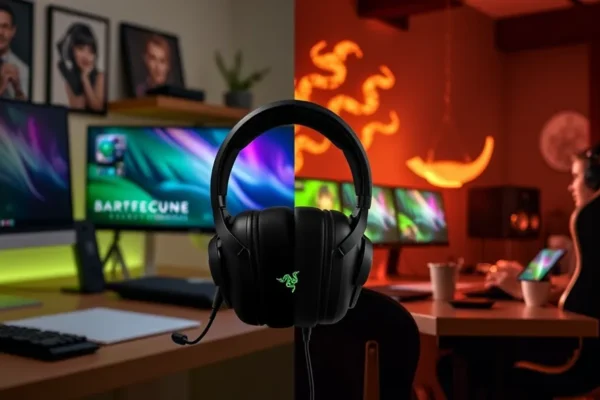
The One Headset to Rule Your Desk and Your Console
If you are anything like me, your desk is a battleground of different needs. In the morning, you are sitting in back-to-back video calls, trying to sound professional while your neighbor mows the lawn. By the afternoon, you are deep into a competitive match or an immersive RPG. Usually, this means owning two different sets of headphones: a sleek, professional pair for work and a bulky, glowing “gamer” headset for play. This is where the razer barracuda v2 pro attempts to change the game.
Essentially, this is a hybrid headset designed to blur the lines between a high-end work from home headset and a high-performance wireless gaming headset. It aims to solve the clutter problem by offering one device that looks professional enough for a boardroom but performs well enough for a pro gamer. If you are looking to simplify your setup without sacrificing quality, this might be the gadget you have been waiting for.
How You Will Actually Use This in Daily Life
The real magic of the razer barracuda v2 pro is not in a spec sheet, but in how it handles the transitions of a busy day. It is built for the person who lives a “multitasking” lifestyle. Here are a few ways this device fits into a real day:
The Morning Professional: Imagine you are starting your workday. You put on the headset, and because it lacks the aggressive lights and bulky frames of typical gaming gear, you look perfectly normal on your Zoom call. The active noise cancellation (ANC) helps drown out the hum of your refrigerator or the distant sound of traffic, letting you focus on your presentation.
The Mid-Day Commuter: Since this is a multi-device tool, you can switch from your laptop to your phone via Bluetooth. If you head out for a quick lunch or a walk, you can use it as a standard pair of wireless headphones to listen to a podcast or music, enjoying the same audio quality you had at your desk.
The Evening Gamer: Once the laptop lid closes, you plug the wireless USB dongle into your PC or console. Suddenly, you are not just listening to music; you are hearing footsteps in a game with precision. You can switch from your phone’s Bluetooth to the high-speed gaming connection almost instantly, moving from a phone call straight into a gaming session without hunting for cables.
Is This the Right Fit for You?
Because this is a premium device, it isn’t a perfect match for everyone. Choosing the right tech depends heavily on your specific habits.
Best for: People who work from home and game heavily. If you want one single device that handles both worlds and you have the budget for it, this is a top-tier contender. It is also great for commuters who want one pair of headphones for everything.
Good for: Students or professionals who move between different devices frequently (like a tablet, a phone, and a laptop) and need reliable, easy switching.
Skip if: You are a “pure” gamer who wants the flashiest RGB lights and the most aggressive design, or if you are an audiophile who only cares about music. If you only need a headset for one specific purpose, you can likely find a cheaper, more specialized option that does that one thing better.
How It Compares to Other Options
When looking at this razer barracuda v2 pro review, it is helpful to see where it sits against the competition. Most headsets fall into one of two camps: the “Office Pro” or the “Gaming Pro.”
Vs. Premium Music Headphones (like Sony WH-1000XM5): The Sony headphones will likely offer slightly better noise cancellation and a more “premium” feel for pure music listening. However, the Sony’s are terrible for gaming because they lack the low-latency connection needed for fast-paced action. The Razer gives you the gaming edge that Sony misses.
Vs. Dedicated Gaming Headsets (like Logitech G Pro X): A dedicated gaming headset often has a more “hardcore” look and perhaps slightly better microphone performance for shouting commands to teammates. However, those headsets look out of place in a professional meeting. The Razer is much more versatile for a hybrid lifestyle.
The Price Factor: You are paying a premium for the “do-it-all” capability. You could buy a cheap office headset and a cheap gaming headset for the same price, but you would lose the seamless switching and the unified audio quality that the Razer provides.
Setup and Getting Started
One of the best things about this razer headset is that it does not require a degree in computer science to use. It is designed to be intuitive.
For gaming, you simply plug the included wireless dongle into your USB port, and you are ready to go. For your phone or tablet, you use the standard Bluetooth pairing process you are already used to with your earbuds. The most impressive barracuda v2 pro features is the “SmartSwitch” technology, which allows you to jump between the two connections. While it might take a few tries to get used to the button combinations for switching, once you learn it, it feels like second nature.
A small tip: You may want to download the Razer software on your computer if you want to fine-tune the sound. It is not strictly necessary, but it helps if you want to customize how the audio feels for your specific ears.
Real-World Pros
- Seamless Versatility: The ability to move from a professional meeting to a gaming session without changing gear is a massive time-saver.
- Sleek Aesthetics: It looks like a high-end consumer headphone, making it socially acceptable for video calls and public use.
- Reliable Multi-Device Connection: The connection between the dongle and the Bluetooth is stable, which is crucial when you are relying on it for work.
- Solid Comfort: The ear cushions are soft and designed for long sessions, which is a must for anyone wearing them for an 8-hour workday.
- Effective Noise Cancellation: The ANC is strong enough to handle common household noises, helping you maintain focus.
Real-World Cons and Limitations
- Premium Price Tag: It is a significant investment, and not everyone will find the “hybrid” benefit worth the extra cost.
- Microphone Limits: While the detachable mic is great for gaming, it isn’t quite “studio quality.” In very noisy rooms, people might still hear some background clutter.
- Bulkiness for Travel: While it is sleek, it is still a full-sized headset. It won’t fit in a small pocket like earbuds will.
- Battery Management: While the battery life is good, if you are using it heavily for both gaming and work, you will need to keep an eye on it to ensure it doesn’t die in the middle of an important call.
Price, Value, and Affordability
As of current market trends, the razer barracuda v2 pro sits in the premium price bracket (typically around $250 USD). Whether this is “worth it” depends entirely on your lifestyle.
If you are a person who currently owns two different headsets, this single device could actually save you money and desk space in the long run. However, if you are on a tight budget, you might be better off buying a dedicated budget gaming headset and a separate, cheap pair of Bluetooth earbuds for your phone. For the power user who wants a premium, unified experience, the value is definitely there.
The Verdict: Should You Buy It?
The razer barracuda v2 pro is a specialized tool for a specialized type of person. It is not a budget headset, and it is not a simple pair of music headphones.
Buy this if: You are a professional who games, you value a clean and minimal desk setup, and you want a single, high-quality device that can transition from a spreadsheet to a battlefield without missing a beat.
Wait or look elsewhere if: You are purely a gamer who wants maximum “flair,” or if you are looking for the absolute best noise cancellation on the market (in which case, look toward Sony or Bose).
Final Take: This is one of the most practical hybrid headset options available today. It understands that our lives are no longer split strictly between “work mode” and “play mode.”
Common Questions About the Razer Barracuda V2 Pro
Is the razer barracuda v2 pro worth the high price?
It is worth it if you value versatility and want to replace multiple devices with one high-quality headset. If you only need a headset for one specific task, you can find better value elsewhere.
How does the multi-device switching actually work?
The headset uses a feature called SmartSwitch, allowing you to stay connected to your gaming dongle and your phone’s Bluetooth at the same time. You can toggle between them with a simple button press.
Can I use this for console gaming?
Yes, the wireless dongle makes it compatible with most modern consoles, providing a low-latency connection that is much better than standard Bluetooth for gaming.
Is the microphone good for office calls?
The microphone is very capable for standard video calls and gaming. While it won’t sound like a professional broadcast mic, it is clear and reliable for daily work use.
How long does the battery last?
The battery life is designed to last through a full workday and a decent gaming session, though heavy use of ANC and high-volume gaming will drain it faster.
Product prices and availability vary by region. Verify current pricing before purchase